How do I make a loop, for example with my voice?
Press once: recording. Press again: the loop goes round and round. Now you lay the next track on top, and another one.
Clap four beats into a looper or into Loopy Pro, press twice, then clap a second pattern on top.
CH 08What a loop station does›A loop station records a short passage and repeats it immediately and endlessly.3 min
A loop station records a short passage and repeats it immediately and endlessly. While it runs, you play the next layer over it, and the next. That is how a single voice becomes a whole track in front of an audience.
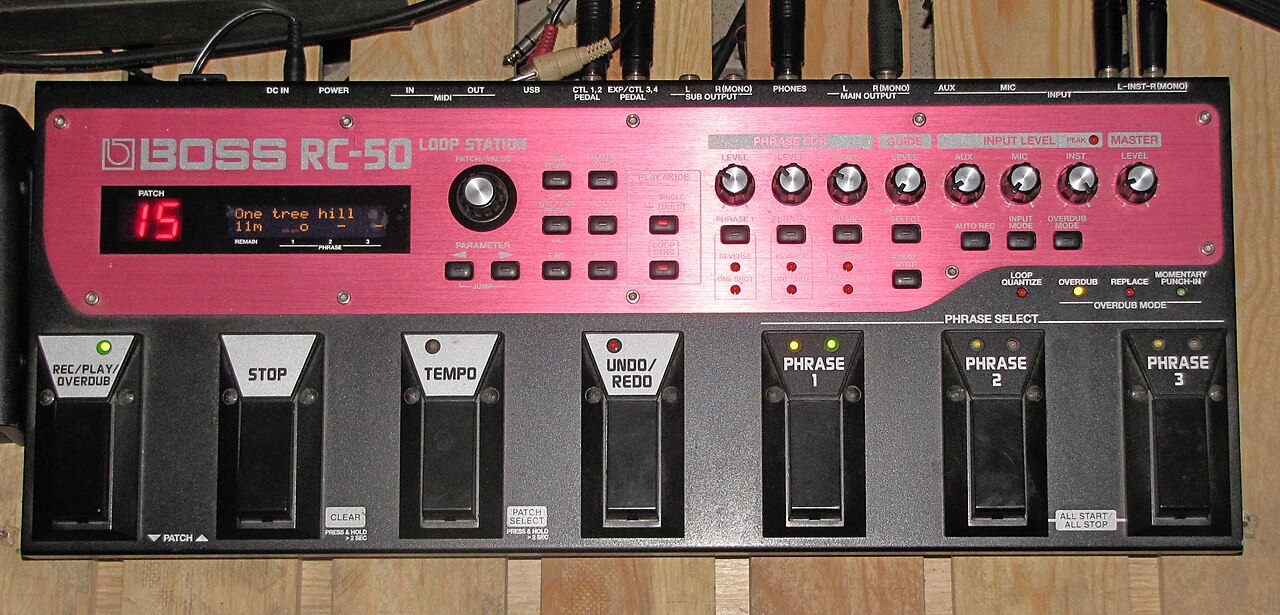
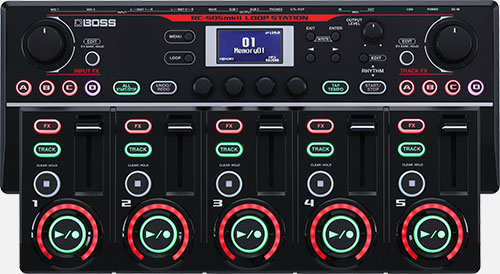
What matters is not the technology but what it does to time. In a normal recording you build one thing after another and correct later. When looping, the building happens live and in one direction. What you record stays, for now. That is why people listen so carefully when looping: the first layer decides everything that comes after it.
[The hands-on graphic for this is above.]
The four moves you actually need
Every device calls them something different, but the operation is the same handful of decisions everywhere.
- Setting the length. The first press starts the recording, the second ends it. That gap is the length of the piece from now on. This is why the first layer is the most important one: it sets the tempo and and the number of bars for everything else.
- Overdub. New material goes into the same passage. The length stays, it just gets denser. That is the normal case.
- Undo. Most devices can remove the layer recorded last. How many steps back they go varies a lot: some hardware manages exactly one, Loopy Pro manages many. In practice people often delete the whole loop anyway and record it again.
Do not try to rescue it. Delete and start again. A crooked first layer drags every further layer with it, and you hear all evening that something does not sit. Twenty seconds of recording again is cheaper than five minutes of patching.
Some people store whole projects on one and start them at a concert as a finished backing track. That works, but it is not what the device was built for, and almost any other device does it better.
A loop station is strong at exactly one discipline: building something complete out of nothing, in a short time, while people watch. No screen, no menu, no choice. One button records, the same button ends it, and from then on it runs. That refusal to compromise is why this device produced a scene of its own.
Everything on this page applies to software just as much. Loopy Pro on the iPad is at heart a loop station where you decide the number of tracks, their size and their arrangement yourself. More on that in Booklet 2.
Looping means recording the material in the moment. Firing off prepared patterns is something else, and both are legitimate: the groovebox in chapter 09 lives on exactly that. In the course we do both and mix them. All that matters is that you know which one you are doing.
IN THE BOOKLET: CH 08 · OLD VERSION
CH 21How a loop comes into being in it›Because otherwise the chapter explains what the app is , and not what you do: the sequence is the same as on any loop station from Booklet 1, only the surface is on a screen.1 min
Because otherwise the chapter explains what the app is, and not what you do: the sequence is the same as on any loop station from Booklet 1, only the surface is on a screen.
- Tap once on an empty tile to start recording.
- Tap again to end it and start playback immediately. That gap is the length of the piece from now on.
- Keep tapping to switch between playback and overdub. New material lands in the same tile.
- Hold is reverse gear: delete, or take back the last layer.
The difference from hardware is that you decide how many tiles you see, how big they are and what sits next to them. On a loop station five tracks are five tracks. Here you lay out what your piece needs.
Looping itself costs hardly any processing power. It gets expensive where sound is calculated, so with synthesizers and complex effects. An older iPad goes surprisingly far for pure looping.
But the space is not infinite. However many plugins you have bought, only as many can run at once as the device can take. That is exactly why most people use something external for sound generation: a hardware synth, their own voice, an instrument. I now run the synths on a small Linux computer myself and only send audio into the iPad. The iPad then does what it does best, namely looping and arranging.
A Mac version of Loopy Pro has been announced, but there is no date. If you are planning today, plan with the iPad.
IN THE BOOKLET: CH 21 · OLD VERSION
CH 16Dub FX›Benjamin Stanford, stage name Dub FX, is an Australian musician who became known worldwide as a street performer.2 min
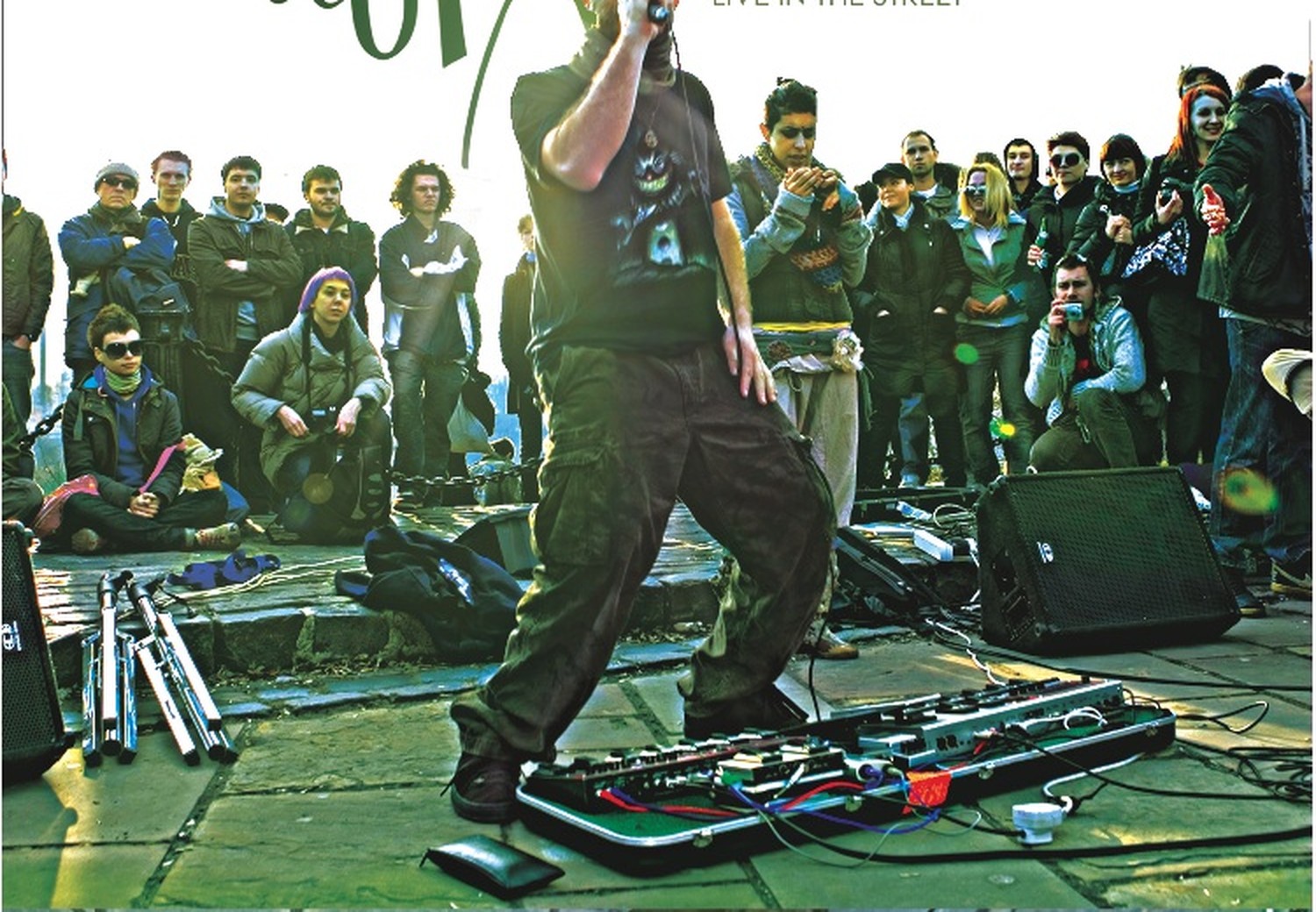


Benjamin Stanford, stage name Dub FX, is an Australian musician who became known worldwide as a street performer. He builds his pieces exclusively from his own voice: beatbox as drums, hummed bass, harmonies, effects, with singing and rap over the top.
The device he did that with for years was a Boss RC-50, built for guitarists. It lay on the ground in front of him, operated with his feet, while the voice ran above. That shift is his real contribution: not a new trick, but a tool in a role nobody had planned for it. Anyone doing beatbox on a loop station today stands in that line, whether they know it or not.
His contribution is less technical than educational. He made the process visible. Watch him and you understand in two minutes what a loop station does, because every layer comes into being in front of the audience.
At some point he met Michael Tyson, the developer of Loopy Pro. Out of that came an exchange between someone hitting the limits of his device every night in the street and someone who could write the software behind it. If you have read chapter 15 you will recognise the pattern: the same loop between people playing and people building, only this time in software instead of metal.
Dub FX no longer works with the hardware he became famous with. He has replaced his loop station and his hardware sampler with an iPad and controls everything from a controller.
IN THE BOOKLET: CH 16 · OLD VERSION