And the iPad? A whole studio in one app
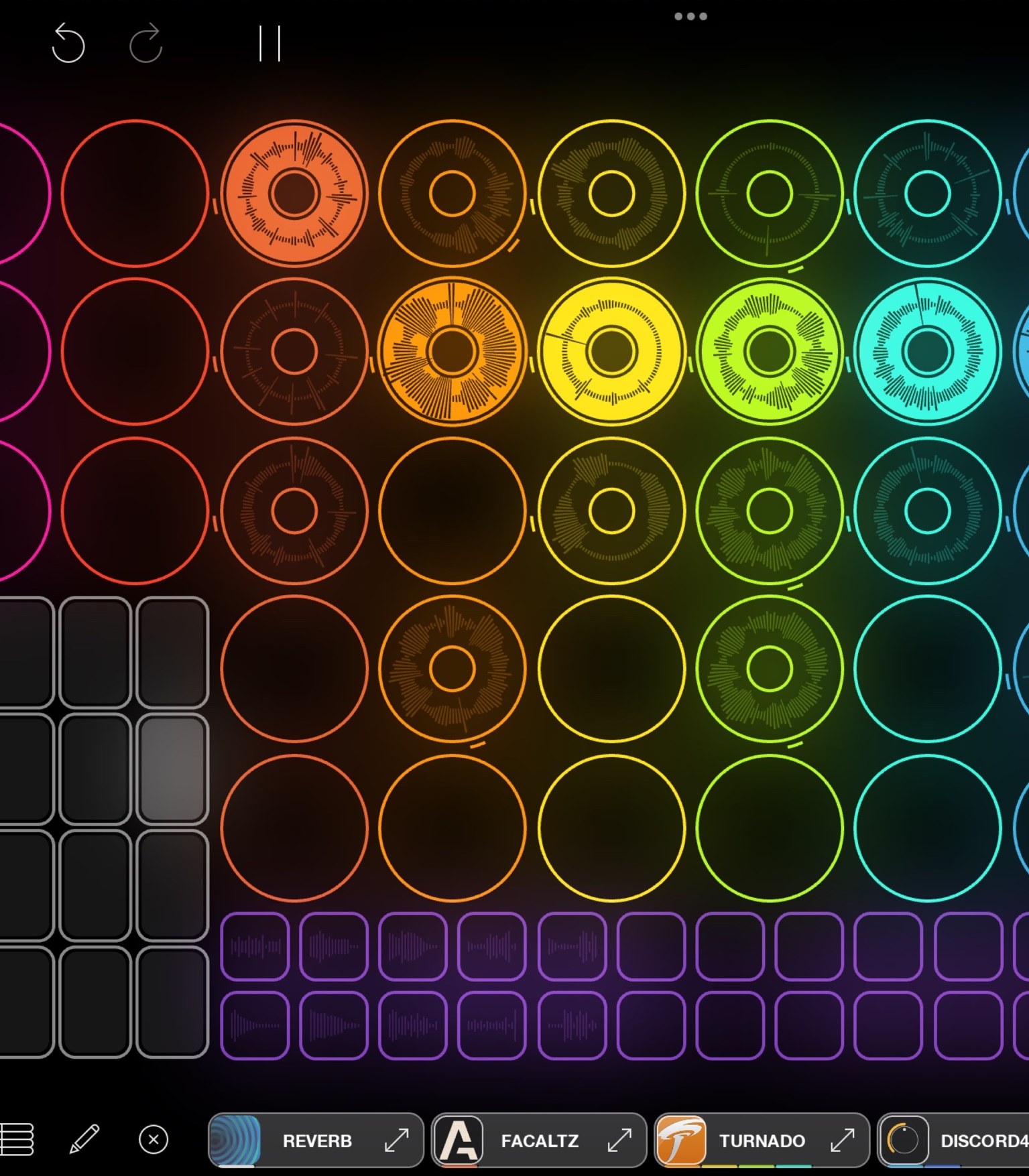
With Loopy Pro the iPad becomes looper, mixer and effects unit in one. Plugins provide the sounds, and you build the surface to fit your hands.
Open Loopy Pro, record a loop and lay a second one over it. Then move one button somewhere else.
CH 21Loopy Pro›The software I work with.6 min

The software I work with. Developed by Michael Tyson, an independent developer who still looks after it himself.
It began as an experiment on the iPhone. Tyson had seen Imogen Heap loop live and wanted to find out what was possible on a device like that.
Why the iPad can be an instrument at all
Until 2012 iOS music apps could not talk to each other. People wrote to Tyson saying their guitar amp sounded great but only the dry signal arrived in Loopy. His first reflex was that iOS simply worked that way. Then enough such emails came that he asked himself why it should not work that way after all.
 Audiobus The first way two iOS music apps could hand their audio to each other. By Michael Tyson, the same developer as Loopy Pro.
Out of that came Audiobus, the first system that let iOS music apps pass their audio to each other. Apple followed suit, and since 2015 there has been today's standard: AUv3. Audiobus came from him, AUv3 then from Apple. So the push for iOS music apps to talk to each other at all came from the app corner and not from the maker of the device.
What a plugin is
An AUv3 plugin is not a standalone app but an extension. You buy a synthesizer in the App Store. It appears as an icon on the home screen and at the same time as a building block in the list of every host program. Loopy Pro is such a host. The synth then runs inside Loopy Pro, and its sound lands straight on a loop track.
If you come from a computer you know this under a different name: what VST is on Windows and Mac, AUv3 is on the iPad. The same idea, the same principle, a different abbreviation. Many makers build both, sometimes even the same devices. Sugar Bytes for example, whose Turnado has been known on the computer for years as an effects cannon, exists just as much as an AUv3 for the iPad.
In practice that means: one iPad, one running app, and inside it a drum machine, synthesizer, guitar amp and reverb at the same time, all routed into the same loop structure. No switching between apps, one project, one saved state.
Plugins worth having
From my own collection, not a complete list. So you can spot them in the App Store, the icons are shown here the way they look on your home screen.
 TurnadoSugar Bytes · Effects
 BLEASSSynths and effects
 BlackholeEventide · Reverb
 MelaSynth, effects, MIDI
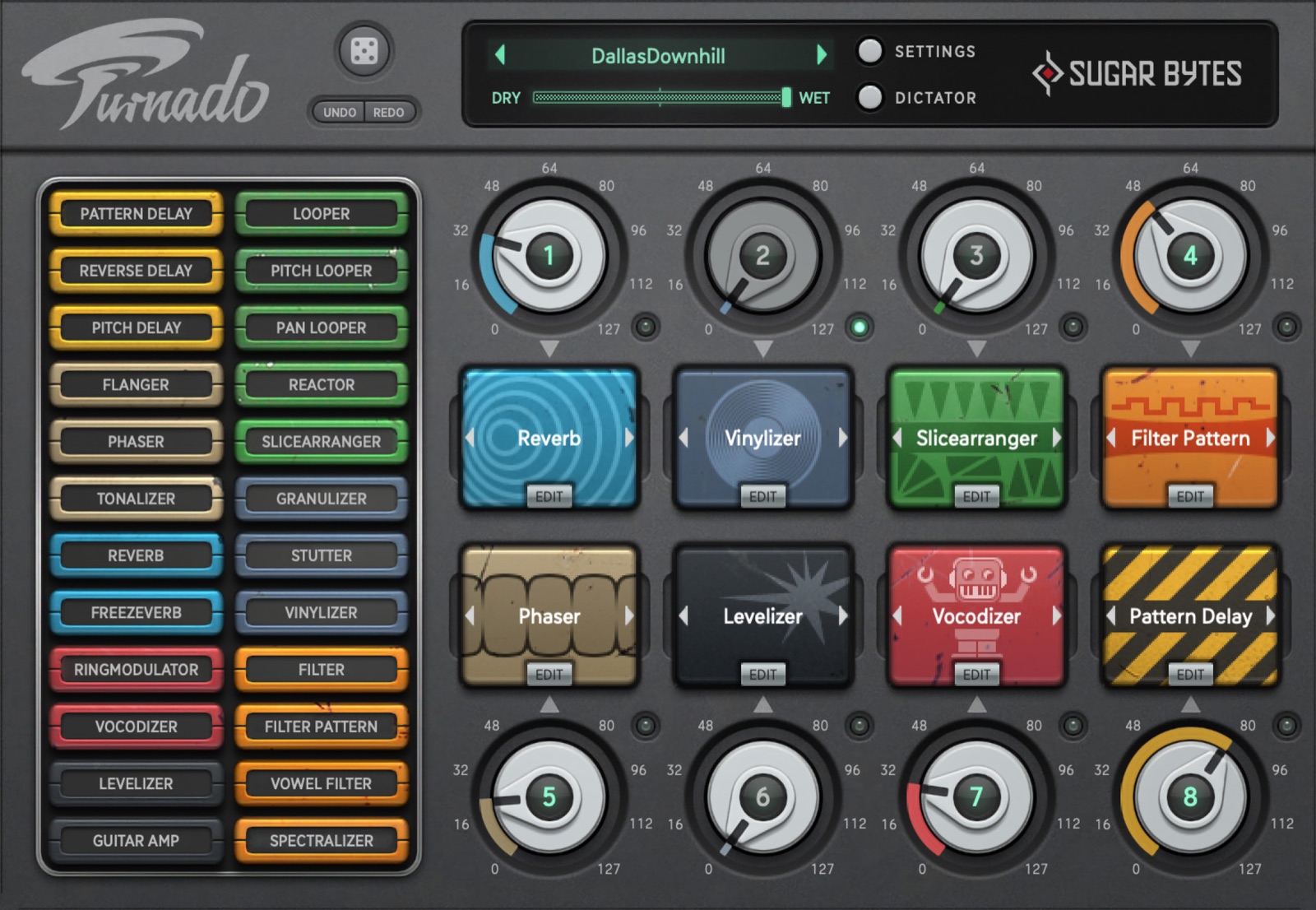
- EffectsSugar BytesTurnado is an effects cannon for the stage: eight knobs, each a different destroyer, all playable in real time. Looperator does the same thing sequenced, Effectrix something similar. They exist for computers and for the iPad.sugar-bytes.de
- Synth and effectsBLEASSA small French house building a whole range of cheap effects and synths, all operated in the same plain style. Filter, delay, saturation, arpeggiator. I use almost all of it.bleass.com
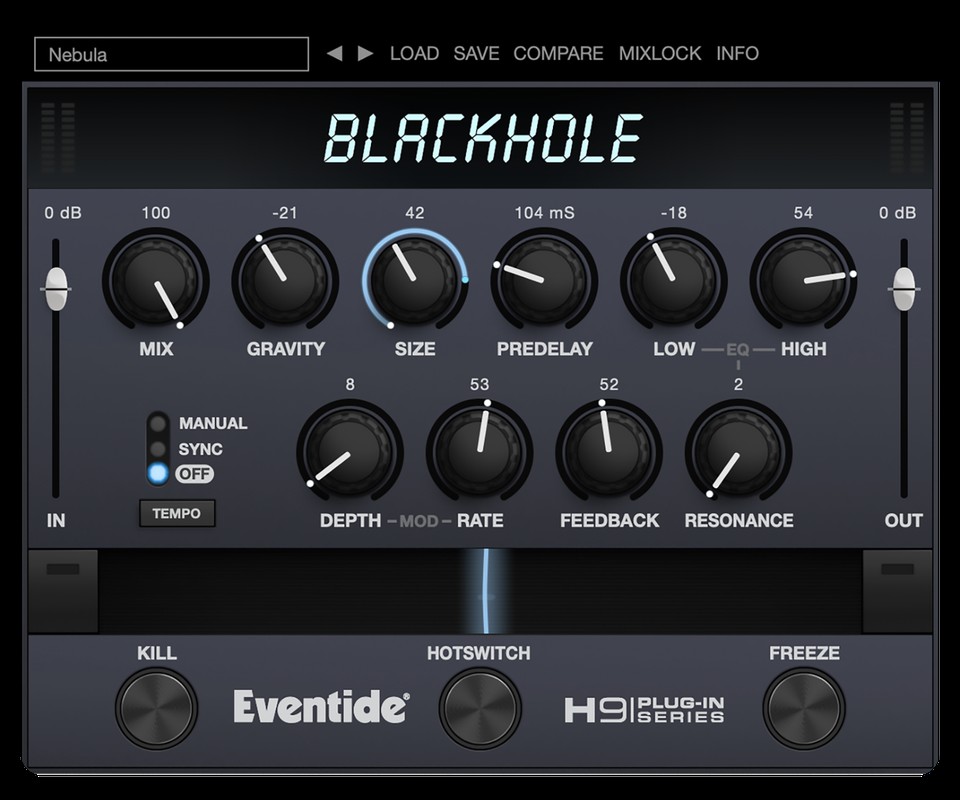
- EffectsEventide BlackholeA reverb that goes far beyond a room and builds a plane rather than a wall. Good for moments when a loop should get bigger rather than louder.eventideaudio.com
- Synth and effectsMelaA single plugin containing synthesizers, effects and MIDI tools that can be plugged together modularly. The base version costs nothing, the extensions can be added individually. For starting out on the iPad it is the best value for money I know.Mela
Almost all of this exists as a free base version. Take those first, play with them for two weeks, and then buy what you actually found missing. A full plugin collection does not make a set.
The idea behind it
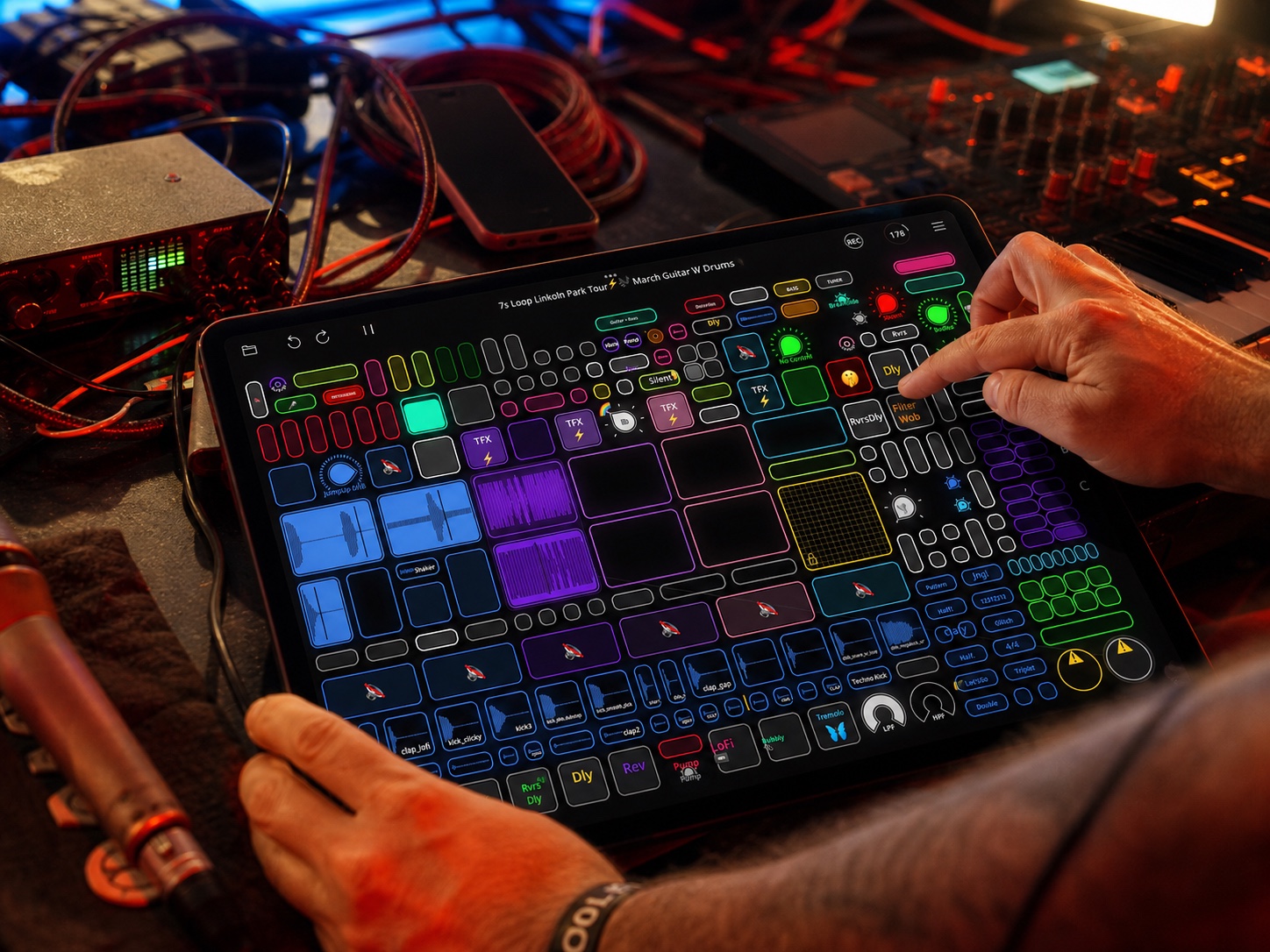
The maker himself describes Loopy Pro with a sentence that gets it right: „Loopy Pro is like musical Lego.“ You lay out loops, buttons, knobs, panels and grids on the surface yourself, the way you need them.
The sentence is advertising but it is accurate: the app deliberately prescribes no fixed workflow. Two people with the same app can have two completely different instruments in front of them. That is why in the course we first look at what you actually want to play, and only then at which buttons you need for it.


How a loop comes into being in it
Because otherwise the chapter explains what the app is, and not what you do: the sequence is the same as on any loop station from Booklet 1, only the surface is on a screen.
- Tap once on an empty tile to start recording.
- Tap again to end it and start playback immediately. That gap is the length of the piece from now on.
- Keep tapping to switch between playback and overdub. New material lands in the same tile.
- Hold is reverse gear: delete, or take back the last layer.
The difference from hardware is that you decide how many tiles you see, how big they are and what sits next to them. On a loop station five tracks are five tracks. Here you lay out what your piece needs.
Looping itself costs hardly any processing power. It gets expensive where sound is calculated, so with synthesizers and complex effects. An older iPad goes surprisingly far for pure looping.
But the space is not infinite. However many plugins you have bought, only as many can run at once as the device can take. That is exactly why most people use something external for sound generation: a hardware synth, their own voice, an instrument. I now run the synths on a small Linux computer myself and only send audio into the iPad. The iPad then does what it does best, namely looping and arranging.
A Mac version of Loopy Pro has been announced, but there is no date. If you are planning today, plan with the iPad.
IN THE BOOKLET: CH 21 · OLD VERSION
CH 22One working method in detail: kristof7s›Because „build your own surface“ stays abstract, here in full is how someone who makes a living from it does it.2 min
Because „build your own surface“ stays abstract, here in full is how someone who makes a living from it does it. From his own interview on the Loopy Pro site, translated and summarised.
How he started out
After his school band broke up he stood alone in the rehearsal room with a guitar and a small looper that managed about fifteen seconds on a single track. That was exactly enough to notice that one person alone can build something bigger in real time. After that came a better looper, the RC-505, beatbox battles and street performance. Dub FX was an early model for him, because you could see a whole song coming into being in front of you.
He was first shown Loopy Pro by Dub FX, as an early test version on an iPhone. That closes the circle from chapter 15: the beatbox scene and the software found each other long before anyone knew about it.
Four things you can take from him
- One template instead of a project per song. He does not build something new for every piece but maintains one single, constantly growing surface. Whatever proves useful in rehearsal or on stage moves into it and is available next time in a completely different situation.
- Colours as order. Drums, bass, harmony, melody, lead, resampling and effects each have their own colour. Not for decoration, but so that the hand knows where to reach in half-darkness.
- One button, several meanings. Tap, double tap, hold and swipe each trigger something different. Instead of memorising key combinations he builds the moves into the instrument itself. His own words: it looks complicated so that it is simple.
- The evening runs through. He plays more like a continuous DJ set than a concert with applause between pieces. That is a decision about form, and it determines what the surface has to look like.
I wrote up his working method in full some time ago and put it online: the Kristof7s compendium. It contains considerably more than this, among other things his drum workflow, stacking effects, sidechain, buildups with a crash on the one, and his acapella system. The page also exists in English, if that is easier for you.
Not the number of buttons. But that the surface grew out of his playing and not the other way round. He did not work out what the app can do, he worked out what he wanted to do, and built accordingly.
IN THE BOOKLET: CH 22 · OLD VERSION
CH 23The same app, seven different instruments›On the Loopy Pro site there are portraits of musicians.1 min
On the Loopy Pro site there are portraits of musicians. What you learn most from them is how differently the same tool gets used.


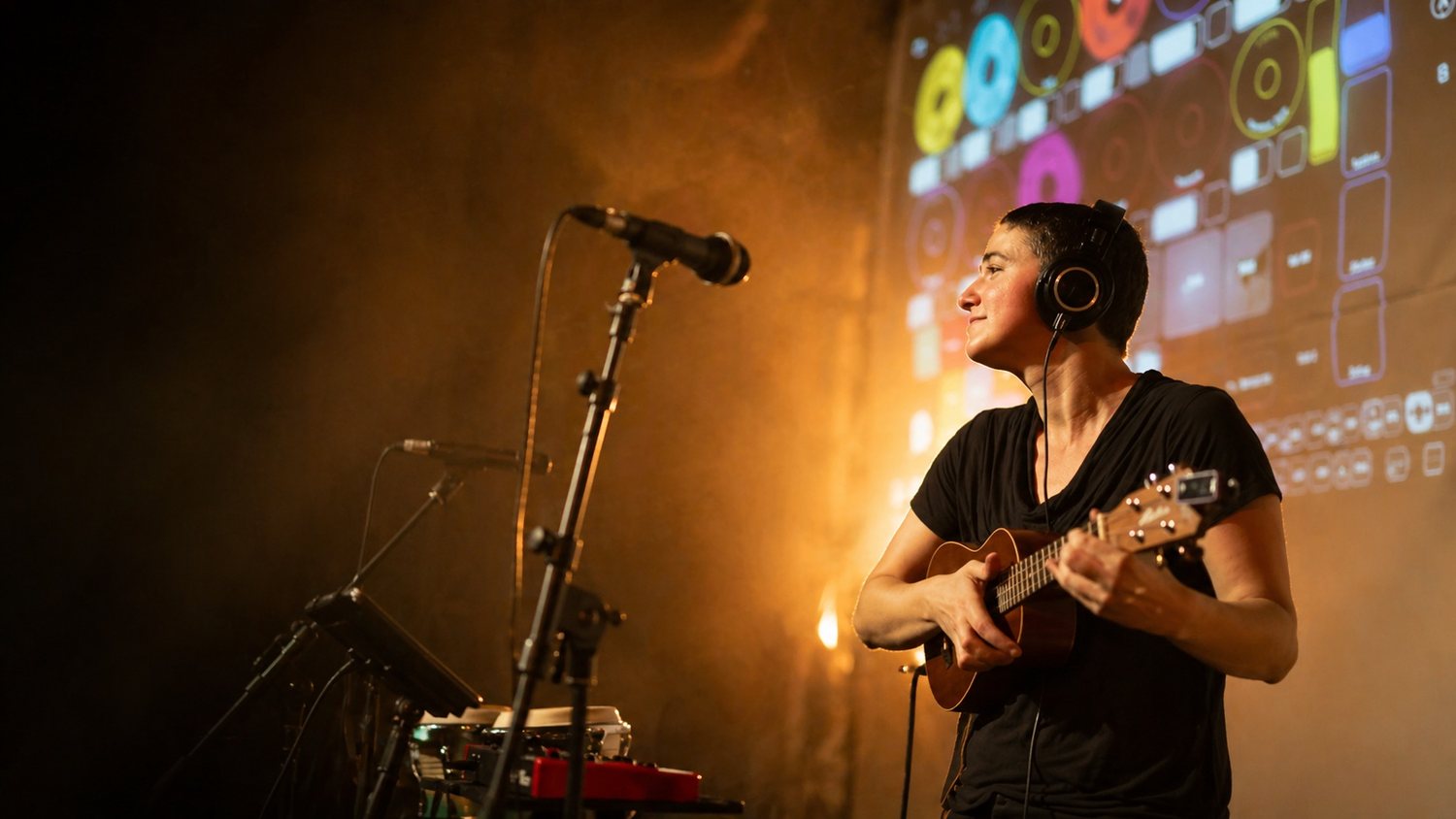


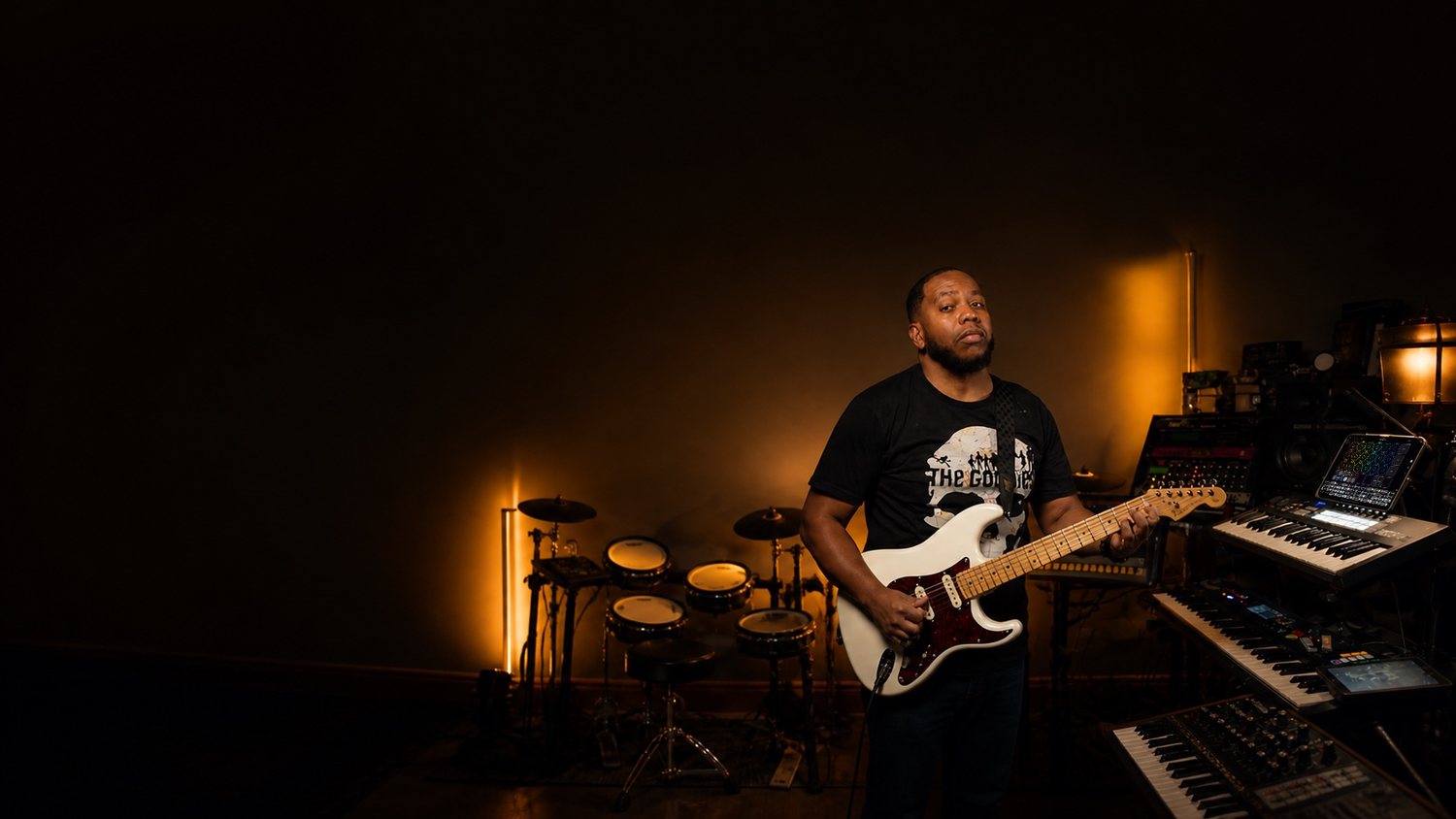
Portraits from loopypro.com, artist spotlights.
- Markus K · Street performance, bluesCompletely open to whatever comes into my head. In the original: „Loopy Pro is completely open to whatever comes into my head.“/markus-k
- MusicianDub FX · Beatbox, touring setupWhat I love about Loopy Pro is how modular it is. In the original: „What I love about Loopy Pro is how modular it is“/dub-fx
- Inby · Singing, ukuleleIt sounds sequenced and is free all the same. In the original: „It's like it's sequenced, but it's free.“/inby
- Musiciankristof7s · Beatbox, electronicsLoopy let me make the loop into more than a loop. In the original: „Loopy enabled me to make the loop not just a loop.“/kristof7s
- Inkie · Beatbox, iPad onlyI sold my MKII, sold my Helix, and now I just use iPads. In the original: „I sold my MKII, I sold my Helix, and I just use iPads now.“/inkie
- Max Yar · Fingerstyle guitarCalls it a professional tool for the stage, not a random app from the store./max-yar
- Tic2DaToc · R&B, funkI can essentially do everything in Loopy Pro. In the original: „I can essentially do everything in Loopy Pro.“/tic2datoc
All of them at loopypro.com/artist-spotlights. Street performance, beatbox, ukulele, guitar, soul, electronics. The same program, completely different music.
IN THE BOOKLET: CH 23 · OLD VERSION
CH 06Buffer and latency›The computer does not work through sound one value at a time but in chunks.6 min
The computer does not work through sound one value at a time but in chunks. The size of those chunks is called the Buffer and is given in samples. A small buffer means little delay but more work for the computer. Too small and it clicks. Larger means safe but sluggish. Set it small when recording, it can be large when mixing.
In detail: what happens inside the computer
Under the hood this is what happens: the converter measures the voltage 44,100 times per second and puts the numbers on a stack. When the stack is full it wakes the computer. The computer now has exactly as long to calculate all the effects for that stack as it takes to play the previous one. If it does not finish in time, a stack is missing, and that is what you hear as a click. A bigger stack gives more time per wake-up and is therefore safer, but costs delay, because it has to fill up first.
How long a buffer lasts is easy to work out: its samples divided by the number of measurements per second. At 48,000 measurements per second, 48 kHz for short, 128 samples are 2.7 milliseconds. That is how much Latency, the delay between striking a key and hearing the note, each buffer costs, and twice the size means twice as long.
The second number in the same settings is the sample rate. It says how often per second a measurement is taken, usually 44,100 or 48,000 times. Higher does not automatically mean better, it mainly means more calculation. All that matters is that every device in a chain is set to the same number. If you want to know what physically happens there, and why a higher number does not automatically mean more quality, it is shown very well in „Samplerates: The Higher the Better, Right?“ from the FabFilter series .
That depends on where your set comes together. If everything runs in software, so in the computer or the iPad, you need an interface: it brings the signals in and back out. If everything runs in hardware, you need a mixer to bring the devices together, and the computer does not appear at all. Most people end up with both, because an interface with four inputs and knobs of its own is nearly a mixer already.
In short, for the iPad: you need an interface that is class compliant, and as soon as more than one device is attached, a hub that passes power through.
Connecting iPad and USB: host, hub, class compliant
Normally the computer is the host: it powers the connected devices and talks to them. An iPad can do it too, but often needs an adapter with its own power supply. Some devices can be a host themselves and take a controller directly, with no computer at all. When a spec sheet says „USB host“, that is exactly what it means.
The terms for this are host and client: the host supplies power and gives orders, the client hangs off it and obeys. The interesting devices are the ones that can do both. In September 2026 Elektron introduced the Outbox 8 , which gives an Elektron machine eight outputs for audio and control voltage, and according to the maker works with other class-compliant gear as well. Loopop has gone through it in detail.
An iPad has one socket. As soon as an interface, a controller and power all need to be attached at once, you need a hub that passes power through. Three I can genuinely recommend after a long search:
- Unisynk 8 Port USB-C Hub V3, 140 W. Eight sockets, passes the most power through. Around 91 euros.
- uni USB-C Hub 8 in 1, with a detachable cable. In a backpack the detachable cable is the difference between intact and broken. Around 72 euros.
- StarTech 4-Port USB-C Hub, 100 W. The smallest of the three, three USB-A and one USB-C. Around 87 euros.
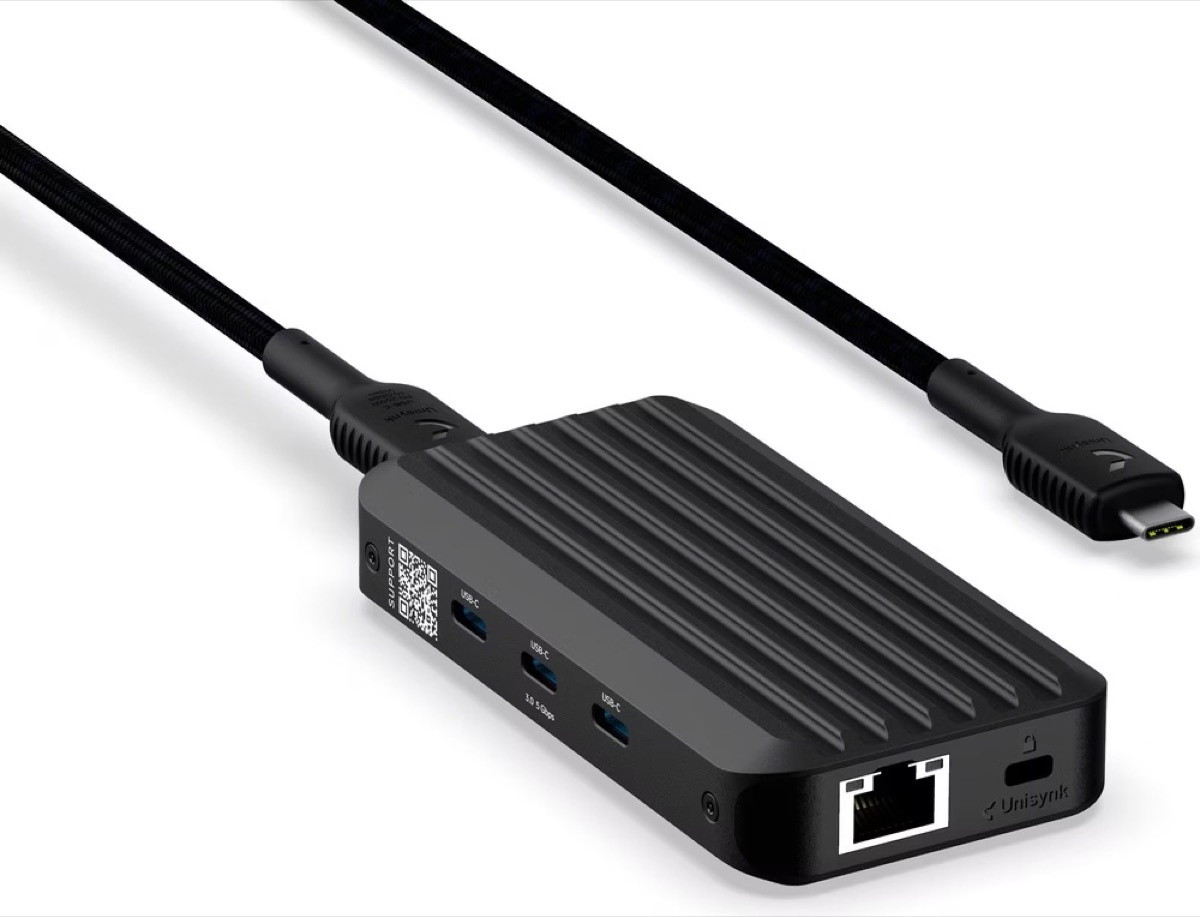
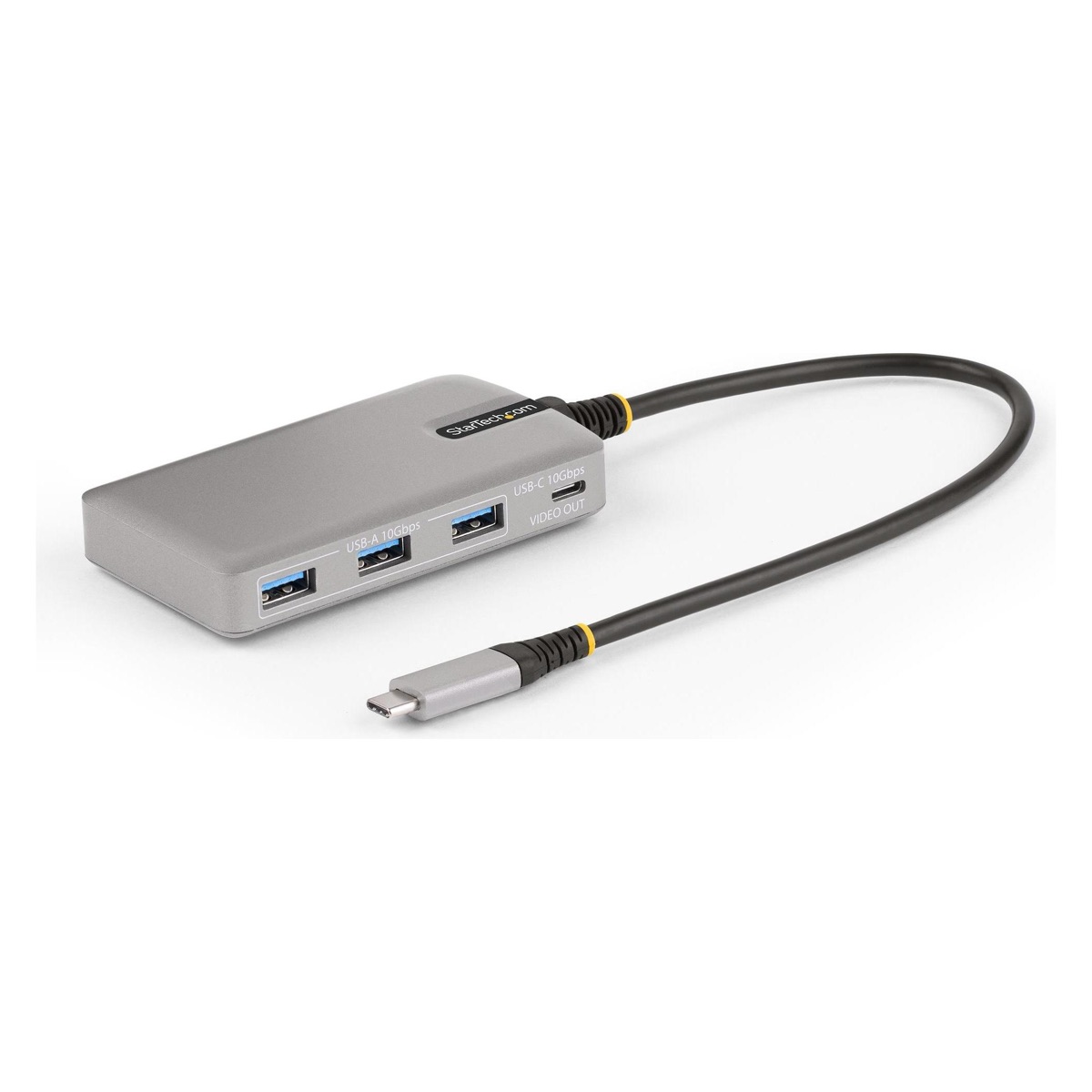
What matters is not the number of sockets but whether the hub passes power through. Without that the iPad runs out of breath on the road, and an interface without its own power supply gets too little.
Both can run audio interfaces without drivers. The technical term for this is class compliant: the device follows the USB standard so exactly that the operating system recognises it with no extra software. On an iPad that is not a convenience but a condition, because no drivers can be installed there at all. By now most small interfaces are class compliant, but it is not always printed large on the box. When in doubt, look for it before you buy.
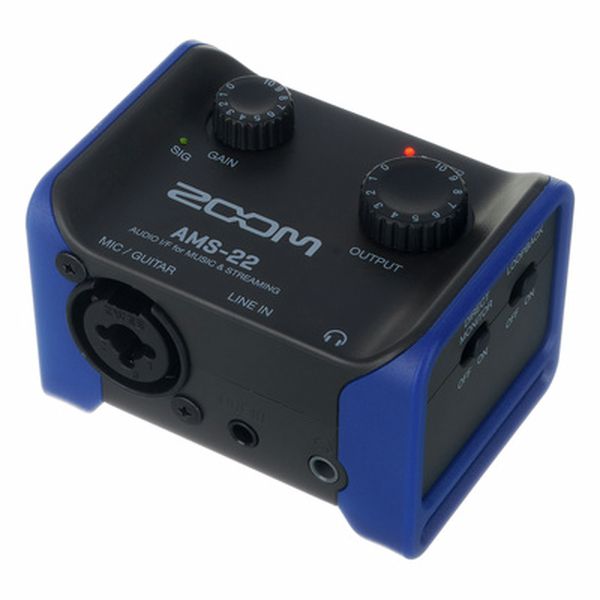
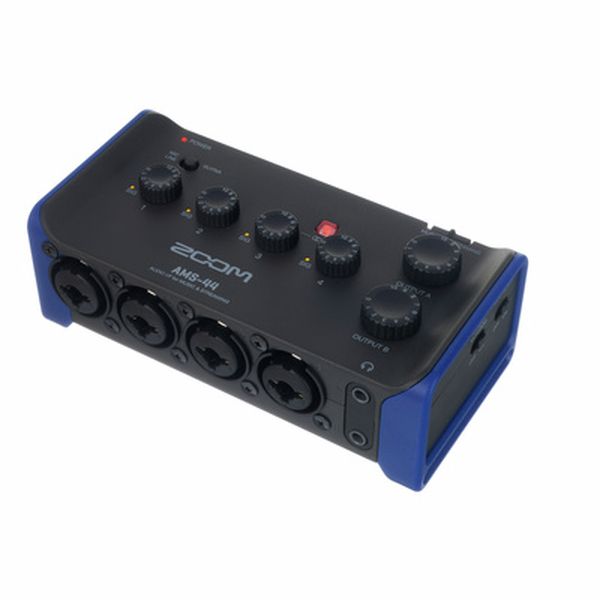
Beyond that it usually comes down to the cable and to whether enough current is flowing. An interface with its own power supply is the safe choice. Small and good for travelling: the Zoom AMS-22 and the AMS-44, two and four inputs respectively, class compliant, and they fit in a jacket pocket.
IN THE BOOKLET: CH 06 · OLD VERSION