Grooveboxes, Synth & Loop
Everything we will talk about in class, to read up on between sessions. No prior knowledge needed. If you want to go deeper, Booklet 2 has the history, artists to watch and material to work through.
Contents
- 01What a live set is made of
- 02The MIDI controller
- 03MIDI and audio
- 04Tempo, bars, and why sync changes everything
- 05Hearing yourself
- 06The audio interface
- 07Level, or: why it distorts
- 08What a loop station does
- 09What a groovebox is
- 10The Circuit Tracks in detail
- 11Drum machines that changed everything
- 12What a sequencer is
- 13What a synthesizer is
- 14And now?
- Glossary
01 What a live set is made of
Before we get to devices, another question is worth asking: what is the thing you actually hear at the end made of. The answer is almost the same for every piece of music, whether it is techno, folk or beatbox.
A live set has two sides, and most misunderstandings come from mixing them up. One side is technical: how does material get into your set at all. The other is musical: which roles have to be filled for it to sound like something. A device only ever answers the first question. You answer the second.
The technical side: how something gets in
There are exactly two ways to get material into a live set, and most people combine both.
- Looping. You play or sing something and record it in the moment. The material comes into being in front of an audience.
- Sequencing. You program a pattern and the device plays it back. The material may have been made beforehand.
The musical side: what belongs in it
Almost every piece needs the same roles, regardless of the technology:
Which instrument takes which role is open. A voice can be the drums, a synthesizer can play the bass. The roles stay the same, the casting changes from piece to piece.
02 The MIDI controller
The device most often misunderstood, because it looks like an instrument and is not one. A controller makes not a single sound. It is the remote control, not the television.
It sends three kinds of message and nothing else: which key was pressed and released again, how hard, and which knob was turned to which value. What becomes of that is decided solely by the sound source behind it. The same controller plays a piano on one device and a drum kit on the next, without anything changing on the controller.
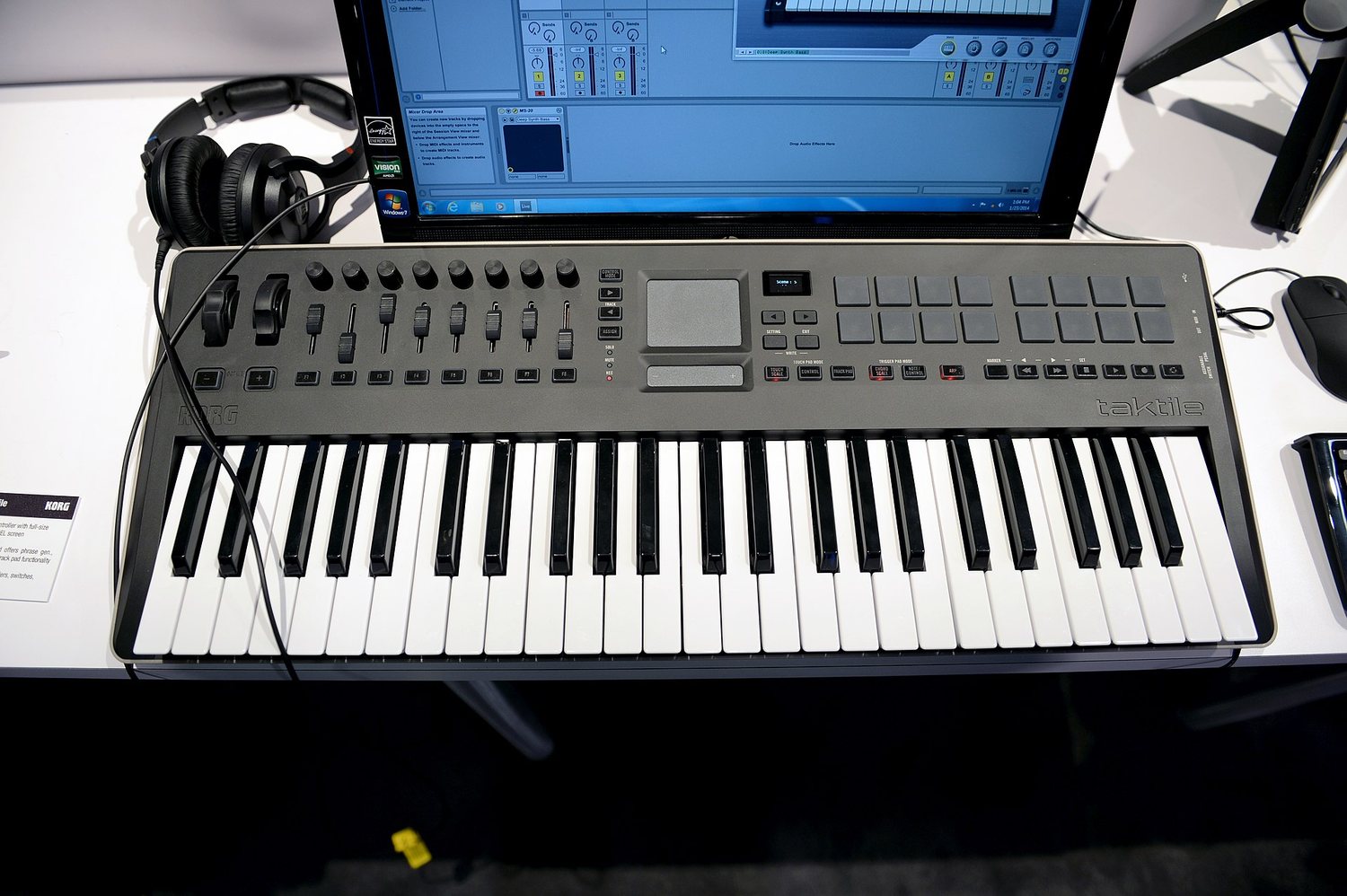
The four form factors
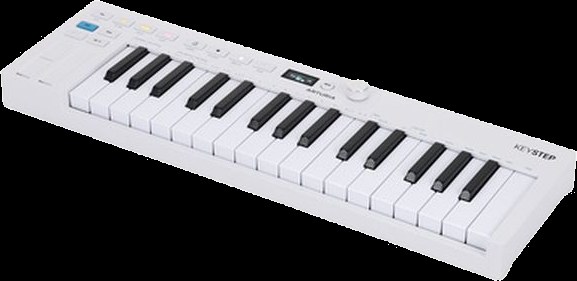
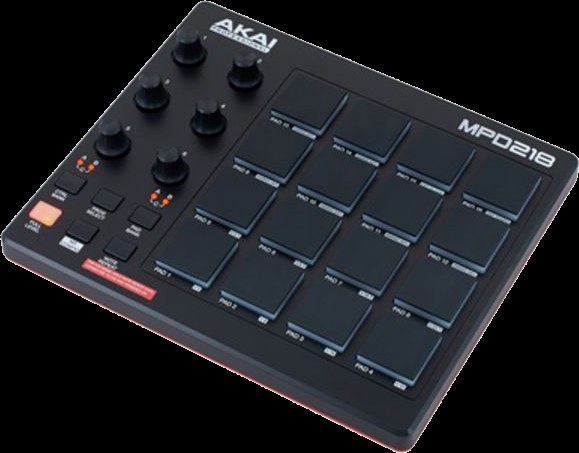
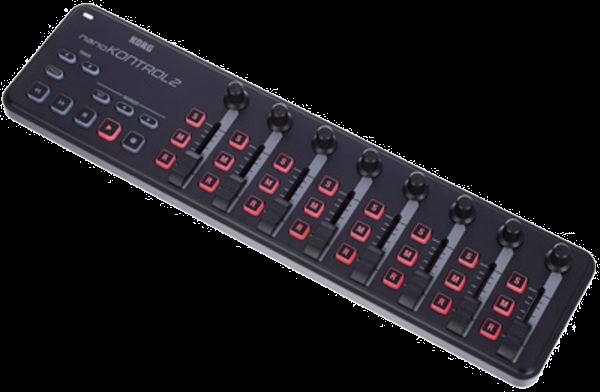
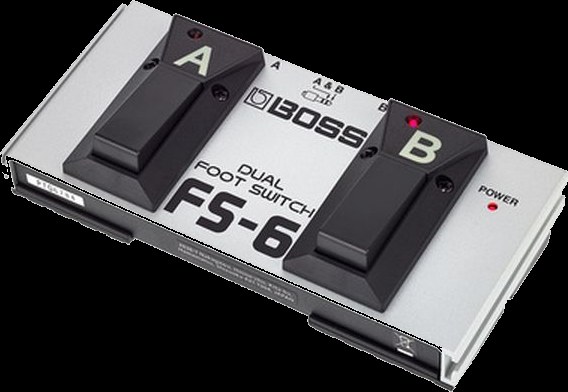
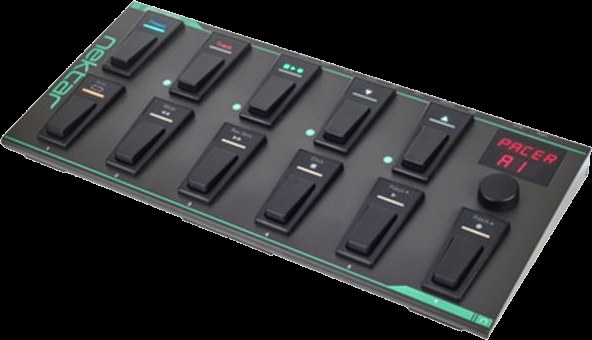
Keys are for melodies and chords. Pads are for drums and for firing off patterns, and they sit better under your hand when you tap out rhythms. Knobs and faders control nothing that sounds, but change: filter, volume, effect amount. Footswitches are for everything you have to trigger while both hands are busy. For looping this is often the most important controller in the room.
03 MIDI and audio
MIDI is a protocol, an agreed way for devices to talk to each other. It dates from 1983 and is still used for a great many different things: triggering notes, remote-controlling knobs, putting devices on the same tempo, switching lighting desks and effect units. It never carries sound, only messages about what is supposed to happen.
Audio is the counterpart: the vibration itself, as voltage in the cable. That is what comes out of the speaker in the end.
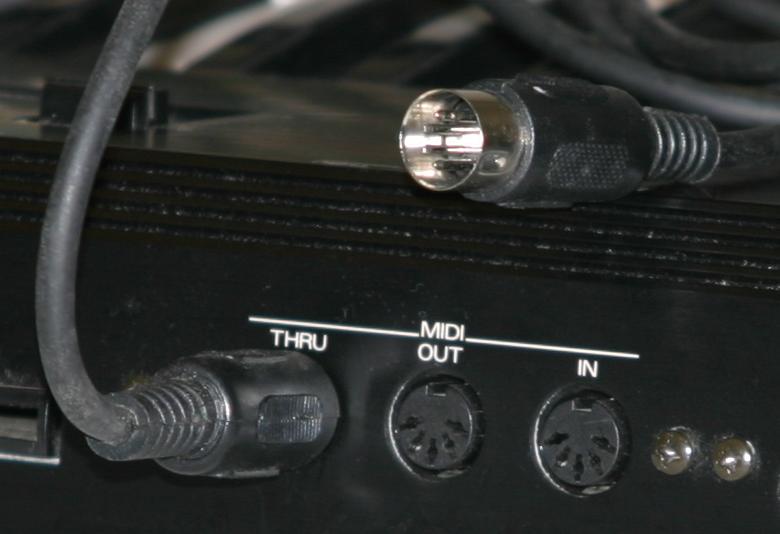
MIDI comes in three forms today that say the same thing and differ only in the plug: the classic five-pin socket, the same connection as a 3.5 mm jack on small devices, and over USB. On the device this classically means a square USB-B socket, on the computer the flat USB-A plug. Newer devices have USB-C on both ends. Important: USB does the same thing as the other forms, and it does not necessarily need a computer in between. Two devices can talk to each other directly.
Processing power is used up at exactly one place: where instruction becomes sound. A controller costs practically nothing, however many knobs it has. A synthesizer and a reverb tail cost a lot. When a computer is overloaded it is almost never because of too many knobs, but because of too many sound generators calculating at once.
What you practically get from this
Two things, and together with the computer question above they cover almost everything that comes up in the course:
- A MIDI controller makes no sound. It is a sender of note slips. With no sound source behind it, it stays silent, however expensive it was. It is the remote control, not the television.
- A A MIDI cable can put devices in step, because tempo is an instruction and not a sound.
What a MIDI message actually contains
A note slip holds more than just the pitch, and it is the same here. Three pieces of information come up constantly:
- Note. A MIDI note is not a note in the sense of sheet music. It is a number between 0 and 127 for the pitch, plus two separate messages: one when you press the key and one when you let go.
- Velocity. How hard the key was struck, in 128 steps. Whether the device turns that into volume, timbre or nothing at all is up to the device. That is why the same controller behaves completely differently on two synths.
- Control change, CC for short. Everything that is not a note: filter, volume, modulation. Every knob gets a number from 0 to 127, and so does every value. When a knob on the controller does nothing, usually the number is simply a different one from the one the synth is listening for.
The channel is the address. MIDI has sixteen channels. A device listens on one of them and ignores the other fifteen. So a single cable can address several sound generators separately, like several flats at one letterbox. Two devices on the same channel, on the other hand, play everything twice, and it sounds exactly like that.
Sending and receiving on the same channel? That explains roughly half of all cases of „nothing happens here“.
Two things that cause constant confusion
In, Out and Thru are not the same. Out sends what the device itself produces. Thru passes on unchanged whatever just came in at the In. If you want to build a chain of three devices, go from the first Out into the second In, and from the second Thru into the third In. Take the Out of the second device instead and you lose the first one along the way.
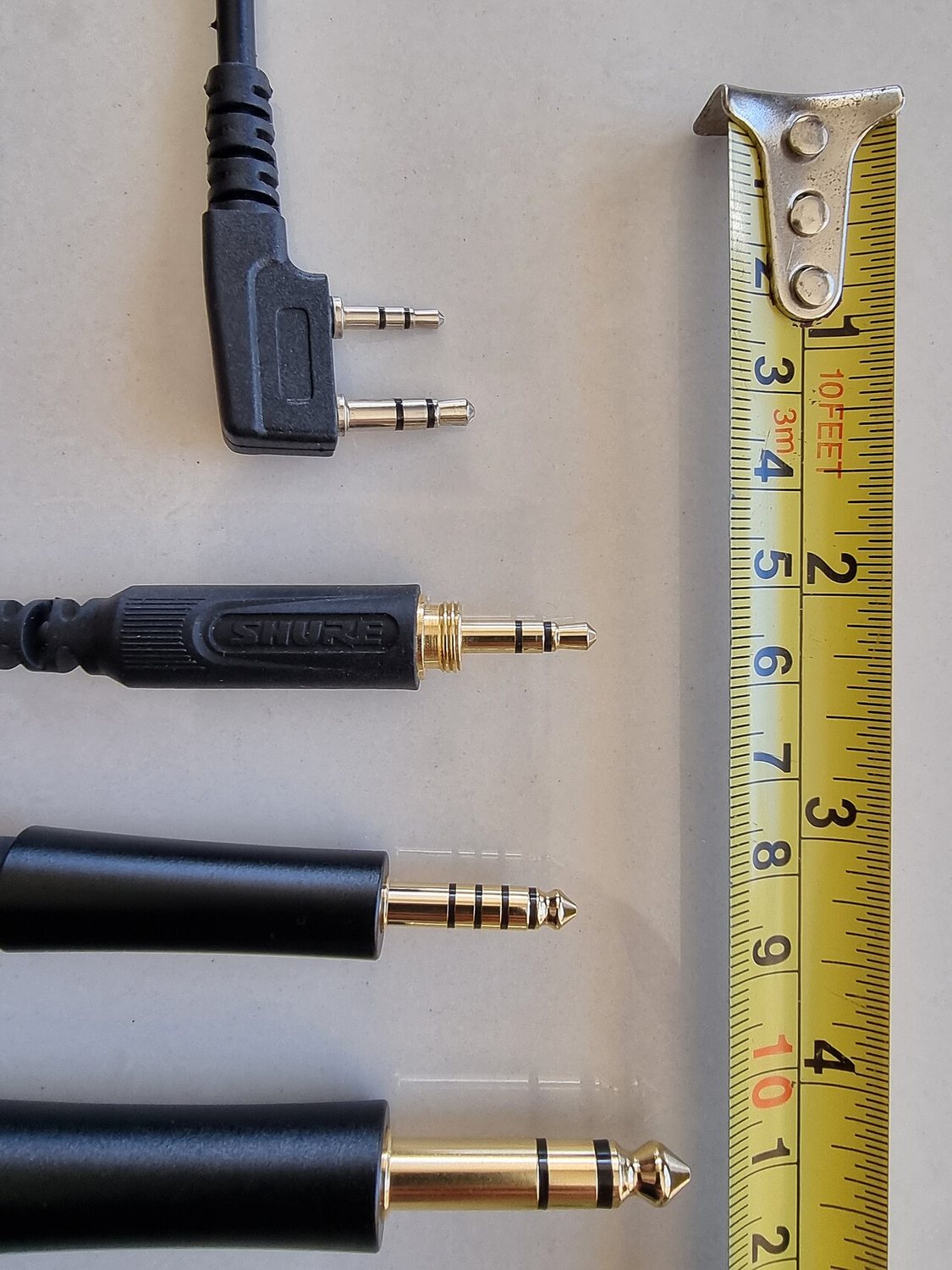
And a plug says nothing about what is inside it. Music can run through a 3.5 mm jack, or MIDI can, and you cannot tell by looking. It is decided purely by which socket it goes into. That is why good devices label what is expected next to the socket, and why nothing at all happens when you use the wrong one.
And that also explains why a computer starts to sweat. CD-quality audio is 44,100 numeric values per second per channel, so a good 88,000 in stereo, and every single one has to be calculated through every effect unit. A MIDI note, by contrast, is a tiny message sent once when you press the key.
What you really need when buying
- Velocity sensitivity. Does the key respond to how hard you press? Without it every note sounds equally loud, and playing turns into typing. The one point where saving money really does come back to bite you.
- Enough keys, not many. 25 to 37 is plenty to start with. Anything beyond that gets heavy and no longer fits on the table next to the other devices.
- A few free knobs. Four to eight is enough to move filters and effects live. That is the difference between playing back and playing.
- USB is usually enough. You only need a classic five-pin socket if you want to drive hardware without a computer.
MIDI Learn. You click a knob in the software, then turn a knob on the controller, and the two are married. That is how you tie knobs to functions without looking up numbers. Almost every piece of software can do it, Loopy Pro included.
04 Tempo, bars, and why sync changes everything
A clock is the shared timekeeper that puts devices on the same tempo. As soon as more than one is running, that is the difference between together and side by side: twelve loops that are each fine on their own add up to nothing if every one brings its own tempo.
The three terms
BPM means beats per minute and is the tempo. 120 BPM is two beats per second. A bar is the packaging for those beats, usually four of them. Quantisation means the device pulls your input onto the nearest clean grid so that it does not wobble.
For loops this leads to a hard rule: loop lengths have to fit each other. Four bars and eight bars run together. Four and five drift apart and only meet again after twenty bars.
MIDI clock
One device sets the tempo and sends it as an instruction to all the others. The one giving it is called the master, the receiving ones slaves. From that moment they all run on the same clock, start together and stop together. Worth knowing: a tempo instruction like this has no channel, every device on the cable gets it automatically, whatever channel it otherwise listens on.
Two other routes that do the same thing
- Ableton Link. For everything on the same wifi, so iPads, iPhones and computers. No master, no forced start: everyone agrees on a shared clock, each person starts when they like and still stays on the grid. Built into almost every serious music app, Loopy Pro included.
- CV, meaning control voltage. The older, purely electrical route: one pulse per step, no messages, no addresses. At home mainly in the modular world, more on that in Booklet 2, chapter 20, under Eurorack.
05 Hearing yourself
That you have to hear what you are doing is obvious. The more interesting question is when you hear it, and whether you also hear the others while you do.
In a room with several people playing, headphones are there less for you than for each other. Without them the loudest wins, everyone turns up to compensate, and in the end nobody can hear what anyone else just built.
Cable beats Bluetooth. Bluetooth typically delays by more than a tenth of a second, which at 120 BPM is almost a whole sixteenth note. You hear your own attack too late and unconsciously correct against it. Other wireless systems, the kind used on stage, are considerably faster. Wireless is not the same as Bluetooth, but Bluetooth is unusable for playing.
- The buffer. A computer or iPad does not calculate sound note by note but in chunks. How big those are is up to you. A small buffer means less delay and more load, a large buffer means safe and sluggish. Small while playing, doesn't matter while mixing.
What is really difficult about playing live
Not the technology. These four things are, and none of them is in a manual.
- Silence is a device, not a mistake. Taking an element away almost always has more effect than adding one. Add only and after ten minutes you land in a porridge there is no way out of. A good arc is at least half leaving things out.
- Changes need a moment. Not just whenever, but on the next downbeat or at least on a clear beat. The same change, triggered two seconds too early, sounds like an accident. On the downbeat it sounds like intent. Best of all at the end of a full cycle, so after 4, 8, 16 or 32 bars. The ear waits for those points, and a change that sits there feels planned.
- Live means being able to wait. Between the idea and the moment it fits there are often eight bars. Sitting through those eight bars without starting something else is a skill of its own.
- Mistakes are material. The most common breakdown comes not from a wrong note but from the reaction to it: stop, delete, start again. That kills the flow, and flow is harder to get back than any note. Keep playing instead and you often find the wrong thing was more interesting than the plan.
From you first: an idea in your head that you want to realise. Being able to do that is the goal, and it is what we work on.
Alongside it there is a second source that most people take for a mistake. A random generator, a preset hit by accident, a randomisation, a sound you were not looking for, a move that went wrong. That is not a bad source. It hands you material you would never have arrived at on your own, and the decision whether it stays is still yours.
How several people listen at once
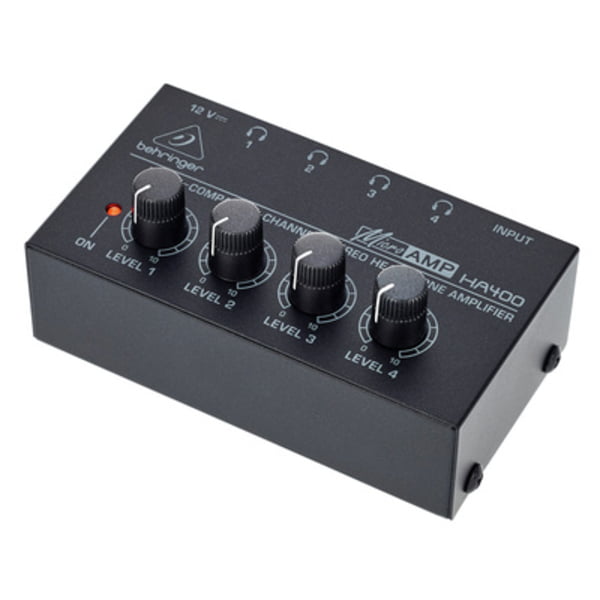
One headphone socket is enough for one person. As soon as two are sitting at the same device there are three routes, and they differ on exactly one question: does everyone hear the same thing, or does each person hear something different?
- Splitter. A cheap Y-piece, everyone hears the same mix. Fine when two people share one device. Downside: the more headphones, the quieter it gets for everyone.
- Mixer. The most elaborate route, but the only one where each person can have their own mix. How a mixer works is just below.
The mixer
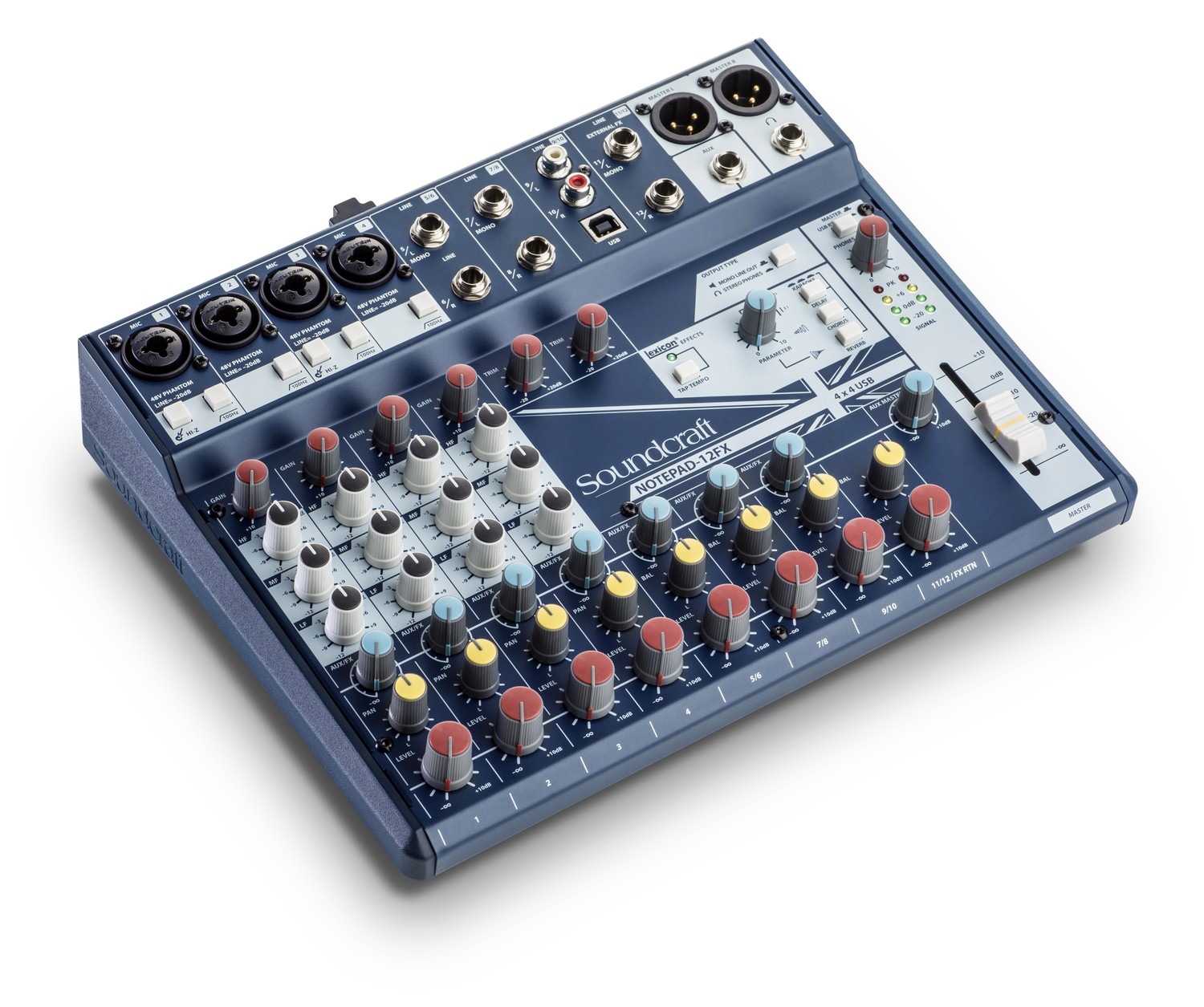
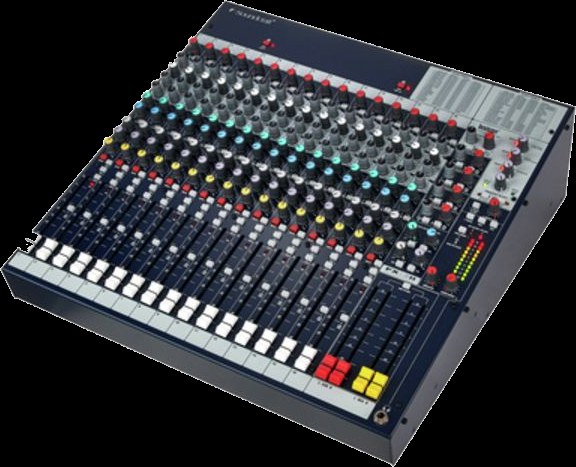
A mixer looks like a lot and is in truth the same short chain, just repeated side by side. That vertical row is called a channel strip, and every connected device gets one.
At the very end, mixer or interface, there are always two routes going out: left and right. That is stereo, and on the end of it hangs either a PA with two speakers or your headphones. However many tracks there are before that point, here they come together as two.
What a mixer does not do is turn sound into numbers. That is exactly what the device in the next chapter is for. And there are setups where one device does both: many interfaces have enough inputs and knobs of their own to pass as a small mixer.
06 The audio interface
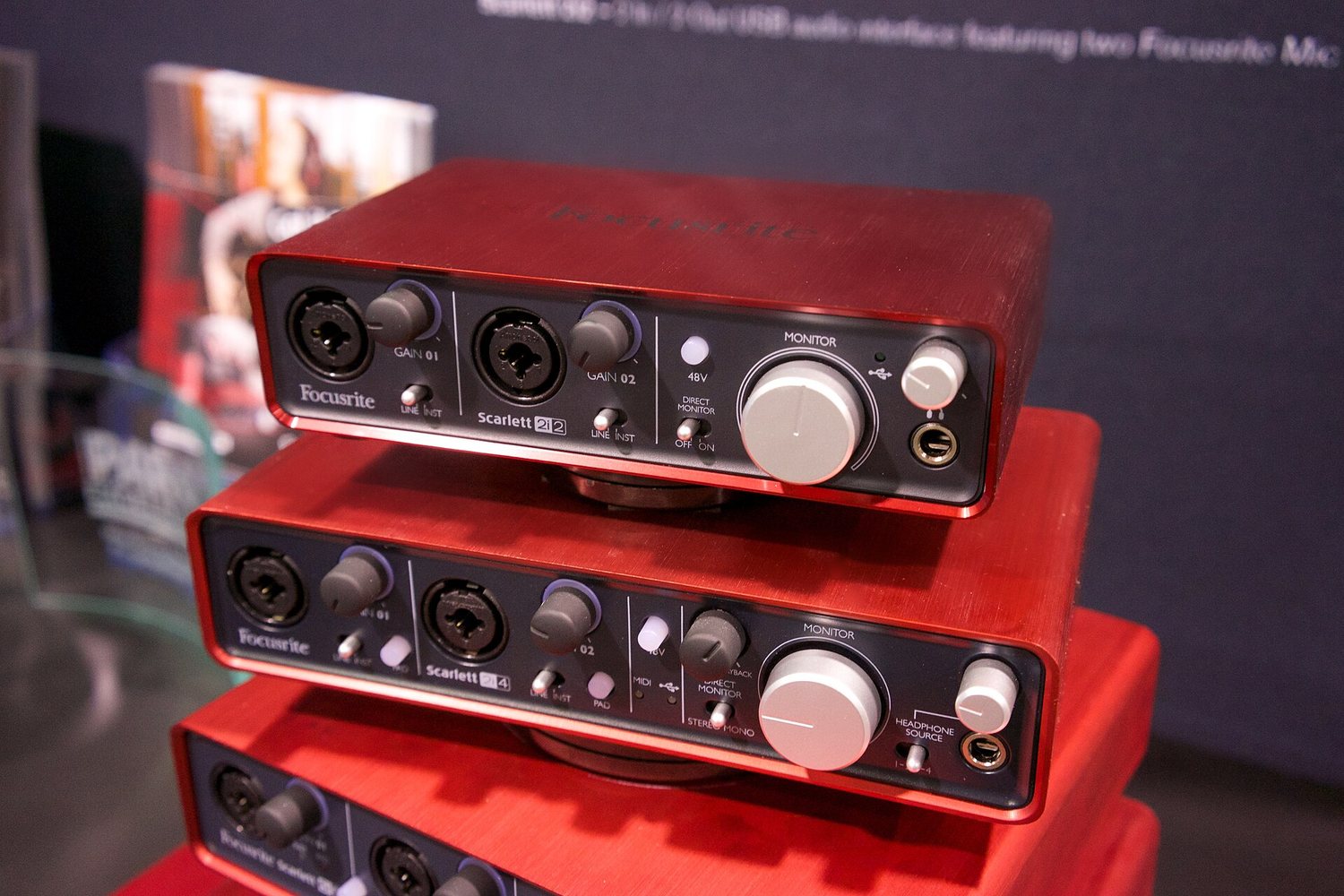
The translator between the world of air and the world of numbers. Everything that is to go into a computer or iPad has to pass through here, and everything that comes back out does too.
A microphone produces a tiny, fluctuating voltage. A computer can do nothing with that, it only knows numbers. The interface measures that voltage many thousands of times per second and turns it into a chain of numbers. At the output it does exactly the opposite. It sits at both ends at once: once on the way in, once on the way out.
Why the built-in socket is not enough
- It records nothing decent. A vocal microphone delivers a very quiet signal and needs a good preamp. A headphone output does not have one.
- It is too slow. Built-in converters are designed for video playback, not for playing music. When you play along, that shows up as noticeable delay.
- It only has one route. An interface has several inputs and outputs. Only then can you record microphone and instrument at once, or split off a headphone feed of your own.
The terms on the back panel
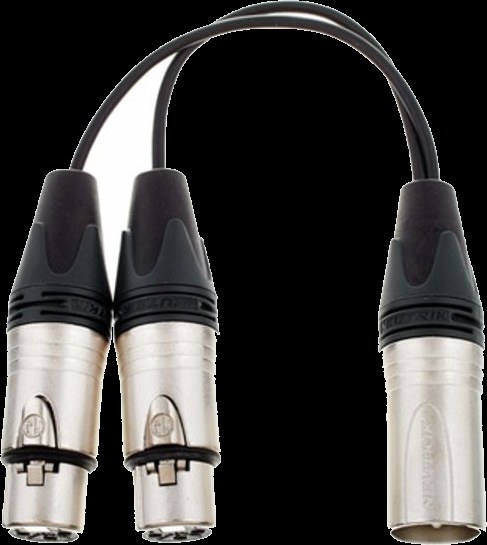
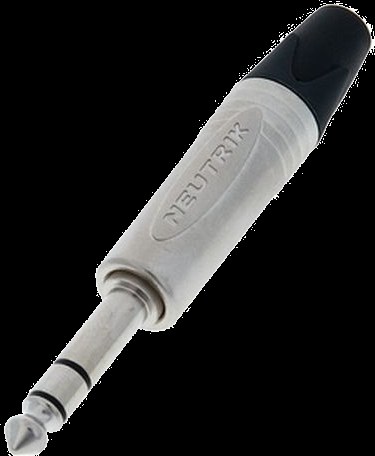
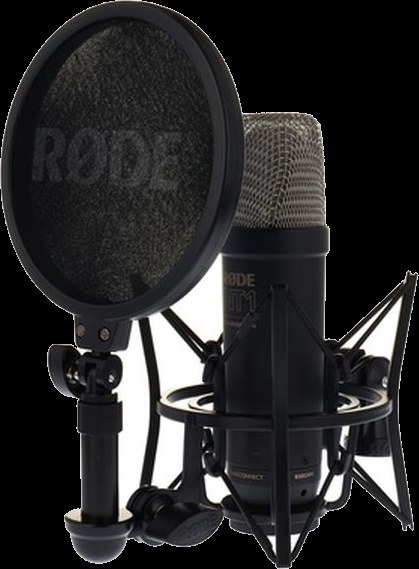
Phantom power means the interface sends current through the microphone cable. Condenser microphones need it, dynamic ones do not and do not mind it either. Direct monitoring is the switch that puts your input signal straight onto the headphones without the detour through the computer. That makes the delay while singing practically zero, however slow the computer happens to be. The most important button for people who sing.
The only question that really counts when buying
How many things do you want to record at once? Everything else follows from that. One microphone alone needs one input. Voice and guitar together need two. A drum kit or a band needs eight. Two inputs is the usual entry point and covers almost everything that comes up in this course.
On the back panel you will often see Line, Instrument and Mic on a switch. Those are three different signal strengths: a microphone delivers very little, a synthesizer or mixer delivers a lot, an electric guitar sits in between and additionally needs a very high input impedance. With the switch in the wrong position it is either far too quiet or it distorts. That is the same level error as in chapter 07, just at the input already.
Drivers are not needed on a Mac or an iPad, but they are on Windows, where the standard is called ASIO. And power: most small devices draw it over USB, larger ones need a power supply. On an iPad this is the most common reason an interface is not recognised.
Buffer and latency
The computer does not work through sound one value at a time but in chunks. The size of those chunks is called the Buffer and is given in samples. A small buffer means little delay but more work for the computer. Too small and it clicks. Larger means safe but sluggish. Set it small when recording, it can be large when mixing.
In detail: what happens inside the computer
Under the hood this is what happens: the converter measures the voltage 44,100 times per second and puts the numbers on a stack. When the stack is full it wakes the computer. The computer now has exactly as long to calculate all the effects for that stack as it takes to play the previous one. If it does not finish in time, a stack is missing, and that is what you hear as a click. A bigger stack gives more time per wake-up and is therefore safer, but costs delay, because it has to fill up first.
How long a buffer lasts is easy to work out: its samples divided by the number of measurements per second. At 48,000 measurements per second, 48 kHz for short, 128 samples are 2.7 milliseconds. That is how much Latency, the delay between striking a key and hearing the note, each buffer costs, and twice the size means twice as long.
The second number in the same settings is the sample rate. It says how often per second a measurement is taken, usually 44,100 or 48,000 times. Higher does not automatically mean better, it mainly means more calculation. All that matters is that every device in a chain is set to the same number. If you want to know what physically happens there, and why a higher number does not automatically mean more quality, it is shown very well in „Samplerates: The Higher the Better, Right?“ from the FabFilter series .
That depends on where your set comes together. If everything runs in software, so in the computer or the iPad, you need an interface: it brings the signals in and back out. If everything runs in hardware, you need a mixer to bring the devices together, and the computer does not appear at all. Most people end up with both, because an interface with four inputs and knobs of its own is nearly a mixer already.
In short, for the iPad: you need an interface that is class compliant, and as soon as more than one device is attached, a hub that passes power through.
Connecting iPad and USB: host, hub, class compliant
Normally the computer is the host: it powers the connected devices and talks to them. An iPad can do it too, but often needs an adapter with its own power supply. Some devices can be a host themselves and take a controller directly, with no computer at all. When a spec sheet says „USB host“, that is exactly what it means.
The terms for this are host and client: the host supplies power and gives orders, the client hangs off it and obeys. The interesting devices are the ones that can do both. In September 2026 Elektron introduced the Outbox 8 , which gives an Elektron machine eight outputs for audio and control voltage, and according to the maker works with other class-compliant gear as well. Loopop has gone through it in detail.
An iPad has one socket. As soon as an interface, a controller and power all need to be attached at once, you need a hub that passes power through. Three I can genuinely recommend after a long search:
- Unisynk 8 Port USB-C Hub V3, 140 W. Eight sockets, passes the most power through. Around 91 euros.
- uni USB-C Hub 8 in 1, with a detachable cable. In a backpack the detachable cable is the difference between intact and broken. Around 72 euros.
- StarTech 4-Port USB-C Hub, 100 W. The smallest of the three, three USB-A and one USB-C. Around 87 euros.
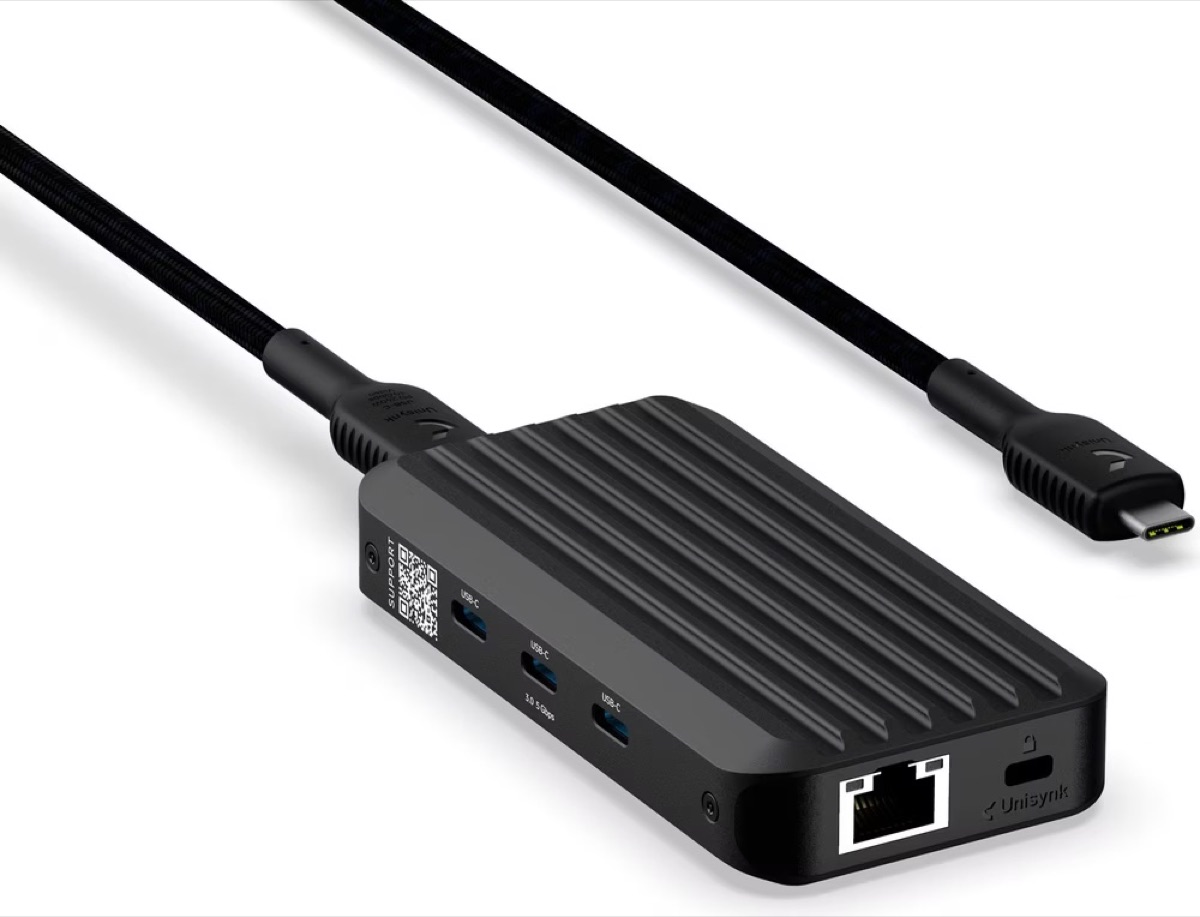
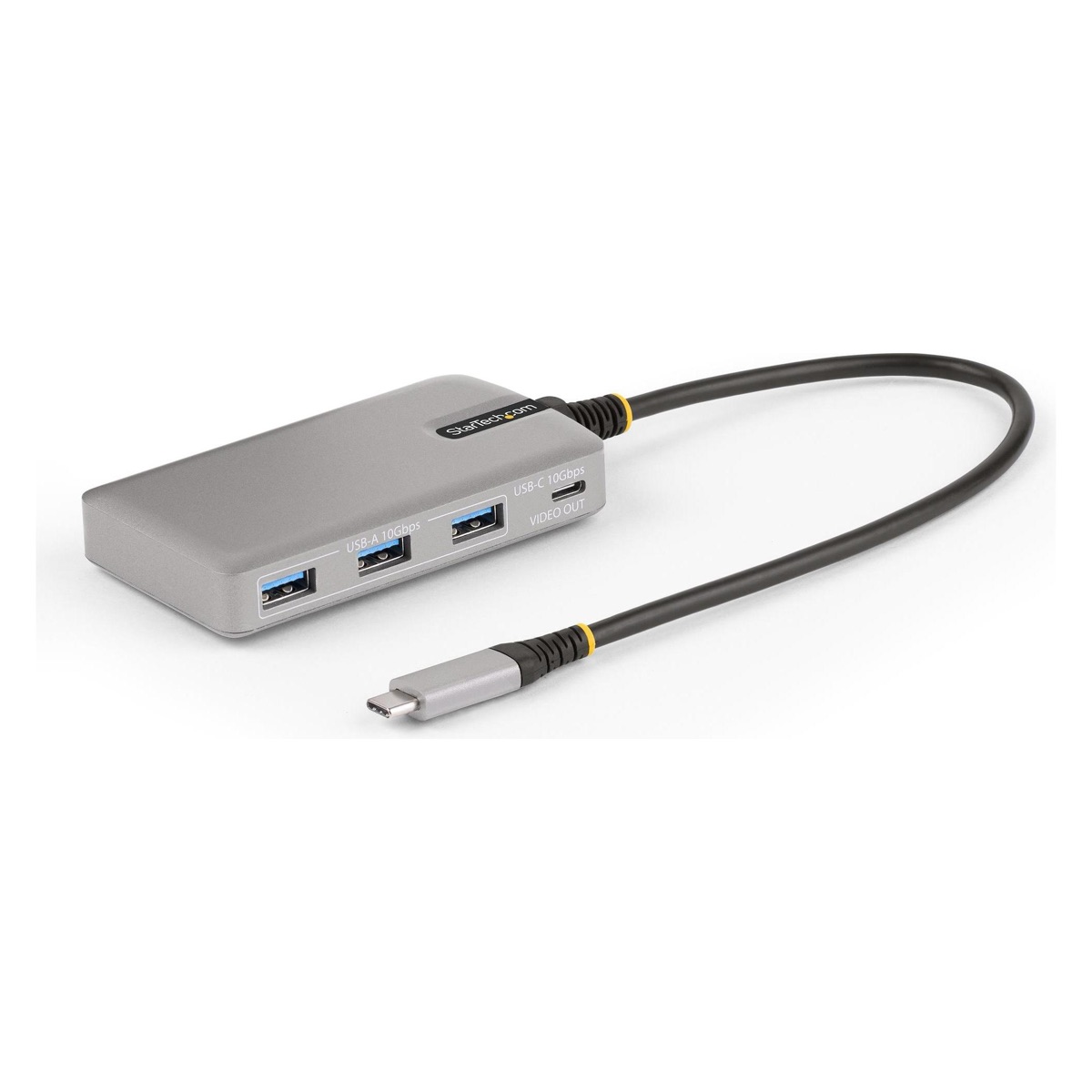
What matters is not the number of sockets but whether the hub passes power through. Without that the iPad runs out of breath on the road, and an interface without its own power supply gets too little.
Both can run audio interfaces without drivers. The technical term for this is class compliant: the device follows the USB standard so exactly that the operating system recognises it with no extra software. On an iPad that is not a convenience but a condition, because no drivers can be installed there at all. By now most small interfaces are class compliant, but it is not always printed large on the box. When in doubt, look for it before you buy.
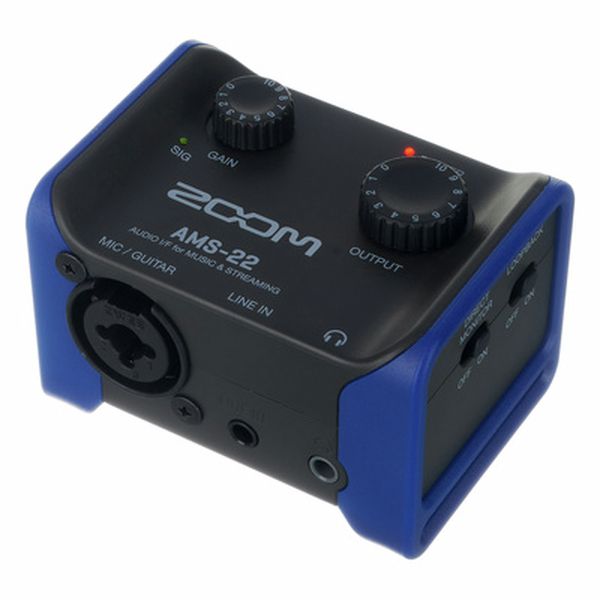
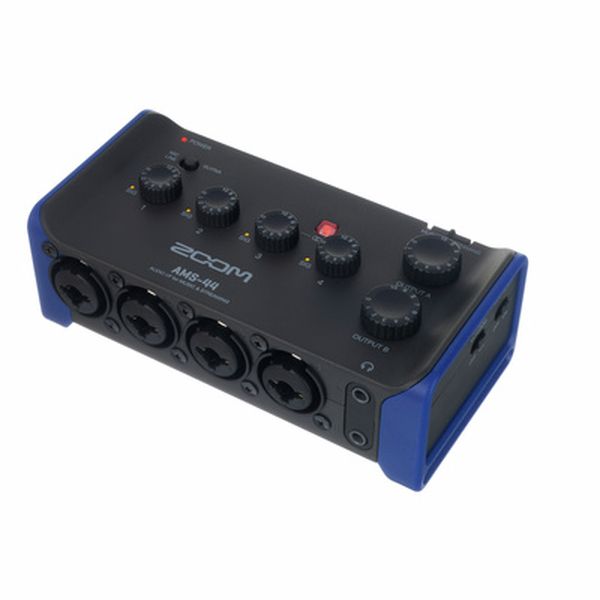
Beyond that it usually comes down to the cable and to whether enough current is flowing. An interface with its own power supply is the safe choice. Small and good for travelling: the Zoom AMS-22 and the AMS-44, two and four inputs respectively, class compliant, and they fit in a jacket pocket.
07 Level, or: why it distorts
Every stage in the chain has a range in which it sounds good. Too quiet means you hear noise along with it. Too loud means the signal hits the ceiling and distorts. In between lies the usable range, and you sit in it with a little room above.
The classic beginner's mistake is a chain reaction: one stage is too quiet, so you turn the next one up, which turns the noise up too, then it is too loud, then it distorts. The solution is never at the end, it is always at the start of the chain.
If something is too quiet, find the first place in the chain where it got too quiet. Do not turn up at the end.
08 What a loop station does
A loop station records a short passage and repeats it immediately and endlessly. While it runs, you play the next layer over it, and the next. That is how a single voice becomes a whole track in front of an audience.
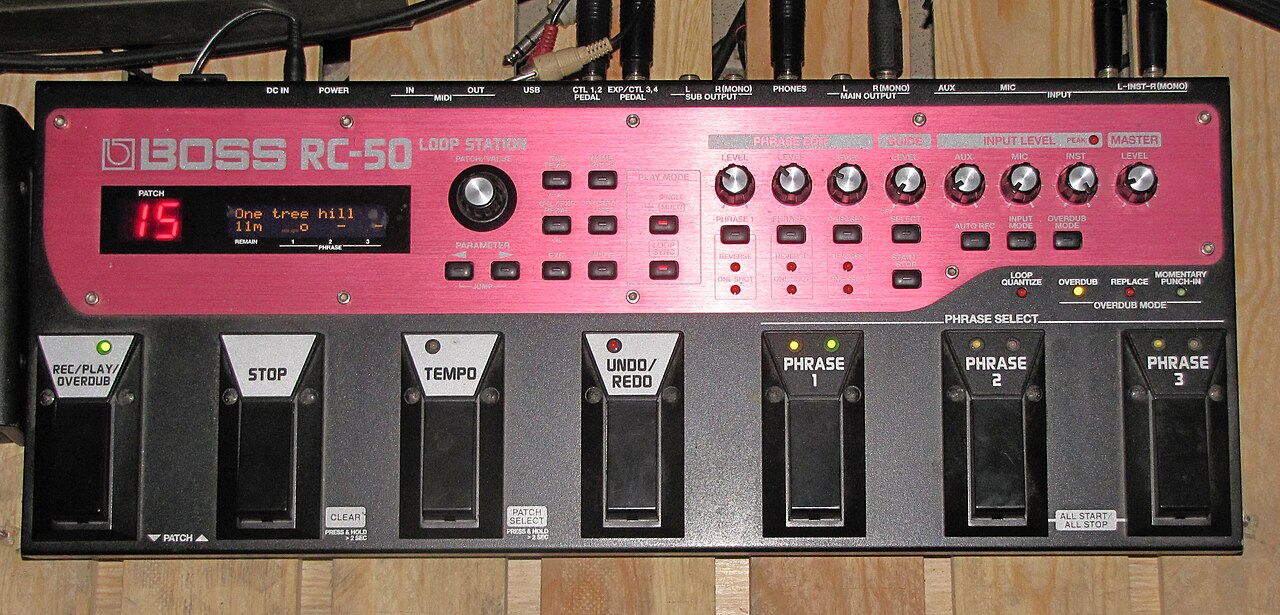
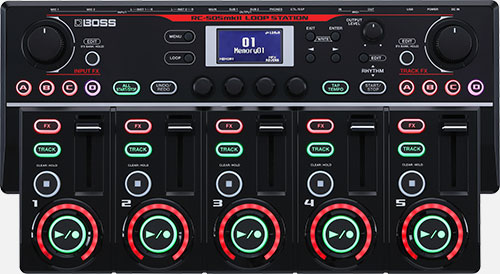
What matters is not the technology but what it does to time. In a normal recording you build one thing after another and correct later. When looping, the building happens live and in one direction. What you record stays, for now. That is why people listen so carefully when looping: the first layer decides everything that comes after it.
The four moves you actually need
Every device calls them something different, but the operation is the same handful of decisions everywhere.
- Setting the length. The first press starts the recording, the second ends it. That gap is the length of the piece from now on. This is why the first layer is the most important one: it sets the tempo and and the number of bars for everything else.
- Overdub. New material goes into the same passage. The length stays, it just gets denser. That is the normal case.
- Undo. Most devices can remove the layer recorded last. How many steps back they go varies a lot: some hardware manages exactly one, Loopy Pro manages many. In practice people often delete the whole loop anyway and record it again.
Do not try to rescue it. Delete and start again. A crooked first layer drags every further layer with it, and you hear all evening that something does not sit. Twenty seconds of recording again is cheaper than five minutes of patching.
Some people store whole projects on one and start them at a concert as a finished backing track. That works, but it is not what the device was built for, and almost any other device does it better.
A loop station is strong at exactly one discipline: building something complete out of nothing, in a short time, while people watch. No screen, no menu, no choice. One button records, the same button ends it, and from then on it runs. That refusal to compromise is why this device produced a scene of its own.
Everything on this page applies to software just as much. Loopy Pro on the iPad is at heart a loop station where you decide the number of tracks, their size and their arrangement yourself. More on that in Booklet 2.
Looping means recording the material in the moment. Firing off prepared patterns is something else, and both are legitimate: the groovebox in chapter 09 lives on exactly that. In the course we do both and mix them. All that matters is that you know which one you are doing.
09 What a groovebox is
A groovebox combines sound generation, percussion and a sequencer in one box. No computer, no screen, often with a battery. You switch it on and start.
The difference from a loop station: the loop station records you . The groovebox produces the sounds itself and plays them back to a pattern you program.
In 2026 the field is very wide
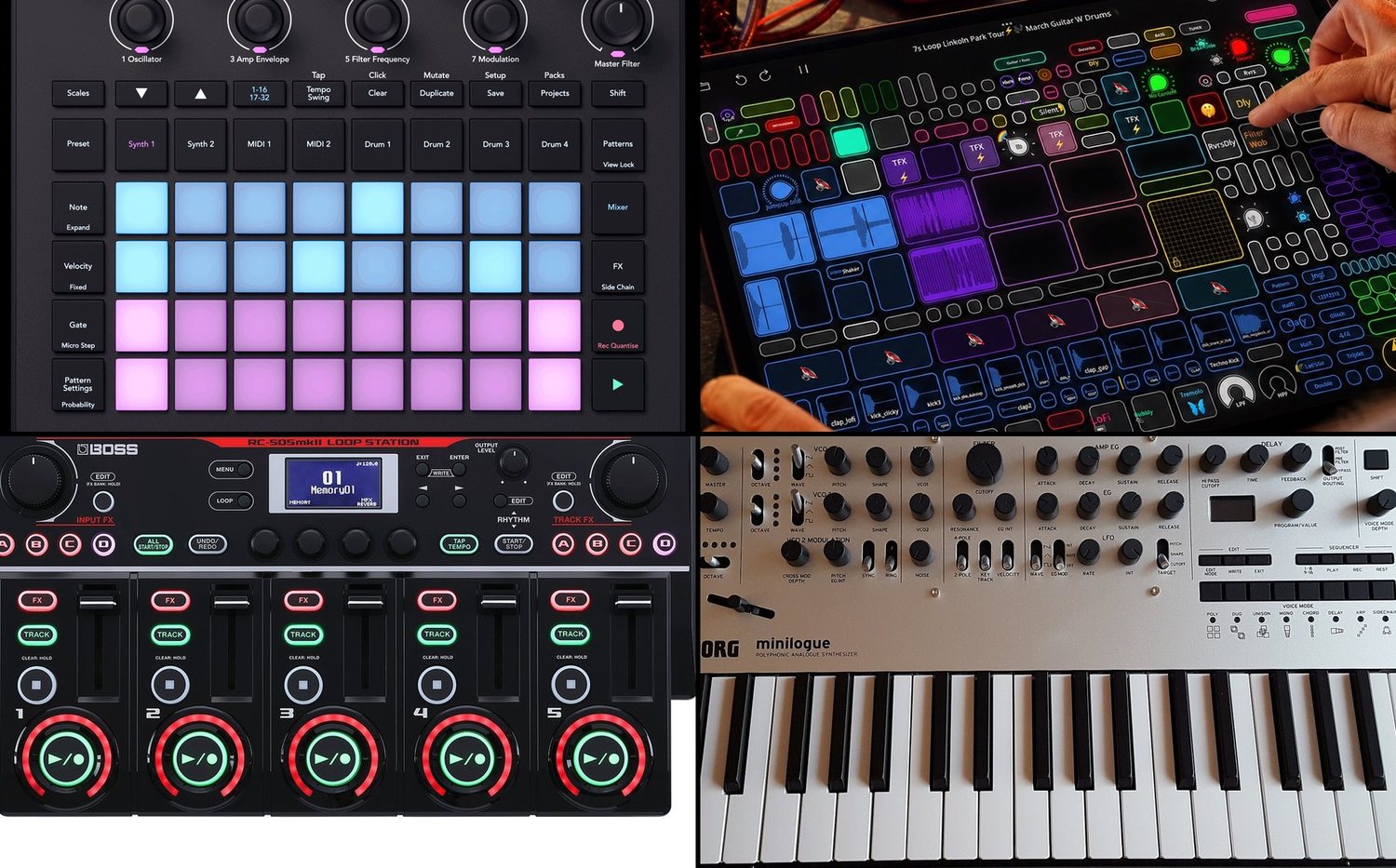
There is no such thing as the groovebox. There are dozens.
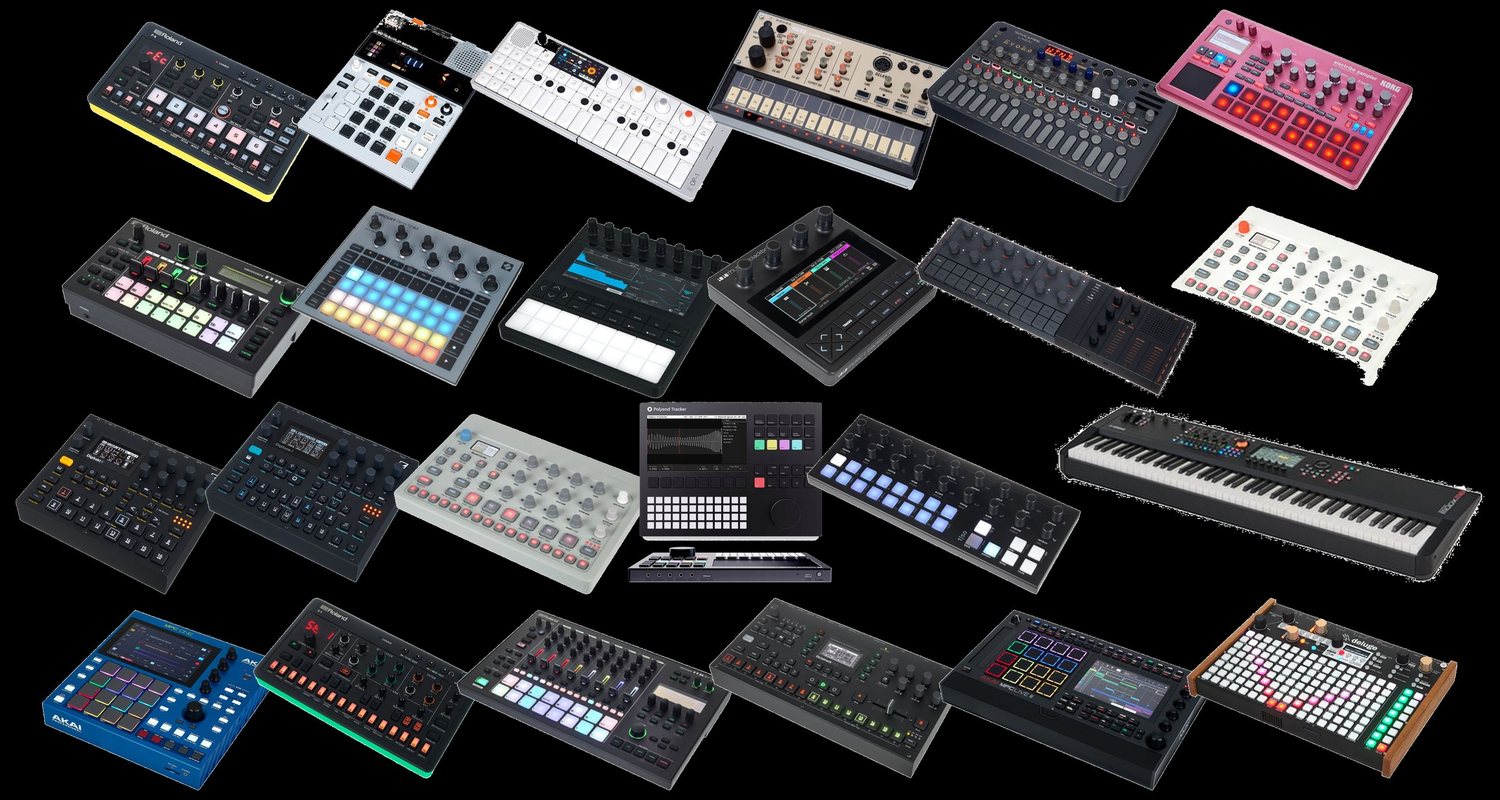
Top left are devices for a good two hundred euros, bottom right ones that are more like a portable music studio. The expensive ones ultimately contain the same as a program on a computer: several sound generators, a collection of effects, sampling, an arranger. The cheap ones leave almost all of it out.
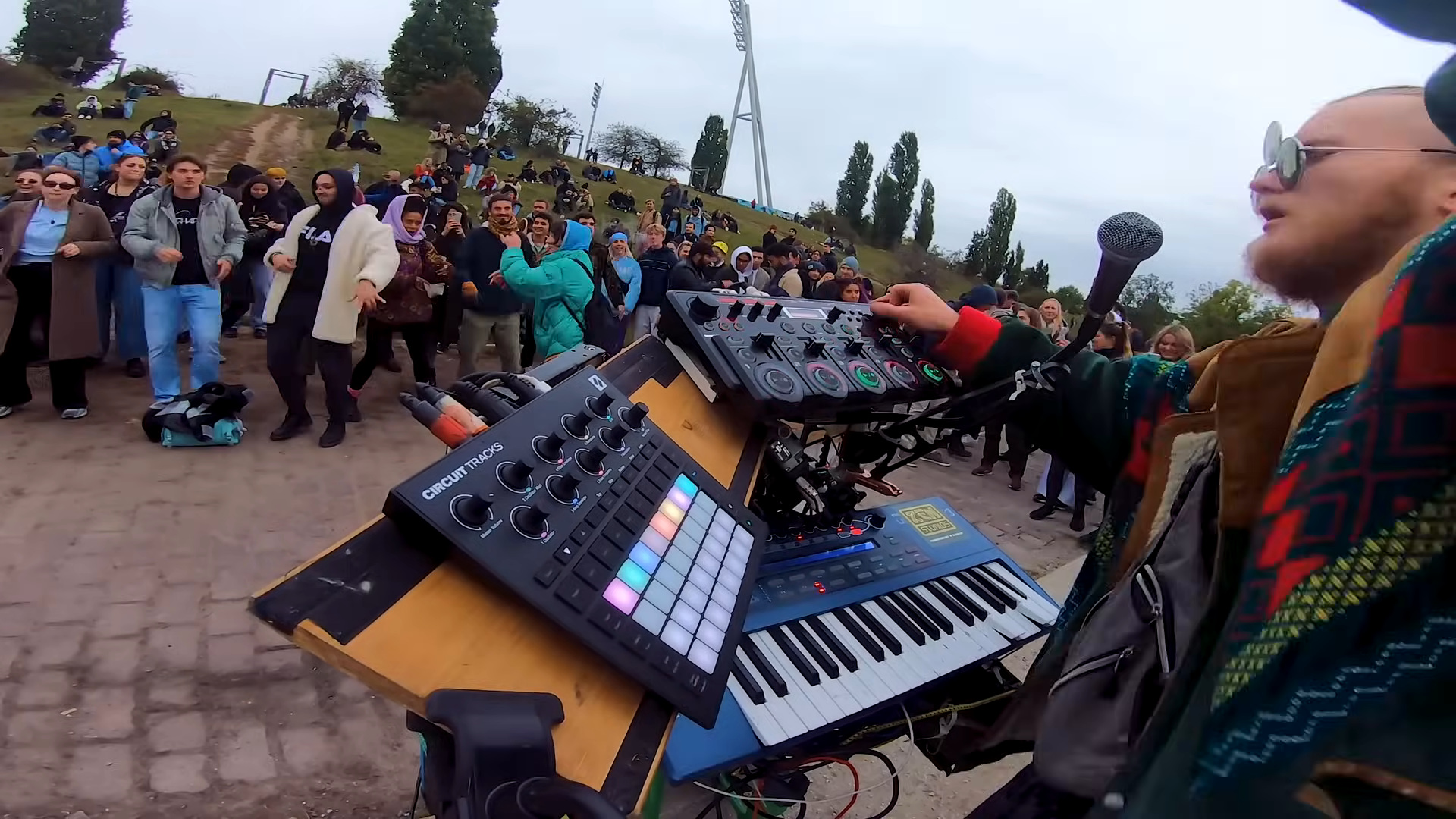
I made a video about that myself: Best Budget DAWLESS Set-Up? (Hardware). In it I show my own small setup of a Circuit Tracks, an RC-505, a Korg Modwave and a microphone. That is one possible setup out of many, not the right one.
A device that can do little forces decisions. When you are starting out that is often worth more than any additional feature. It is the reason I bring the Circuit Tracks and not the most expensive device on the shelf.
A few names come up again and again, and each stands for a different idea of how to build a piece of music without a computer.
- Elektron thinks from the sequencer outwards. Every single step can carry its own sound settings, not just an on or off. Very deep, very idiosyncratic, and fairly impenetrable without study.
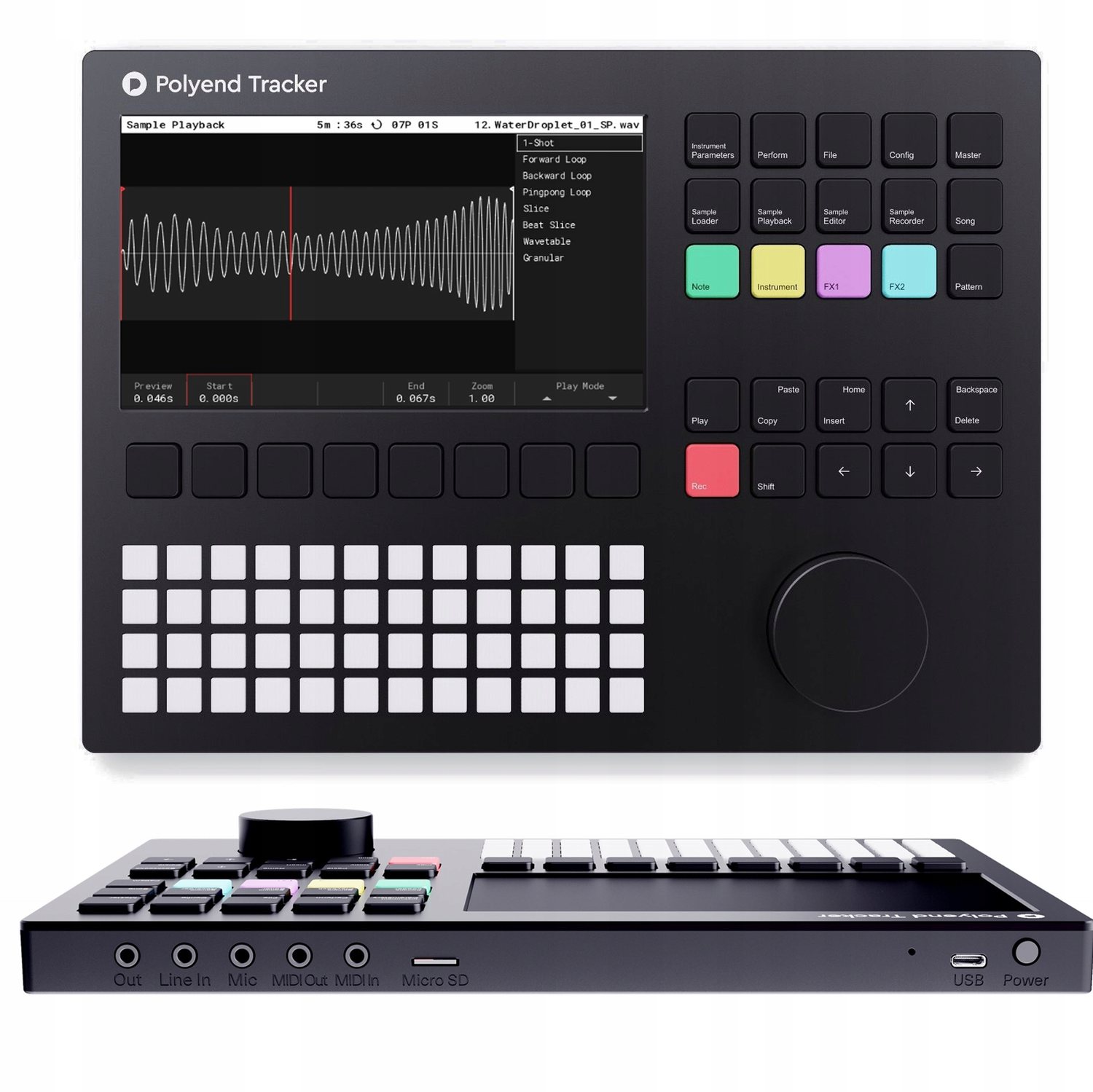
- Polyend is operated like a tracker: the piece sits there as a table of columns and runs through from top to bottom. If you are good with numbers and lists you are faster here than with pads.
- 1010music builds very small boxes with a touchscreen where the sample is the centre of everything, for example the Bento Box. Fits in a jacket pocket, but wants fingertips rather than knobs.
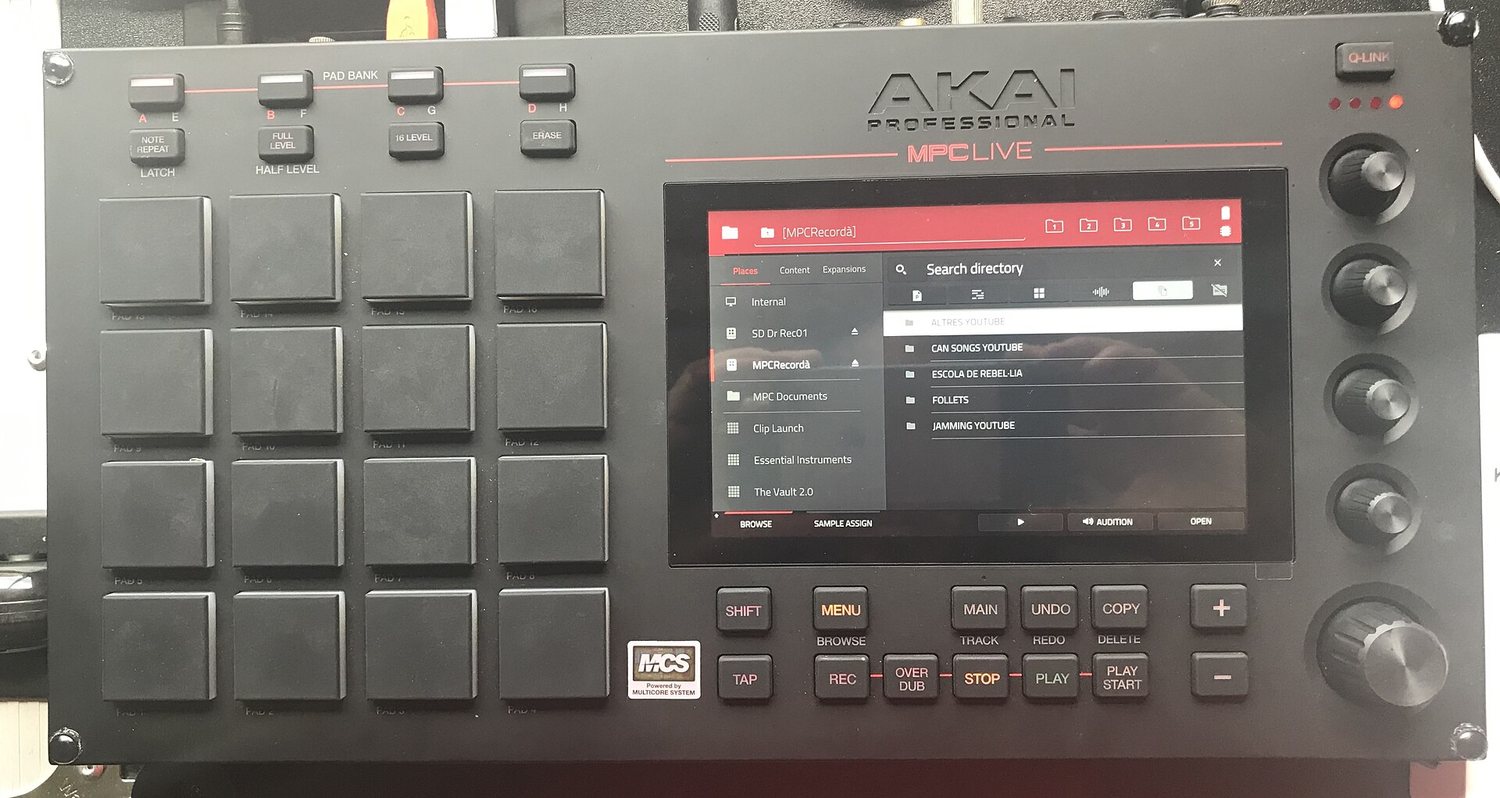
- Akai MPC is the ancestor, see chapter 11. Velocity-sensitive pads, sampling, and by now a small computer of its own with a screen.
- Teenage Engineering builds devices that look like toys and can be operated like them too. Very wilful, very small, and you have something in your hands immediately.
- Synthstrom Deluge is the final boss. Synthesizer, sampler, sequencer and arranger in one housing, with a battery, plus a community that keeps building on the system itself. Can do almost everything, costs accordingly, and you are busy for a while before the first note sits.
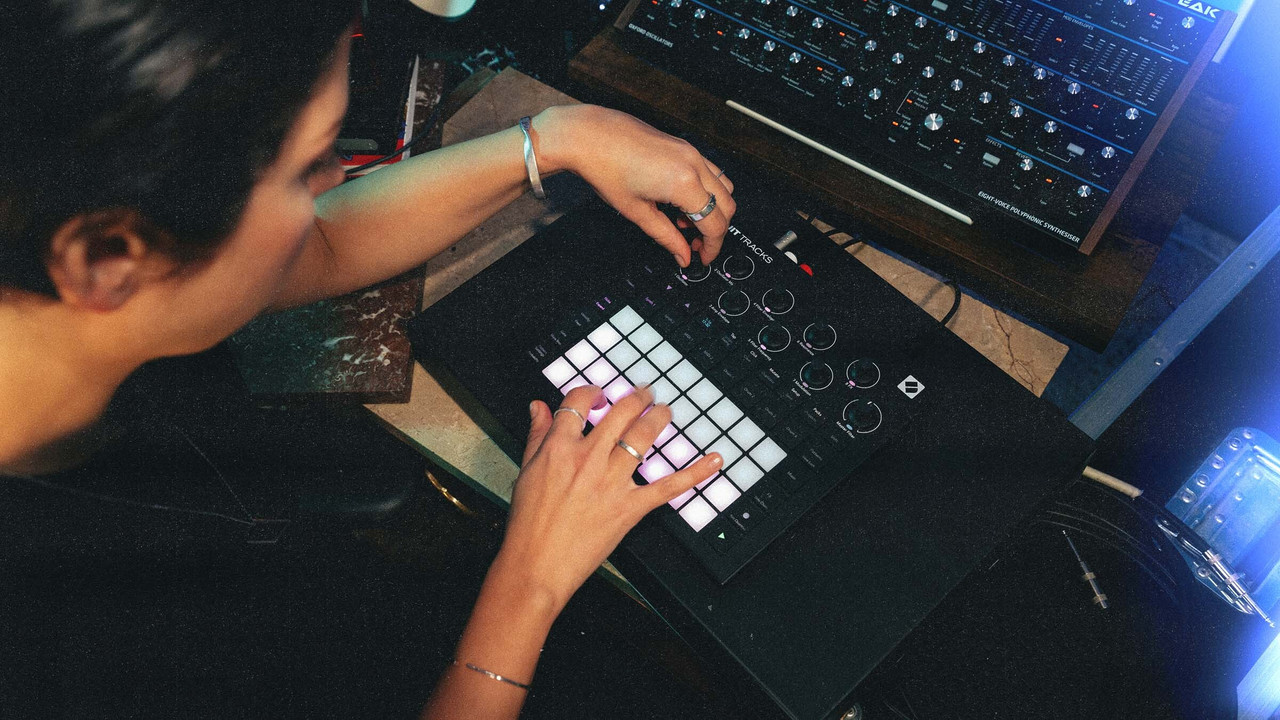
- Novation Circuit deliberately leaves things out. No screen, little choice, a battery, start right away. That is exactly why I bring it.
However different the operation, the core is the same everywhere: sound generation, percussion and a sequencer in one housing, no computer, knobs under your fingers. Everything in it is built for trying things immediately. There is no mouse, no windows and no save-as before the first note arrives.
Compared with a DAW
DAW stands for digital audio workstation, meaning the classic music program on a computer.
If you have already worked with a music program on a computer, you can think of a groovebox as a stripped-down DAW . It can do less, and that is the point.
- The plugins are built in. The sound generators and effects inside it are the ones you have. No installing more, no choosing between three hundred reverbs. A limit takes away the decision that otherwise costs you half the evening.
- Everything is under your fingers. One knob per function instead of a menu. That makes it faster, more direct and a lot more fun. On a computer you think first and then click, here you grab and hear.
- Your own samples usually work anyway. On the vast majority of devices you can load your own sounds via memory card or USB. Your sample collection from Cubase, Ableton or Logic is not lost, it moves with you. This is about samples, meaning audio files. A synthesizer is not an audio file but a sound generator.
What the DAW does better remains true all the same: any number of tracks, everything correctable afterwards, every plugin in the world. The groovebox trades exactly that for speed and directness.
Three build types side by side
The same goal, three very different routes to it. I bring the first of the three, and it gets a chapter of its own in a moment.
Patterns, scenes, chains
Three words that turn up on every groovebox and build on each other:
- Pattern: one or two bars per track, the smallest building block.
- Scene: a snapshot of which pattern is currently on which track. A scene is therefore a section of a song, a verse or a chorus.
- Chain: several scenes in an order that the device runs through on its own. That is how an arc develops without you having to press anything.
The jump from pattern to scene is the real learning step. As long as you only build patterns you have four bars that repeat. Only scenes turn that into a piece.
10 The Circuit Tracks in detail
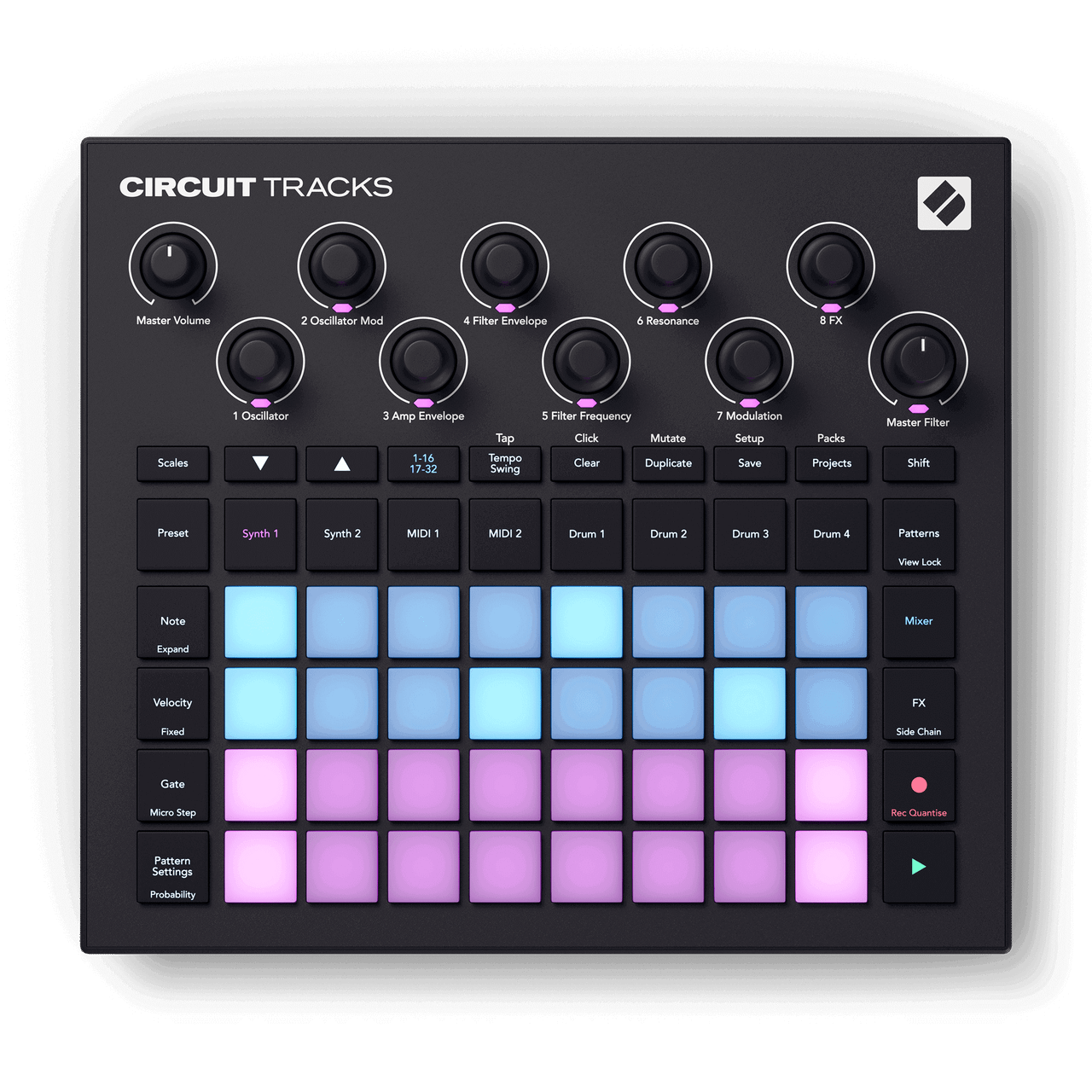
The device I bring, taken apart once. Not because it is the best, but because everything the booklet has covered so far can be shown on it.
What is inside
Eight tracks then, two of them with sound generation of their own, four with samples and two that make no sound at all but only send MIDI out send. Exactly the distinction from chapter 03.
What the buttons do
There is no screen. Instead every button is labelled, and the pad grid below shows what currently applies.
The three views you work in
- Note. You press a track first, then Note. Now the grid shows the steps of exactly that track, and every pad is a step. Pad on means: something sounds here. On the lower pads you play the notes in yourself at the same time, the rows being the scale. You move between Synth 1, Drum 3 and MIDI 2 by pressing a different track above, without leaving the view.
- Patterns. Here are the finished patterns of the selected track, eight per page. One press changes the pattern, several pressed in a row make a chain that the device runs through on its own. This is where four bars turn into an arc.
- Mixer. One row per track, for setting volume and switching tracks on and off. In a concert this is the most used button of all, because leaving out and bringing back in happens exactly here.
The eight knobs at the top always apply to the track currently selected. On a synth track they hold oscillator, filter, envelope and effect amount, on a drum track other values. So the same knob does something different depending on the track, and that is the second point where people get lost at the start.
Where the old terms turn up again
- The note view is a punch card, only with LEDs instead of holes. Where that picture comes from is in chapter 12. A field on means: something happens here.
- Velocity is exactly the striking force from the MIDI chapter. Here it sits on each step individually.
- Probability lets a step sound only some of the time. That is the built-in chance mentioned in chapter 05 under the rules for playing.
- Patterns become chains, chains become scenes, and a scene starts a whole piece at one press. Sixteen of them fit into a project.
How it keeps in step with the rest
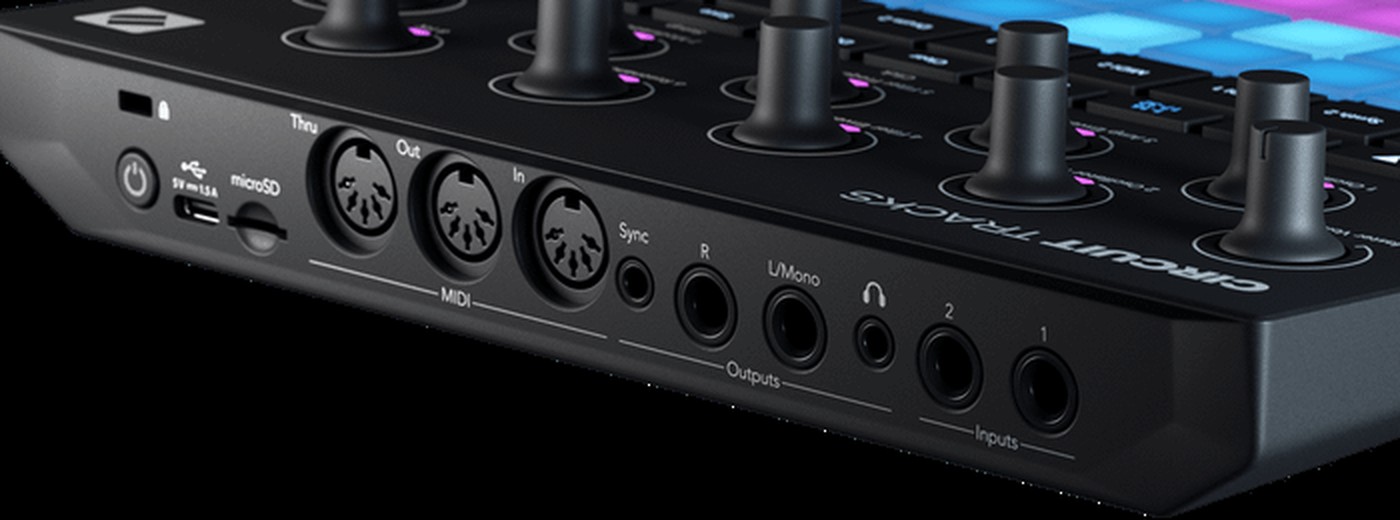
- It has three full-size five-pin sockets: In, Out and Thru. That lets it connect to any other hardware without an adapter. Thru can be switched in the menu to a second Out if you want to chain two devices.
- Next to them sits a 3.5 mm jack for analogue sync. That is not MIDI but a pure clock pulse for older and modular devices that cannot do anything with MIDI.
- It can give or take the clock. In the course one device gives the clock for everyone and the others take it. Who gives is an agreement, not a technical question.
- It also speaks MIDI over USB. With an iPad or computer attached, the same clock can come from there and meet Ableton Link from chapter 04.
And when a computer joins in
For many devices there is software that lets you set more on the computer than on the device itself. On the Circuit Tracks it is called Novation Components and runs in the browser. There you can edit sounds, load your own samples and back up projects.
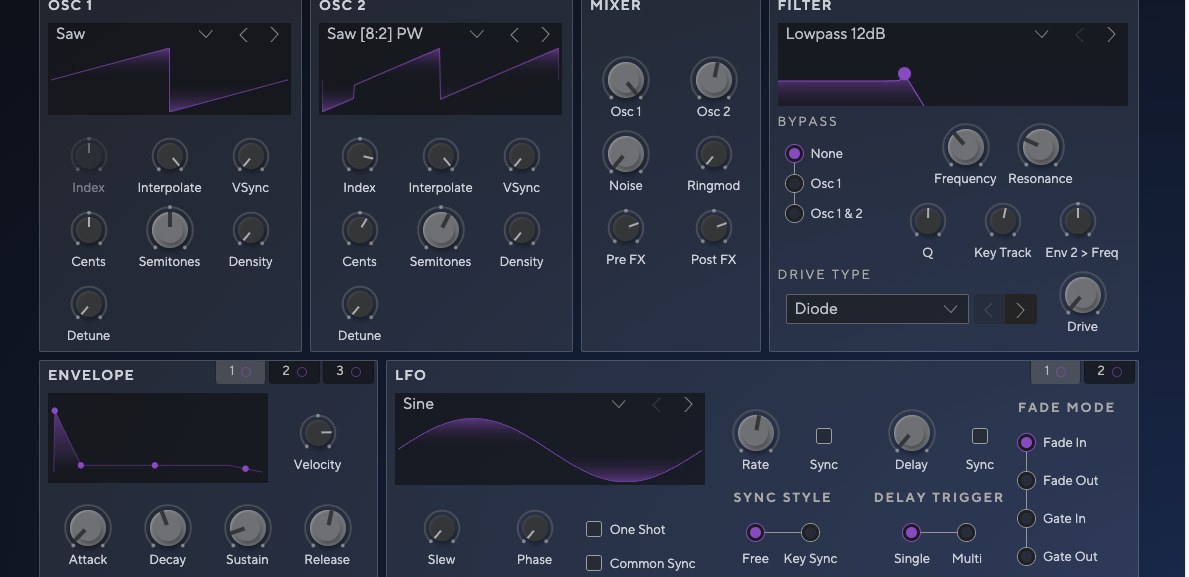
Whether software like this exists often separates more expensive devices from cheaper ones. Some can only be operated on the device, others open up completely on the computer. If you work a lot with samples, ask about it before you buy.
The manual is available as a PDF , but only in English.
11 Drum machines that changed everything
Four devices you can read the whole movement from: from sounds the machine produces itself to sounds you load into it.
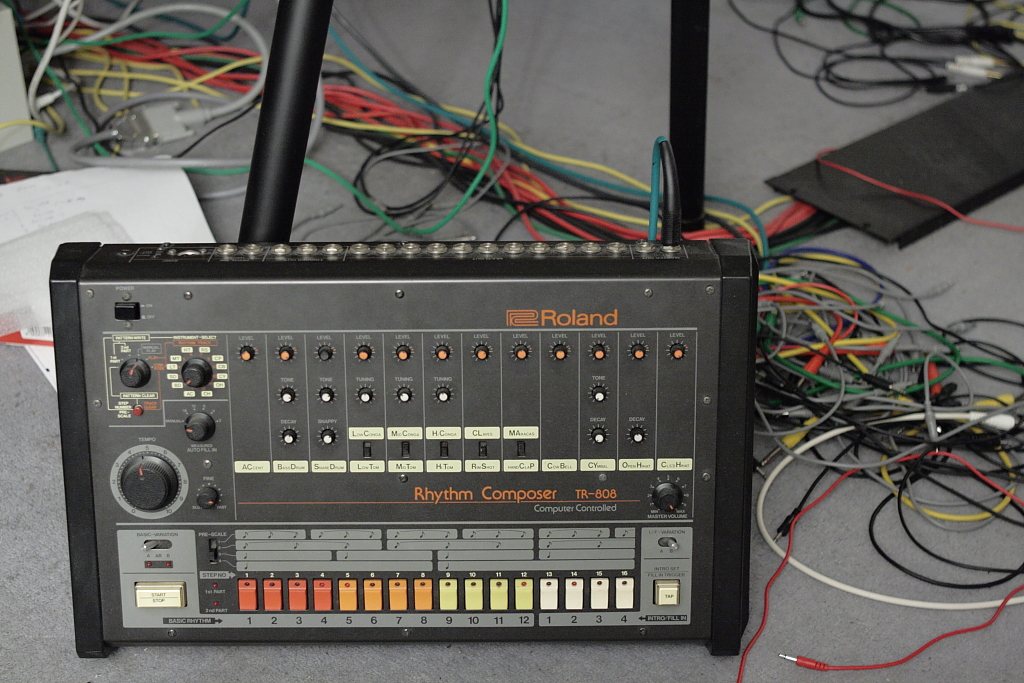
1980 · Roland TR-808
It was meant to imitate real drums and instead sounded like nothing before it. Commercially a failure at first. Only through the second-hand market did it become the foundation of hip hop and electronic music. Every sound is synthetic, there is not a single recording inside it.
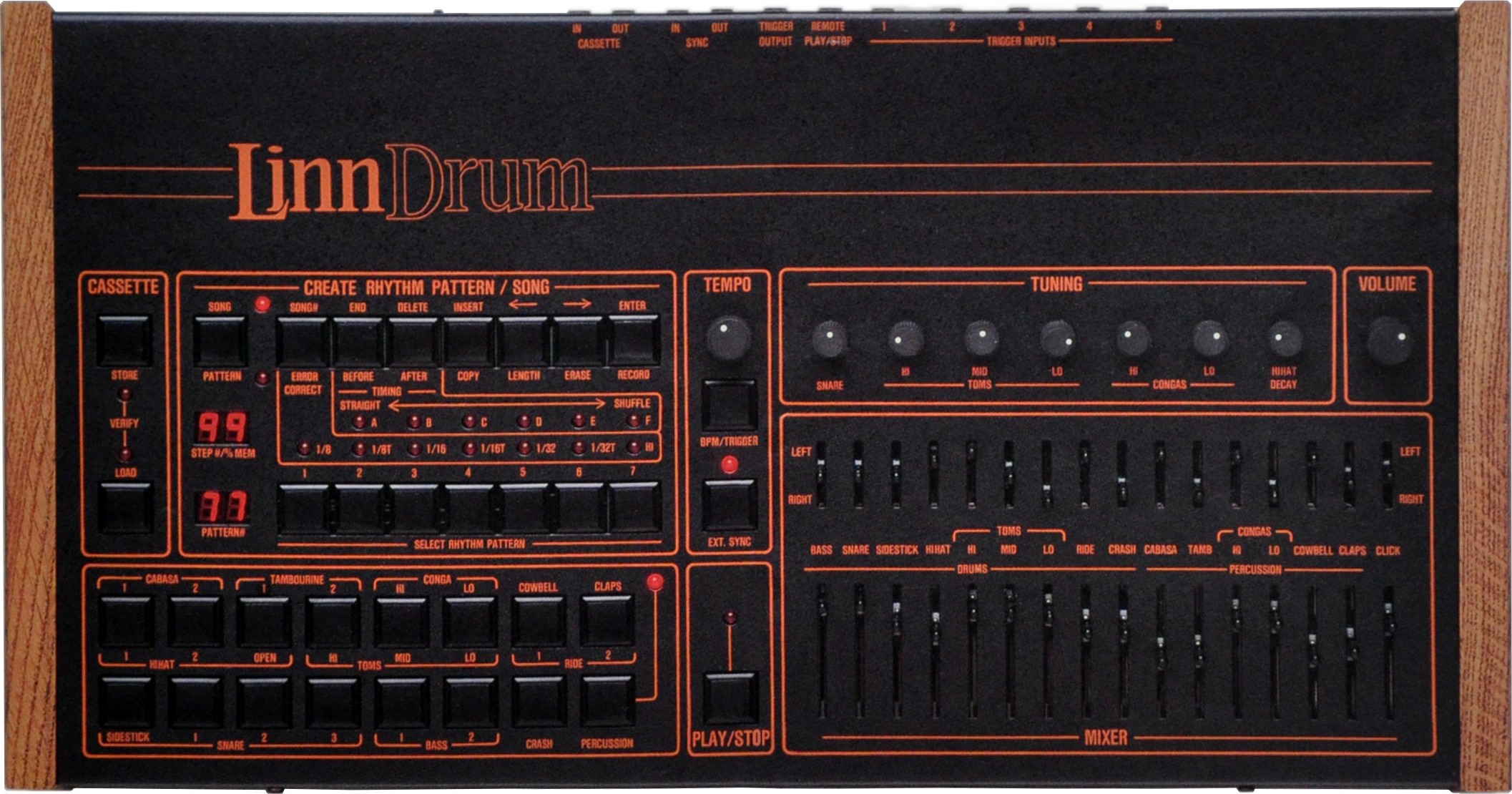
1982 · LinnDrum
By Roger Linn. Instead of building sounds it played back recordings of real drums. That is where sampling in the drum world began, and with it the question every groovebox has had to answer since: your own sounds or the ones supplied.
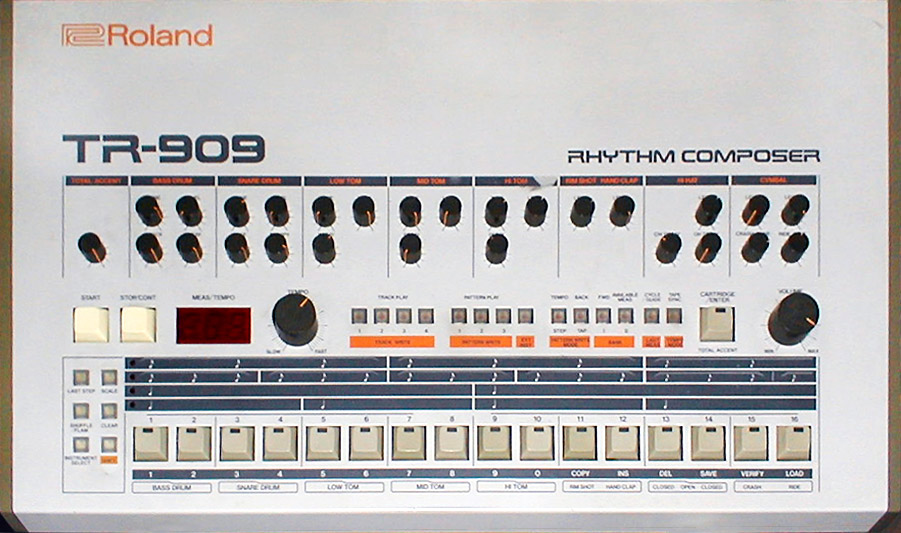
1983 · Roland TR-909
Conceived more realistically than the 808 and partly filled with samples. Became the defining instrument of house and techno. Three years between two devices, and two entire genres came out of it.
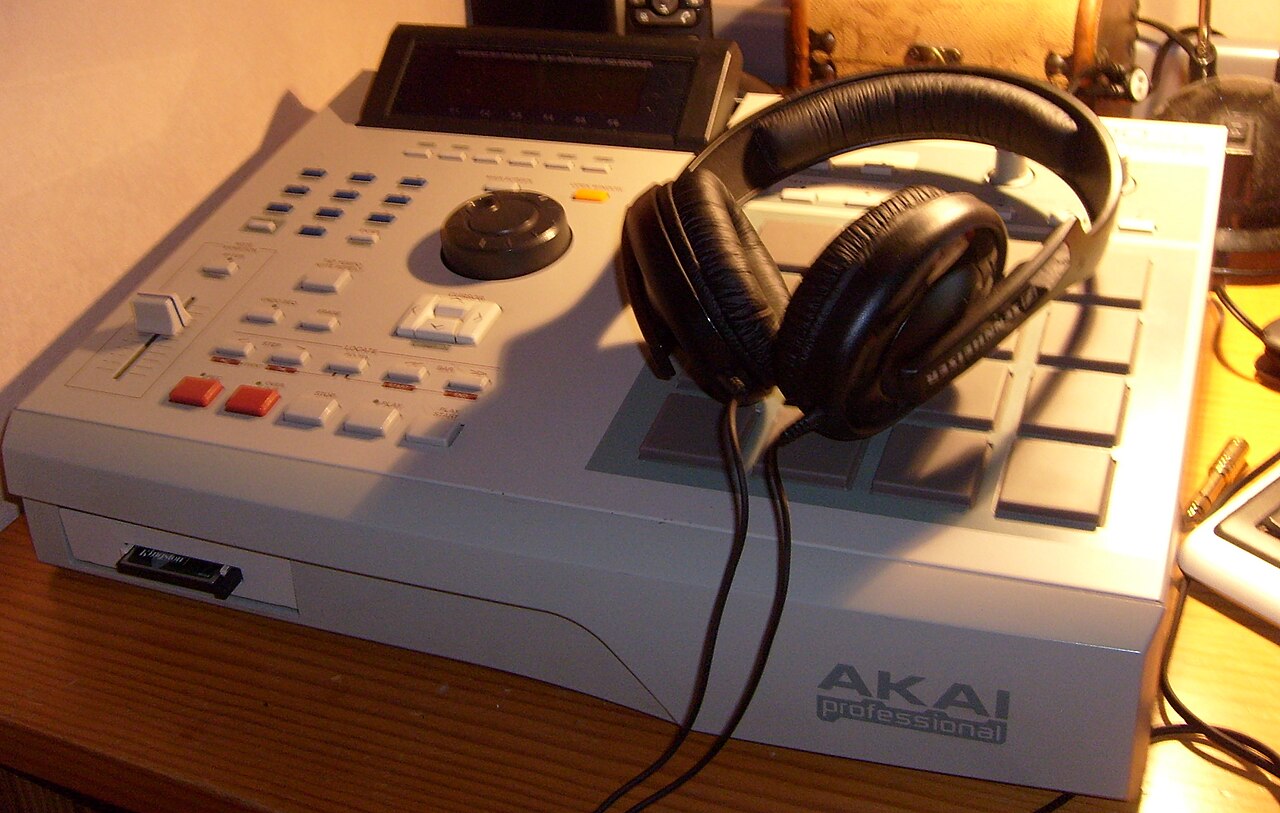
1988 · Akai MPC60
Roger Linn and Akai together. Sampler and sequencer in one device, with velocity-sensitive pads that respond to how hard you hit them. That build type still shapes how grooveboxes look and how they are played today.
The movement behind it is a single one: from sounds the machine produces itself to sounds you load into it yourself. Both routes still exist side by side today, and the Circuit Tracks has both on board.
12 What a sequencer is
A sequencer stores no sounds. It only stores the instruction that when something should sound. Another device makes the sound. So it sits on the MIDI side of the chain.
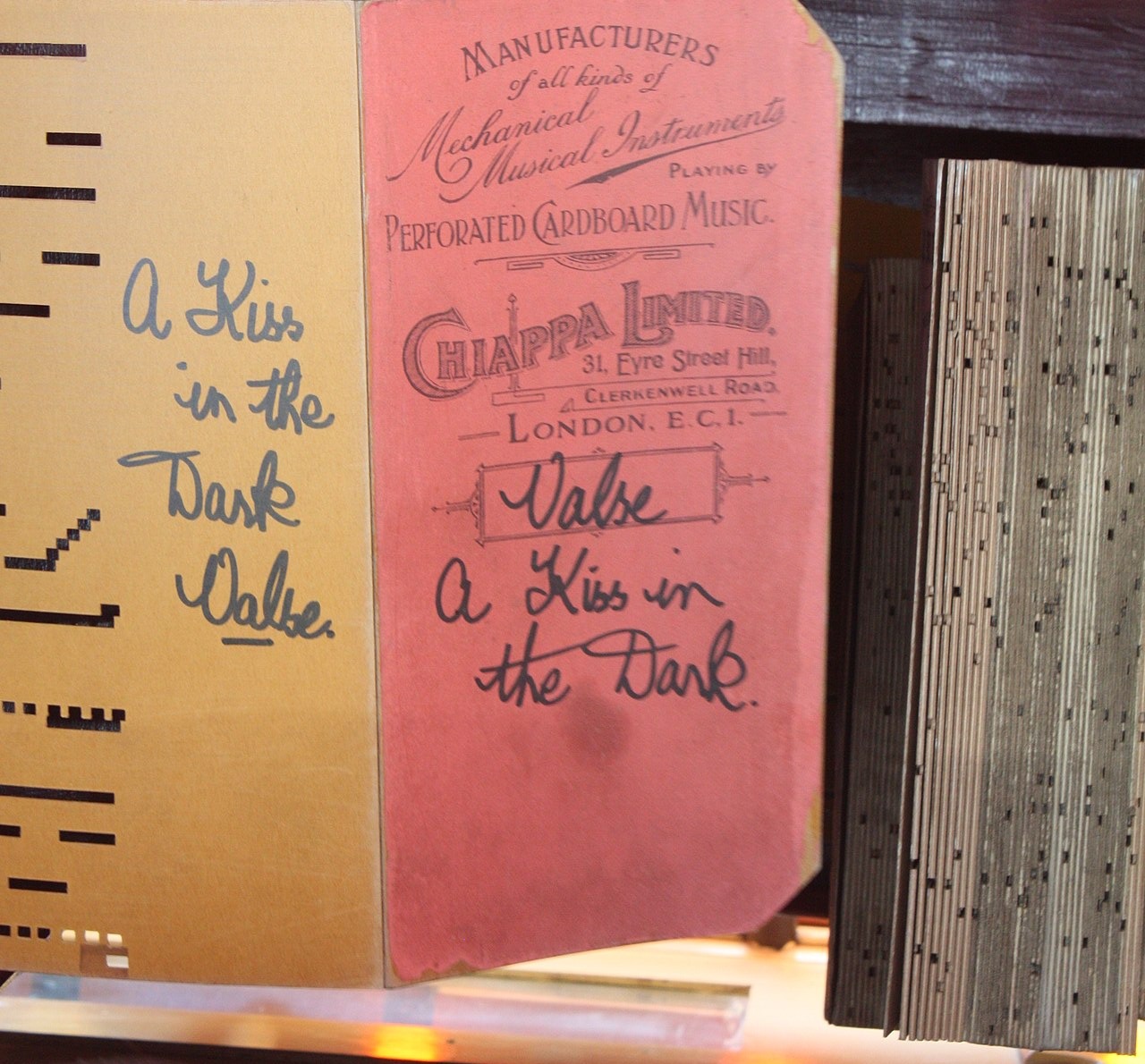
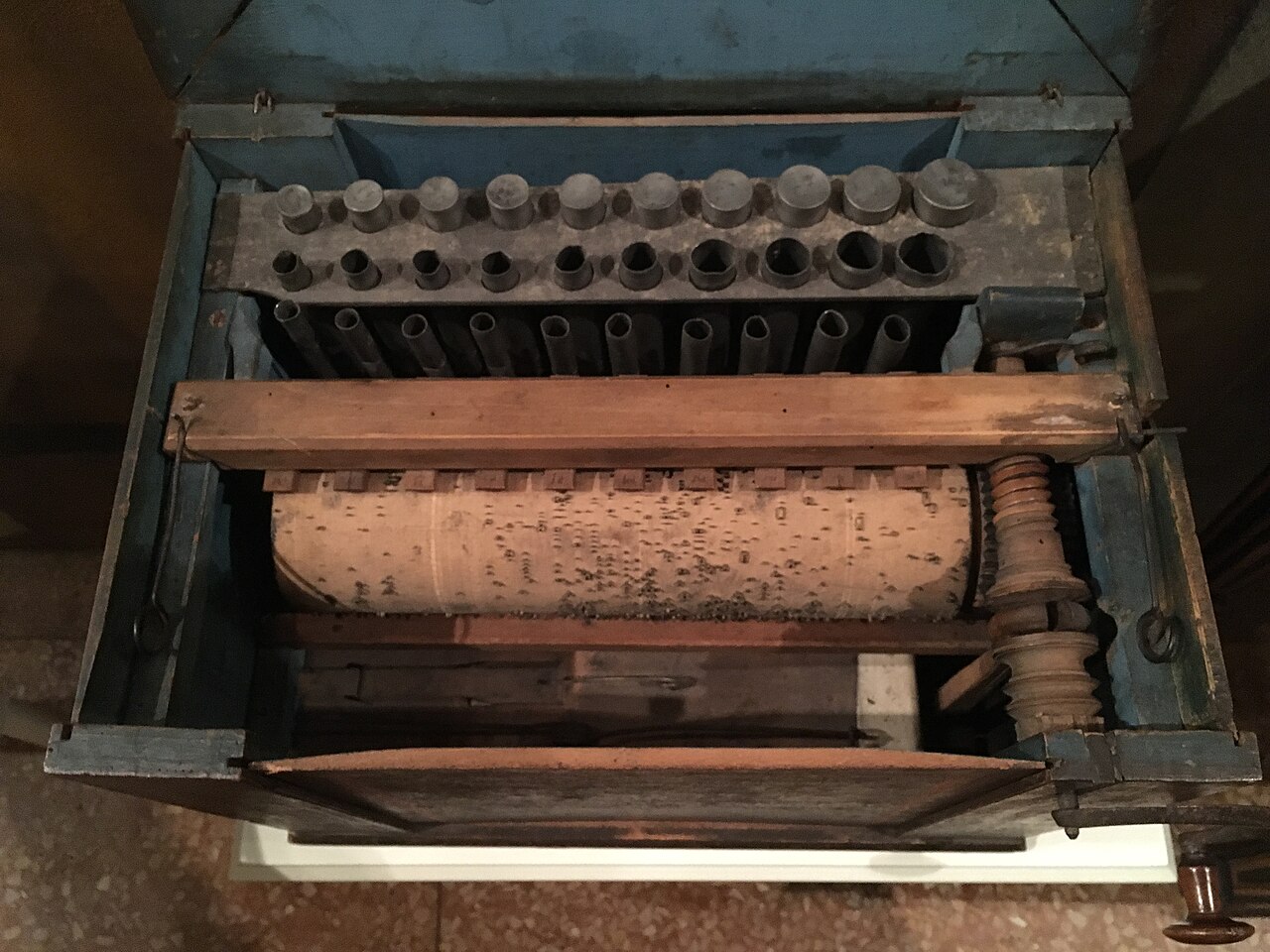
In a barrel organ the pipes, meaning the notes, are built in permanently. What you feed in is only a punch card. The card contains not a single note. It contains holes, and every hole opens a particular pipe at the right moment.
The grid of 16 or 32 fields is the punch card. What sounds when a field is active depends on which sound generator sits behind it. That is why you can put the same pattern onto a different sound and get a completely different piece.
13 What a synthesizer is
A synthesizer produces sound instead of playing it back. It has no recordings in its belly but assembles the vibration itself from the ground up. That is why it can make sounds that do not exist in nature.
A synthesizer is not a particular shape
That is the most common misconception. „Synthesizer“ says nothing about the housing, only about the way the sound comes into being. The same technology sits in a wardrobe-sized cable monster and in a small box without a single key.
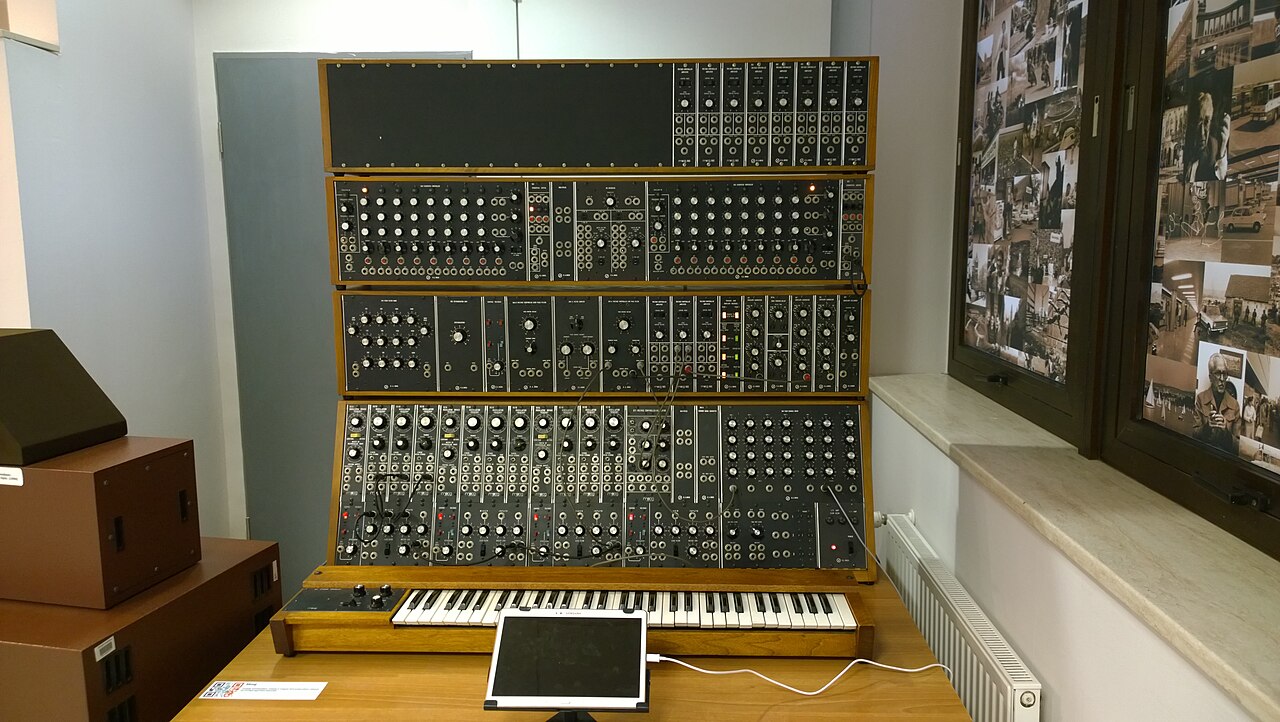
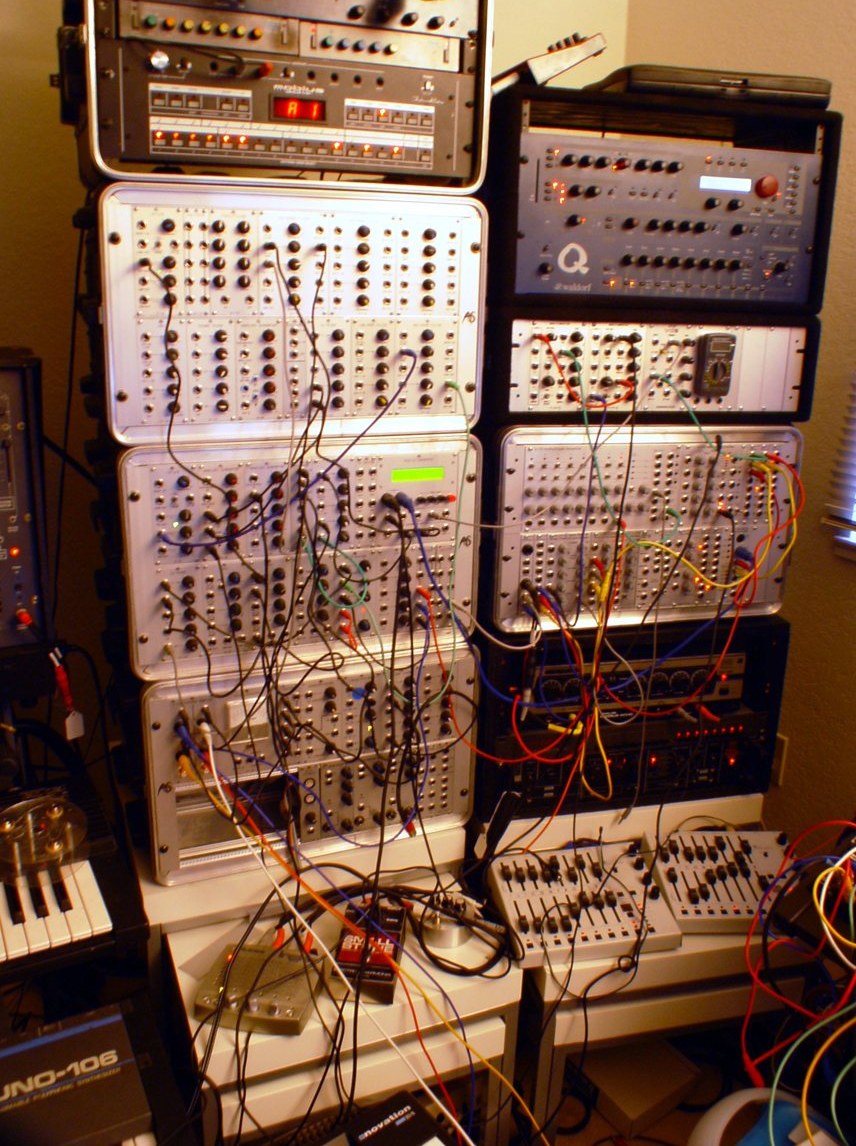
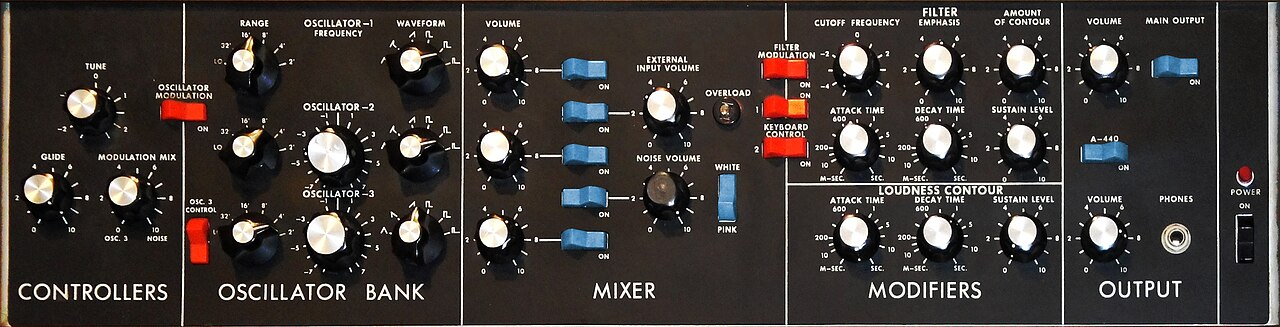
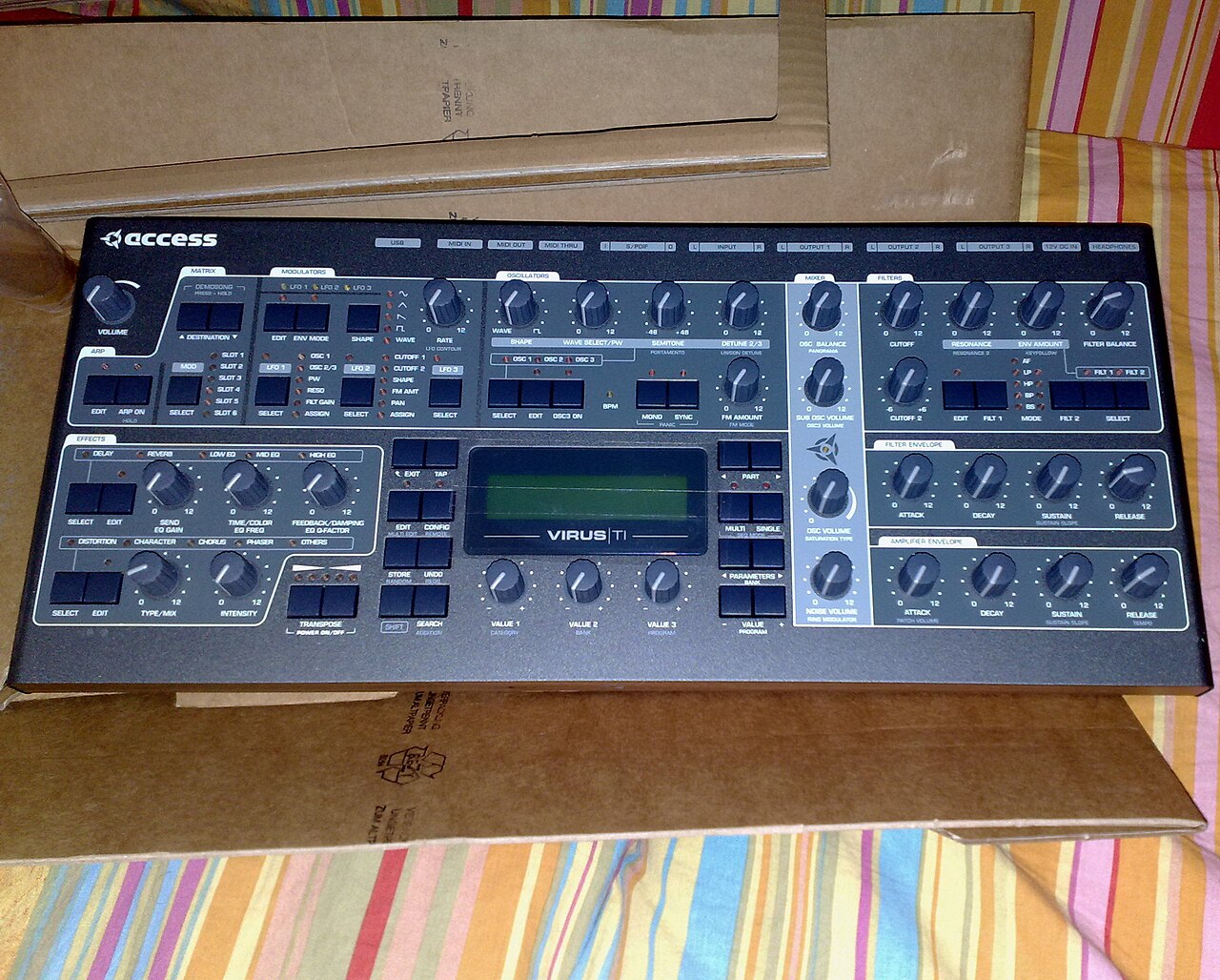
All four are synthesizers. A keyboard and a synthesizer are not the same thing. The keyboard is only the input, so the MIDI side. You can have a synthesizer with no keys, played by a sequencer. And you can have a keyboard that only plays back recordings and synthesizes nothing at all.
The three stations almost every synth has
The numbers
Height in decibels (dB): one line lower means a tenth as strong. The row of numbers underneath is the strength ratio of the fundamental and the 2nd, 3rd and 4th bar: in a sawtooth the second bar has half the strength of the fundamental, the third a third. Square and triangle only have the odd ones (1, 3, 5, 7); in a triangle they fall off with the square (1/9, 1/25), which is why it sounds so soft. The square is exactly half up, half down (duty cycle 1 : 1). Make the pulse narrower, say 1 : 3, and even overtones join in and it sounds thinner.Every sound can be built from pure sine tones: the lowest one, the fundamental, sets the pitch, the harmonics above it set the timbre, that is whether something sounds sharp, hollow or round.
- Oscillator. Produces a raw basic tone. Usually a simple waveform. A sawtooth sounds sharp and rich in overtones, a sine wave soft and round like a whistle.
- Filter. Takes parts back out of that sound. A low-pass lets the lows through and cuts the highs. This is the knob you hear most clearly in electronic music, when a sound slowly opens or closes. Right next to it almost always sits resonance: it lifts exactly the frequency the filter is currently cutting at. A little makes the sound more whistling and present, a lot is what turns a filter sweep into the effect you know from acid and techno. Turned all the way up, the filter starts to whistle by itself.
- Envelope and amplifier. Determine the shape over time. On the device there are four letters for this, A D S R, and you will find them everywhere: Attack, how quickly the note is there. Decay, how quickly it falls from its peak. Sustain, at which level it stays while the key is held down. Release, how long it rings on after you let go. An organ holds the note as long as the key is down. A piano starts falling immediately after the strike, even if you hold. Strings need a moment before the note is there. With the same four knobs you can get close to all three.
What a filter takes away shows up in the spectrum: the sound split into sine tones, each drawn as a bar at its frequency. A sawtooth at 110 Hertz, that is 110 oscillations per second, has its harmonics at 220, 330, 440 hertz and so on. It is measured in decibels, dB for short: minus 6 dB means half as strong, minus 12 dB a quarter.
Besides the cutoff, what matters is the slope: how much the filter takes away above the edge for each octave (each doubling of the frequency). 12 and 24 dB are common, also called 2-pole and 4-pole. A 24 dB filter sounds more decisive because one octave above the edge only a sixteenth is left instead of a quarter: as you turn the knob, you hear exactly where the edge is. There are three other basic shapes as well.
On top of that there is almost always an LFO, a very slow oscillation that does not sound itself but moves something else. Put it on the pitch and you get vibrato. Put it on the filter and you get the typical wobble.
Several voices stacked: Unison
Many synthesizers can stack one voice several times. This is called Unison: several copies of the same voice, each slightly out of tune, which is called detune, and spread across the stereo image, that is, a little further left or right. This makes the sound wider and thicker. Many detuned sawtooth waves stacked together are the typical sound of trance, known as the supersaw.
The smallest example already shows what happens: two sawtooth waves at 110 and 111 Hz, that is 110 and 111 oscillations per second. Sometimes they run in step and reinforce each other, sometimes against each other and weaken each other. This swelling and fading is called beating, and it happens exactly as many times per second as the two are apart, so here once. With more voices, many such beats overlap.
Different ways of building sound
Not every synthesizer works the same way. You will meet the terms everywhere, so here are the five most important, each led by one sentence:
- Subtractive. Start with a sound rich in overtones and cut away what you do not want. The classic route, and the one the three stations above describe.
- FM. Two oscillations modulate each other. Gives glassy, metallic and bell-like sounds that are hard to get subtractively.
In detail: how FM works
To be precise, the modulator pushes the pitch of the carrier, the oscillation you actually hear, up and down, in the figure a hundred times per second. At that speed you no longer hear a wobble, you hear new overtones. How hard it pushes is called the modulation index or β for short. On a device the control may say Amount or Index, for example. The higher it is set, the more overtones. If carrier and modulator are in an uneven ratio to each other, the result sounds metallic and bell-like.
- Wavetable. Instead of one fixed waveform there is a whole table of them, and you travel through the sound from one to the next. Good for movement and development.
- Physical modelling. The computer simulates a real instrument including its material and breath noise, instead of recording it.
- Granular. A recording is cut into tiny pieces, the grains. Each one gets a short fade-in and fade-out, then a great many of them play at once, overlapping and in a new order.
In short: small grains turn the recording into a texture, large ones keep it recognisable in snippets.
In detail: grain size, position, density
The most important control is the grain size, meaning how long each grain is. The usual range is 1 to 100 milliseconds. Small grains dissolve the recording into a texture where no single detail can be picked out any more. With large grains it stays recognisable in snippets.
On top of that come the position, the point in the recording the grains come from, the density, that is, how many grains start per second, and the pitch of each grain. If the position stays put, all grains come from the same moment and the sound holds still. This is called freezing. If it moves through the recording more slowly than normal, the sound gets longer but not lower. This is called stretching.
Good devices to start with
Not a buying recommendation, but the names you keep meeting in beginner lists, with the one sentence that tells them apart. All are small, affordable and run without a computer.
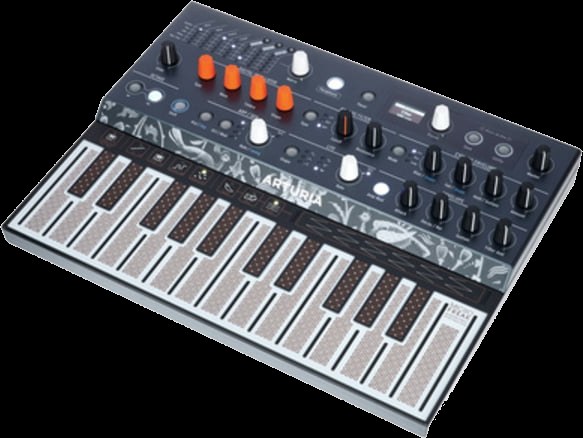
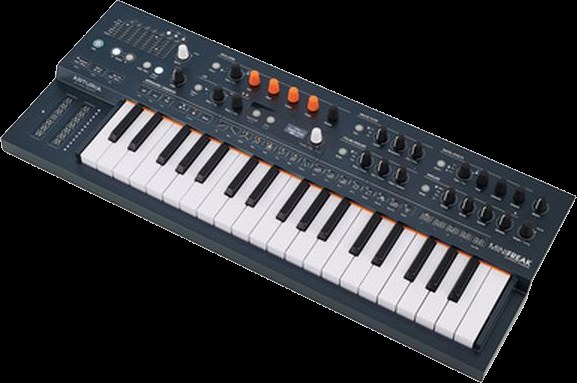
- Arturia MicroFreak and MiniFreak. One family that shares many oscillator types, and both astonishingly cheap for what they do. Digital sound generation, analogue filter, a very distinct character. The MicroFreak has a touch-sensitive strip instead of keys and is looked after unusually long, the firmware is at version 5. The MiniFreak has real keys and more voices.
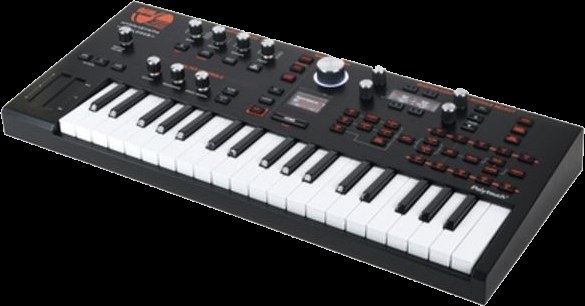
- ASM Hydrasynth Explorer. The small edition of a very deep digital synthesizer, it also runs on batteries. Its speciality is polyphonic aftertouch: the keyboard measures for each key separately how hard you keep pressing after the initial strike. You can make a single note within a held chord get louder or brighter, with your finger alone. Very few devices can do that, and in this price range almost none.
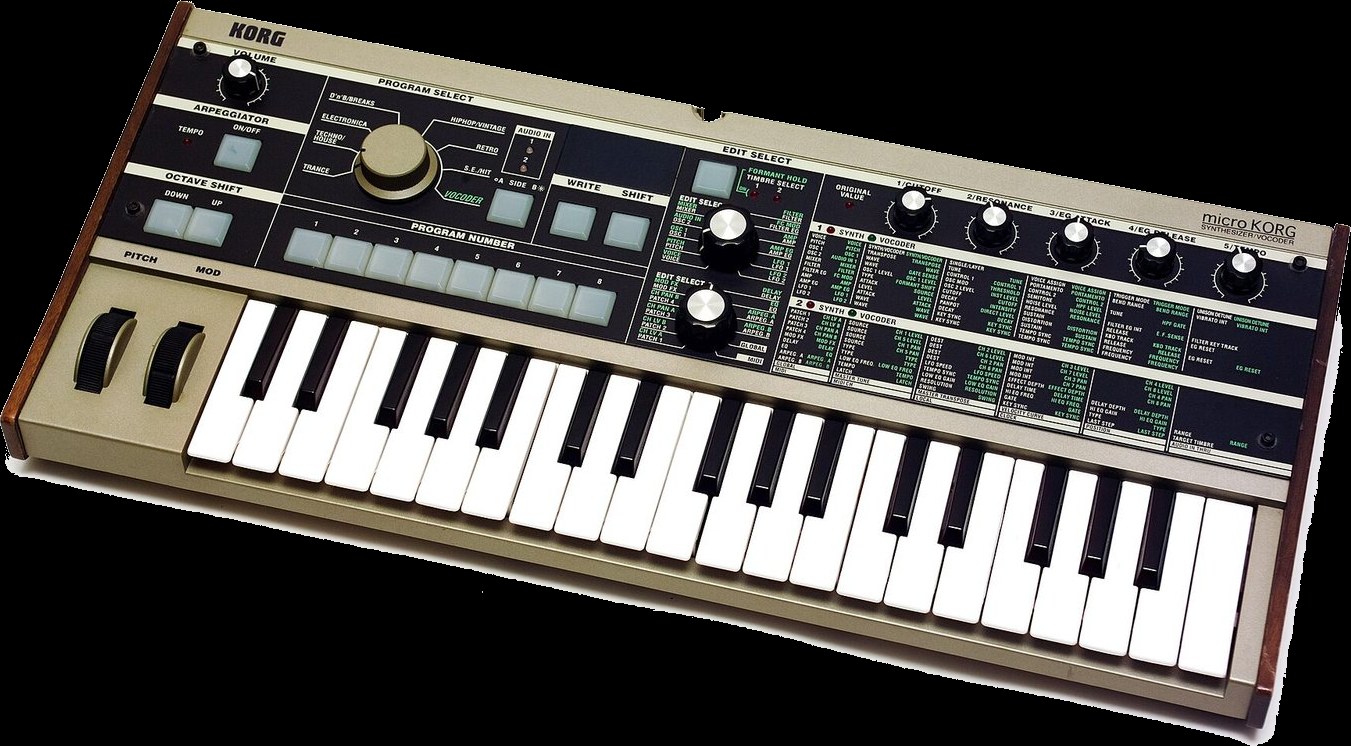
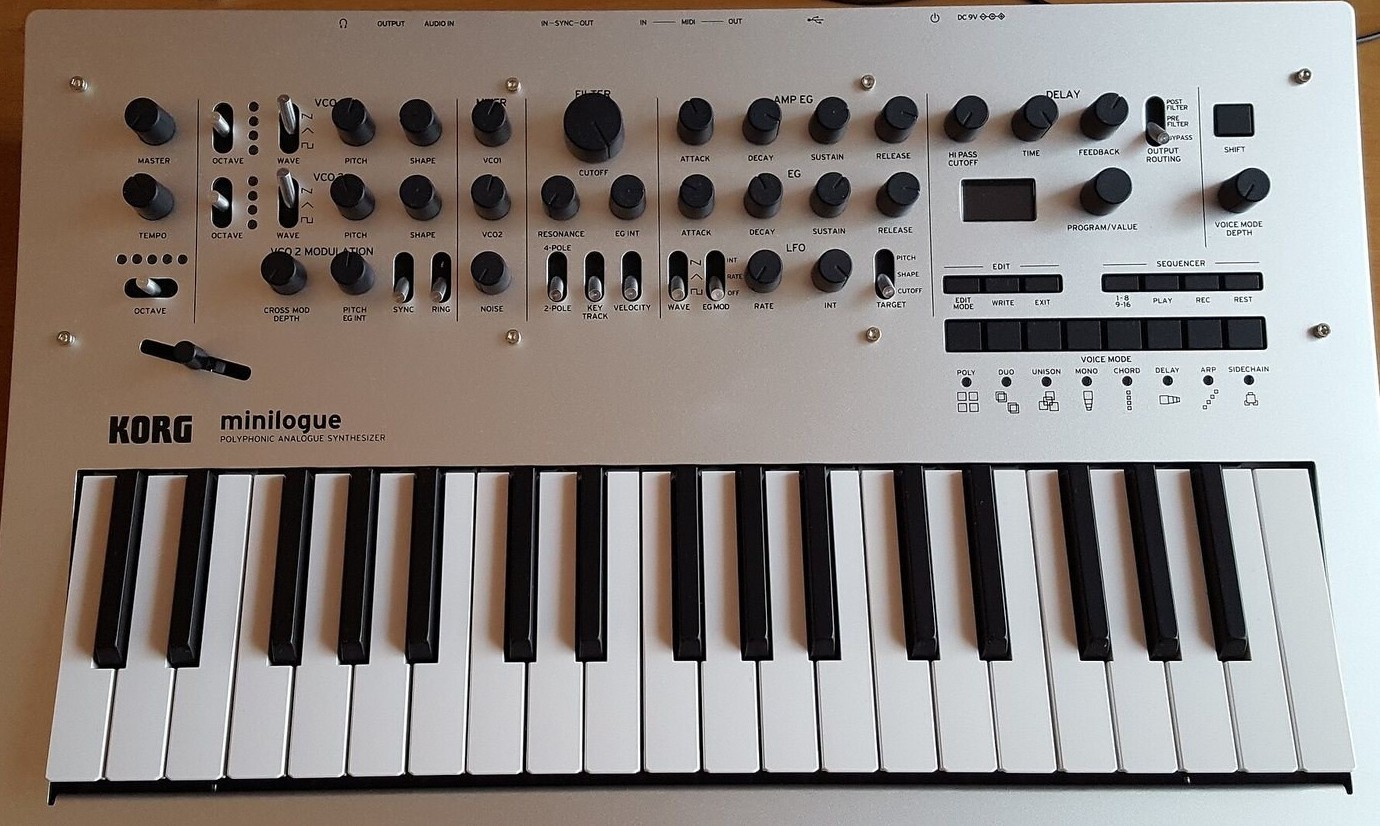
- Korg microKORG. The evergreen. Mini keys, a vocoder for the voice, and available second-hand everywhere.
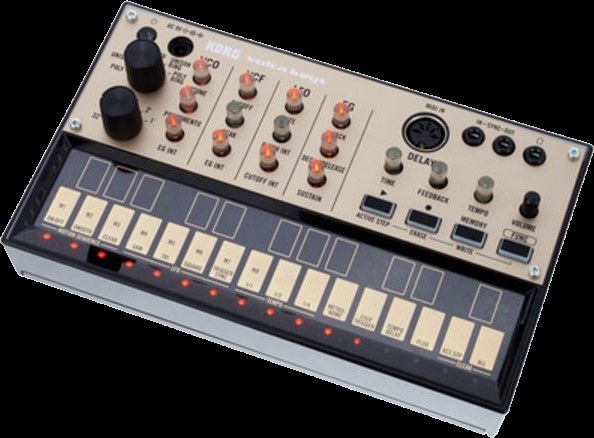
- Korg Volca range. Palm-sized boxes with a battery compartment and a speaker, each for exactly one job: bass, keys, beats, sample, FM. Cheap individually, together a small ensemble.
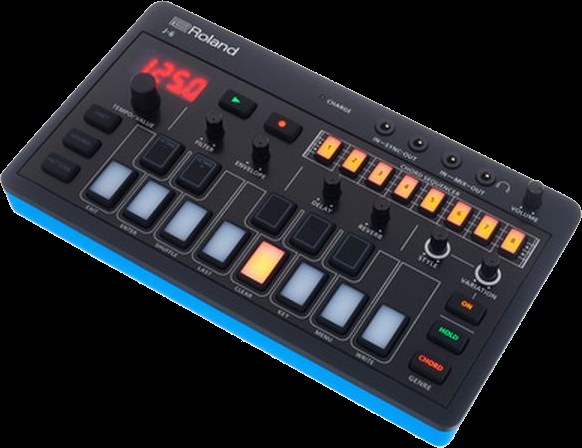
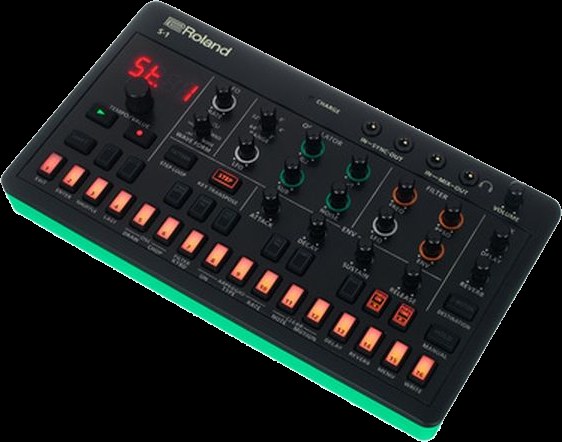
- Roland AIRA range. Just as compact and battery-powered, with the sounds from Roland's own history, meaning the drum machines from chapter 11. They can be linked to each other.
Take the device that requires the least thinking before a note comes out. A deep device sitting unused on a shelf is worth less than a simple one that is switched on every day. What that looked like with the Hydrasynth Explorer after a week I wrote down here, and how it plays together with the Circuit Tracks here.
Analogue or digital
Analogue means the sound comes from real electrical voltage in components. Small inaccuracies make it lively, but such a device is more expensive, less flexible, and the settings often cannot be stored. Digital means the sound is calculated. That is precise, very versatile, storable, and can do things that are impossible in analogue.
Both are good, neither is better. The idea that analogue is inherently warmer is more story than rule. Most of the devices we work with in the course are digital, and nobody hears it.
Hertz and sample rate
How many times something vibrates per second is called its frequency, counted in Hertz, or Hz for short. A string that swings back and forth 110 times a second sounds at 110 Hz. The more vibrations, the higher the note. One octave higher, meaning the next note with the same name, always has exactly twice as many. Double it twice and you arrive at 440 Hz, the concert pitch A, the note instruments are tuned to.
In short: the sample rate has to be more than twice the highest tone. That is why 44.1 or 48 kHz is enough for everything you can hear.
In detail: sample rate, Nyquist limit, aliasing
The sample rate from chapter 06 is counted in Hertz as well. It says how often per second the converter measures, the converter being the part that turns voltage into numbers. Usually that is 44,100 or 48,000 times, written 44.1 or 48 kHz, where one kilohertz is a thousand Hertz. What matters is how many measurements fall on a single cycle. For concert pitch A it is about 100, at 20,000 Hz only 2.2.
This is the Nyquist limit: each cycle needs more than two measurements. So only what lies below half the sample rate can be captured. At 44.1 kHz that is 22.05 kHz, at 48 kHz it is 24 kHz, both above the limit of hearing at about 20 kHz. A note above that comes back as a false, lower note: aliasing, from alias, meaning otherwise known as. That is why a low-pass filter sits in front of the measurement, like the one on a synthesizer, only fixed at this limit.
Bit depth: how finely it is measured
The sample rate says how often a measurement is taken. The bit depth says how finely. Every measured value is rounded to the nearest step of a fixed grid, just as a ruler only knows whole millimetres. A bit is a digit that can only be 0 or 1, and every extra bit doubles the number of steps: 3 bits give 8 steps, 4 bits 16, 16 bits already 65,536 and 24 bits 16,777,216.
In detail: rounding error, noise, 6 dB per bit
Even so, you do not hear a staircase, because on playback the converter draws a smooth wave again. What remains is the rounding error, the difference between the true and the stored value, and it sounds like a faint noise. Every extra bit halves it and pushes the noise down by about 6 dB. So 16 bits give about 96 dB of dynamic range, meaning the distance between the loudest sound and the noise, and 24 bits about 144 dB.
24 bits are worth it when recording: you leave room at the top so nothing distorts, and you pay for it in bits. On playback practically nobody hears the difference, because at normal listening levels the noise of 16 bits already sits below the background noise of a room. A bitcrusher, an effect that deliberately makes the steps coarse again, turns the error into a sound: grainy, rough, typically retro. Turn the bit count down slowly and you will hear the error from the first figure grow.
Hardware or software
The same question comes up again one level higher, and the answer is just as far from clear-cut.
- For hardware: switch it on and it is there, every knob does something, nothing crashes, nothing needs updating. Yesterday's state is today's state.
- Against hardware: what is in it is in it. No retrofitting, no rebuilding, and a new device and a new cable for every new function.
- For software: you lay out the surface yourself, combine as you like, and an update sometimes brings something new overnight.
- Against software: before the first note there is setting up, and you have to think a little like someone who builds things. In return the result really is your instrument.
Most people end up with a mixture, and that is not indecision but the sensible answer.
By the way, hardware is not as fixed as it used to be: some devices gain entirely new functions through new firmware. More on that in Booklet 2, chapter 27.
Where to read on
- SINEE, free course in electronic music production21 lessons in German, free, no prior knowledge needed.sinee.de
- Synthesizer Museum BerlinSkalitzer Straße 135a. Over fifty devices, and everything may be touched.synthesizermuseum.info
- Loopy Pro, artist spotlightsPortraits of people making completely different music with the same app.loopypro.com
The full, tiered list is in Booklet 2, together with the German-language sources and the places in Berlin.
14 And now?
This booklet explains terms. It makes no music. That is the part that happens in the room.
If you have read this far, you can place every device in the course: you know where in the chain it sits, whether it carries instructions or sound, and what separates it from its neighbour. That is entirely enough. Everything else is learned on the device and not from a text.
There is no device that does the listening for you. Every box in this booklet is a tool for a decision you make yourself, at the moment it has to be made.
Booklet 2 goes further: where looping comes from, who makes a living from it, which routes exist, and a tiered list of where to learn more.
Glossary
So that we talk about the same things with the same words in the course. Looking things up is allowed, asking any time too.