Between the kerb
and the stage
Where looping comes from, who makes a living from it, and what separates it from DJing and producing.

Contents
- 15A short history of looping
- 16Dub FX
- 17People to watch
- 18Four ways to play live
- 19Why Ableton is not at the centre here
- 20Eurorack, the construction kit
- 21Loopy Pro
- 22One working method in detail: kristof7s
- 23The same app, seven different instruments
- 24Two books, personal
- 25Where to learn more
- 26Tuning: how a beat becomes a note
- 27Cheap synths and custom firmware
15 A short history of looping
For a long time looping was seen as something guitarists do with their feet. Floor units, footswitches, one pedal per function. The devices were built, advertised and sold for guitar.
Dub FX took a guitar device and applied it to his voice. The Boss RC-50 lay on the pavement in front of him for years, operated with his feet, while he made drums, bass and harmonies into a microphone. The device was not meant for that. No spec sheet and no advert ever mentioned that you could layer beatbox with it.
That single act of misuse set off more than any product development before it. Out of it came a whole beatbox looping scene, out of the scene came competitions, out of the competitions came a device finally built for hands and voices, and out of its limits came, in the end, the software. It began with someone in the street using a tool wrongly.
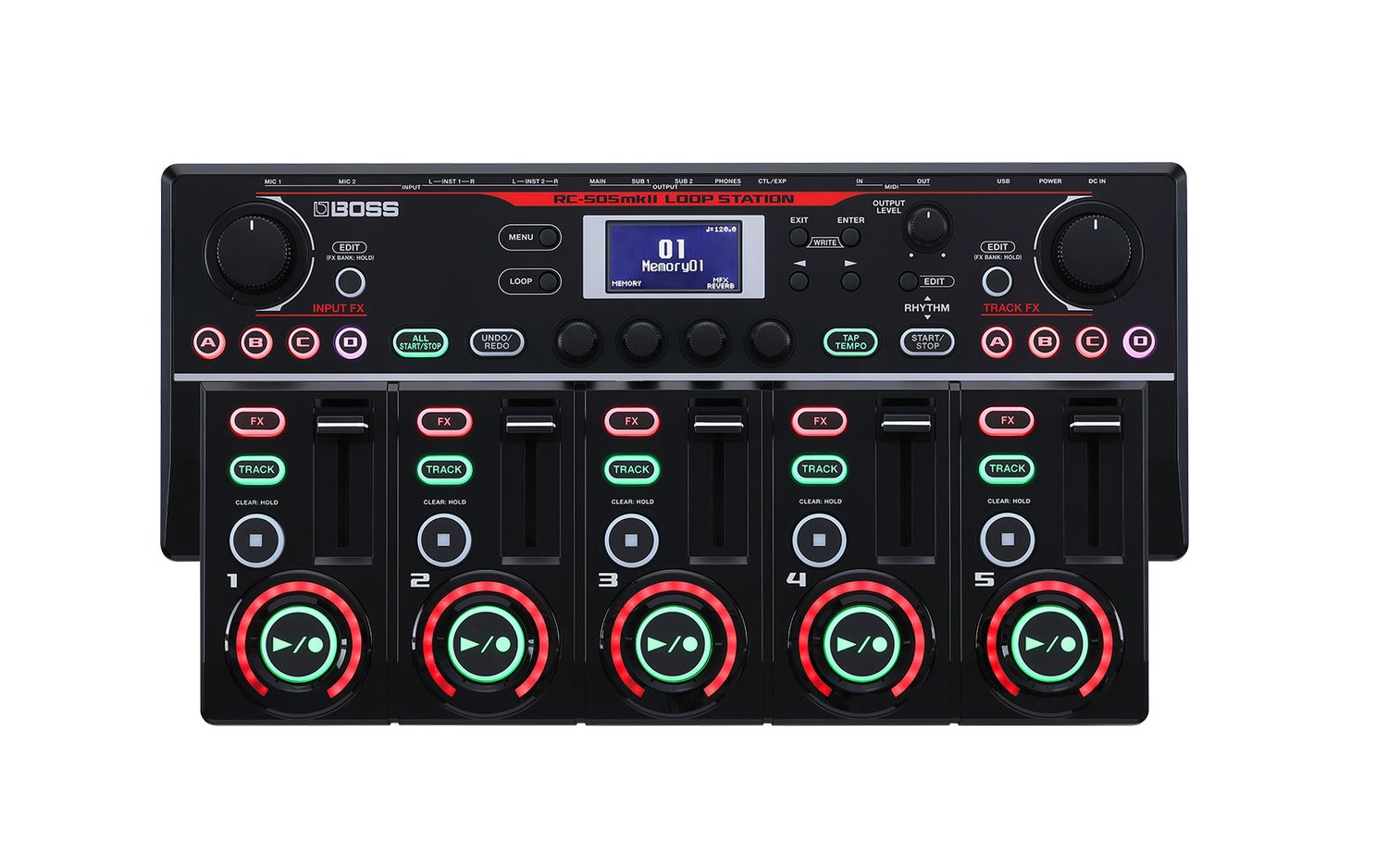

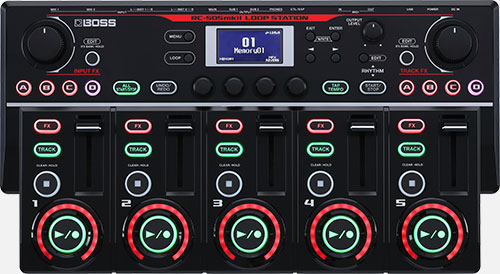
What matters about that: for a long time the competitions prescribed one particular device . Everyone competed on the same machine. That produced an art form of its own, because nobody could get ahead through better equipment, only through ideas and craft.
The championships


It is easy to underestimate what came of this. The loop station battles at Swissbeatbox and at the beatbox championships, in Japan among other places, are disciplines of their own today with an audience of their own. Individual rounds have view counts in the tens of millions. For many people this is the first place they ever saw anything like it.
In these battles everyone competes on the same machine , usually an RC-505. Nobody can get ahead through equipment. It is purely about what someone gets out of a device whose limits everybody knows. That is exactly what this course is about too: not more devices, but more out of what you have.
Watching is worth it, especially if you do not loop yet. In five minutes you understand what is possible with five tracks. A good place to start is the semi-final RYTHMIND versus SO-SO from the Grand Beatbox Battle 2019, by now watched well over fourteen million times.
The scene helped build the device
The part usually missing when someone tells this story: it did not run in one direction. Roland had front-rank beatboxers test the device before it was finished. People who stood on stages with it and competed with it said what was missing, what got in the way and what does not work under pressure.
That is why a lot on the RC-505 sits where a hand finds it in the dark, and not where it looks logical in a manual. The device was shaped by people who had to use it while two thousand people watched.
Conversely the device shaped the scene. Five tracks is a specification, not a law of nature. A competition piece that has to fit into five tracks sounds different from one without that limit. A whole generation of loop sets grew in the shape this one machine laid down.
And why it still did not stop there
The very people who had helped develop the device eventually stopped being satisfied with it. Not because it was bad, but because a metal box has four limits that cannot be moved:
- The number of tracks is fixed. Five is five, forever, for every piece.
- The surface is fixed. The button sits where it sits, even when your piece would need something completely different.
- The effects are fixed. What is in it from the factory is what you have. No retrofitting.
- The sound generator is missing entirely. A loop station records. It invents no notes.
Metal boxes are not quite that fixed any more: some devices gain entirely new functions through new firmware, more on that in chapter 27. And the limits have a good side: in a box, as a rule, everything works.
The counterweight: why many people stay with hardware
The left column sounds like a shortage but is the reason many people stay with hardware. In a box everything generally works, and every knob does something meaningful. There is no setting that has no effect, no menu that leads nowhere, and nothing that has to be set up first. You switch the device on and it is exactly as you left it.
In software, by contrast, you have to think a little like someone who builds things. What happens when this button is pressed? What should it do the second time? Where should it sit? That is more effort before the first note, and more that can go wrong.
In return it is more rewarding in the end, because the result really is your instrument and not a manufacturer's. Both are legitimate decisions. It only helps to make them deliberately rather than sliding into one.
By the way: „without a computer“ is strictly speaking wrong for hardware. There is one inside every one of these boxes. The difference is that it is built in and has exactly one job.
Anyone who reaches these limits has two options: buy and cable up more boxes, or move the whole thing into software, where the surface can be built yourself. The second route leads straight to chapter 21 and to an iPad.
Because it works in both directions. Your setup helps decide what you play. If it forces a shape on you that you never wanted, that is not on you, it is on the setup.
16 Dub FX
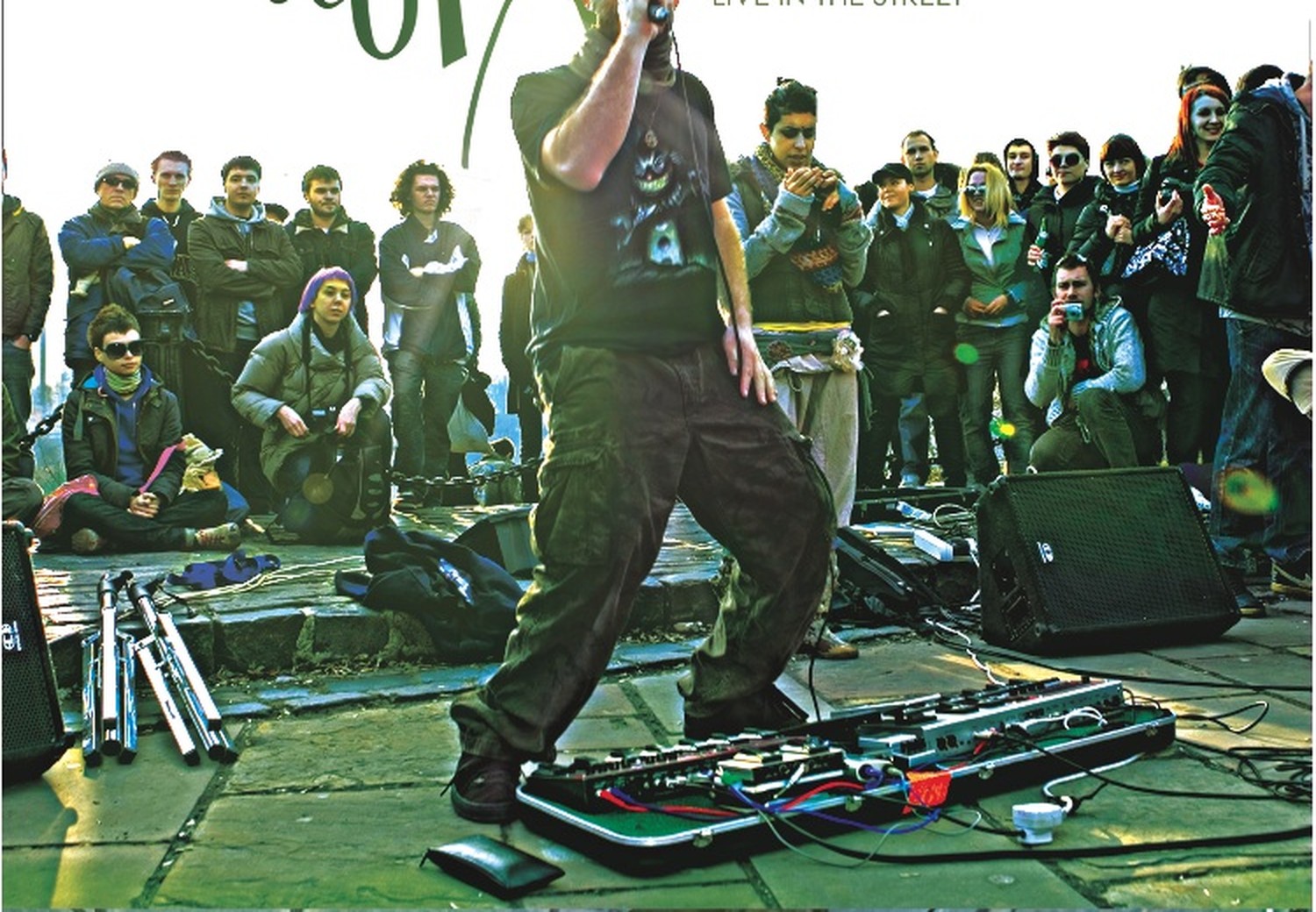


Benjamin Stanford, stage name Dub FX, is an Australian musician who became known worldwide as a street performer. He builds his pieces exclusively from his own voice: beatbox as drums, hummed bass, harmonies, effects, with singing and rap over the top.
The device he did that with for years was a Boss RC-50, built for guitarists. It lay on the ground in front of him, operated with his feet, while the voice ran above. That shift is his real contribution: not a new trick, but a tool in a role nobody had planned for it. Anyone doing beatbox on a loop station today stands in that line, whether they know it or not.
His contribution is less technical than educational. He made the process visible. Watch him and you understand in two minutes what a loop station does, because every layer comes into being in front of the audience.
At some point he met Michael Tyson, the developer of Loopy Pro. Out of that came an exchange between someone hitting the limits of his device every night in the street and someone who could write the software behind it. If you have read chapter 15 you will recognise the pattern: the same loop between people playing and people building, only this time in software instead of metal.
Dub FX no longer works with the hardware he became famous with. He has replaced his loop station and his hardware sampler with an iPad and controls everything from a controller.
17 People to watch
Very different people doing the same thing: building music in real time instead of playing it back. Pick whoever grabs you.


- MusicianDub FXVoice, beatbox, effects. Street performance that turned into a worldwide career.→ Chapter 16
- MusicianBeardymanThe reference case for fully improvised sets across changing genres. Partly builds his own instruments.watch
- MusicianReinhardt BuhrMulti-instrumentalist from Cape Town. Layers guitar, electric cello, didgeridoo, cajón and piano live.@ReinhardtBuhr
- MusicianTash SultanaBuilds whole songs alone on stage, guitar and voice, with loop pedals.watch
- MusicianImogen HeapHas been looping live with her voice for decades. Michael Tyson only built Loopy after seeing her live.watch
- MusicianMEZERGFrench, plays theremin, handpan, piano and bass pedals at the same time. Uses the theremin as a gesture trigger, not as a melody instrument.@mezerg2265
- MusicianTribalNeedRiccardo Moretti. Analogue synths, didgeridoo, percussion, hang, children's toys, one loop station. Describes himself as: no DJ, no computer, everything spontaneous.tribalneed.com
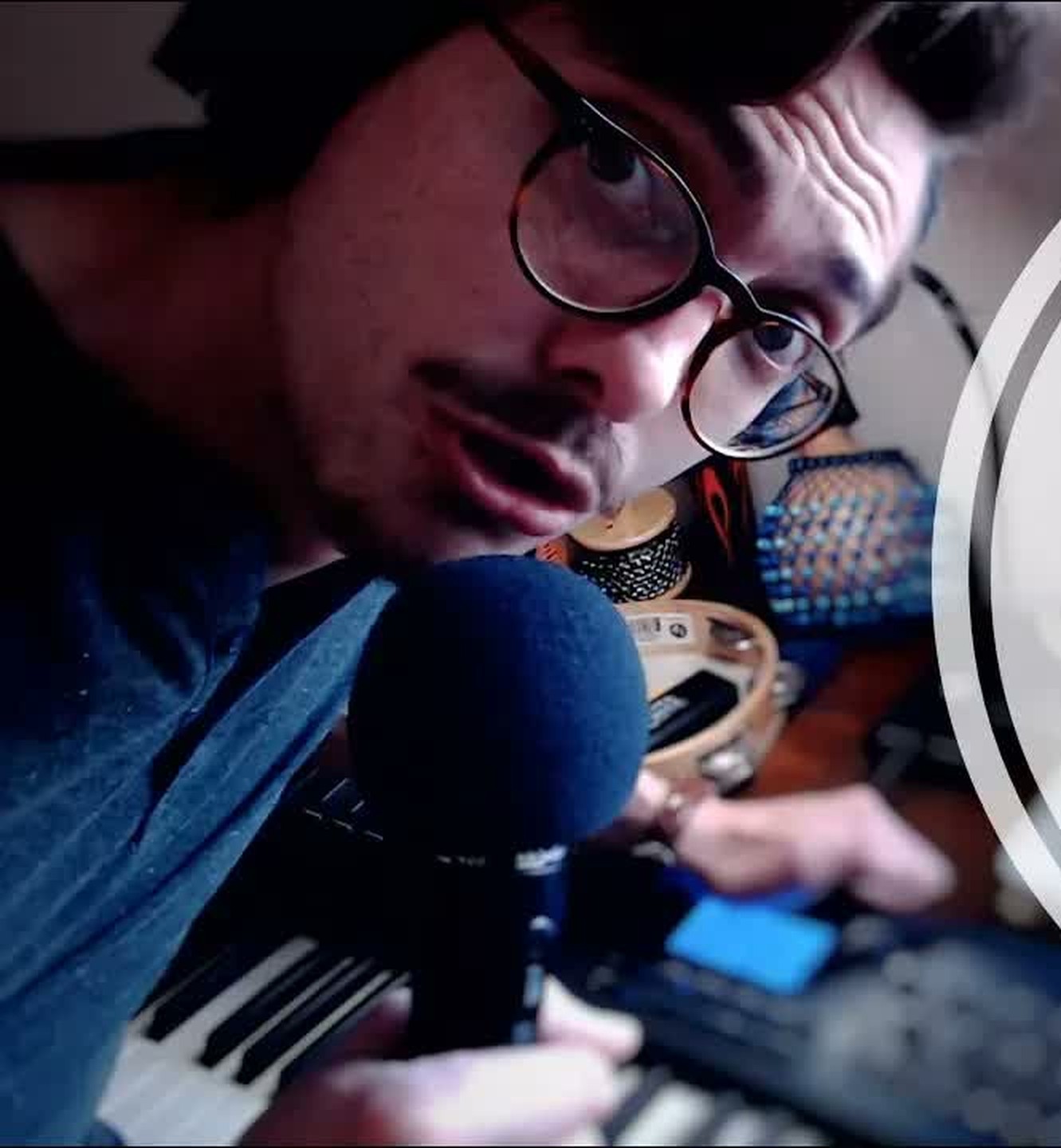
- Musiciankristof7sBeatbox, synths, guitar and singing in one live setup. Pulls individual tracks out of songs and plays the whole instrumental live alongside.loopypro.com
- MusicianTutorialsNeon VinesElectronic multi-instrumentalist from Austin. Live looping with pad controllers and a sampler.@NeonVines
- MusicianARIatHOMEAri Miller, New York. Builds music in the street with complete strangers, streamed live, out of a self-welded backpack. The opposite of a studio: everything happens outdoors, on the first take.watch
- MusicianMr. WobblesLoops in 2026 with Loopy Pro. He makes music live with complete strangers on random video chat, and the short videos of it run into six figures. Alongside that he plays whole sets on his own live rig.short videos
- MusicianMarc RebilletImprovises complete pieces out of nothing, in front of an audience, often from shouted suggestions.watch
- MusicianJacob CollierWorked a lot with looping in his early videos, before he moved on to large productions.watch
TribalNeed plays a whole evening with a simple loop station, a synth and a pile of acoustic instruments. If you want to know how far you get with little gear, watch this.
18 Four ways to play live
Live electronic music is not DJing. When you DJ, you mix finished tracks. On the four routes here, the music is created in front of an audience or shaped there. The routes stand side by side, none of them builds on another.
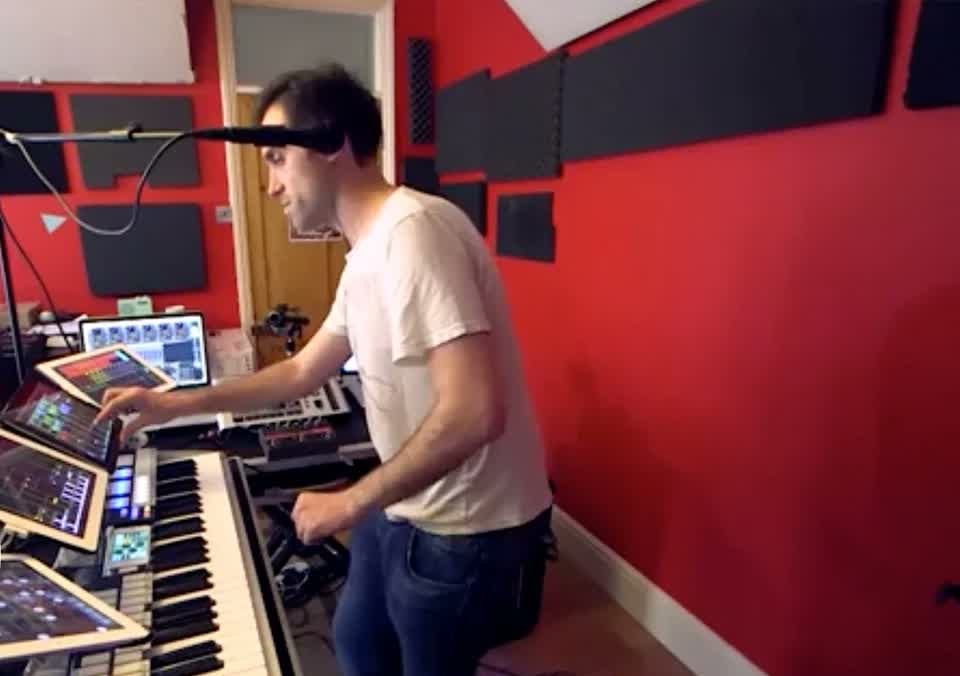


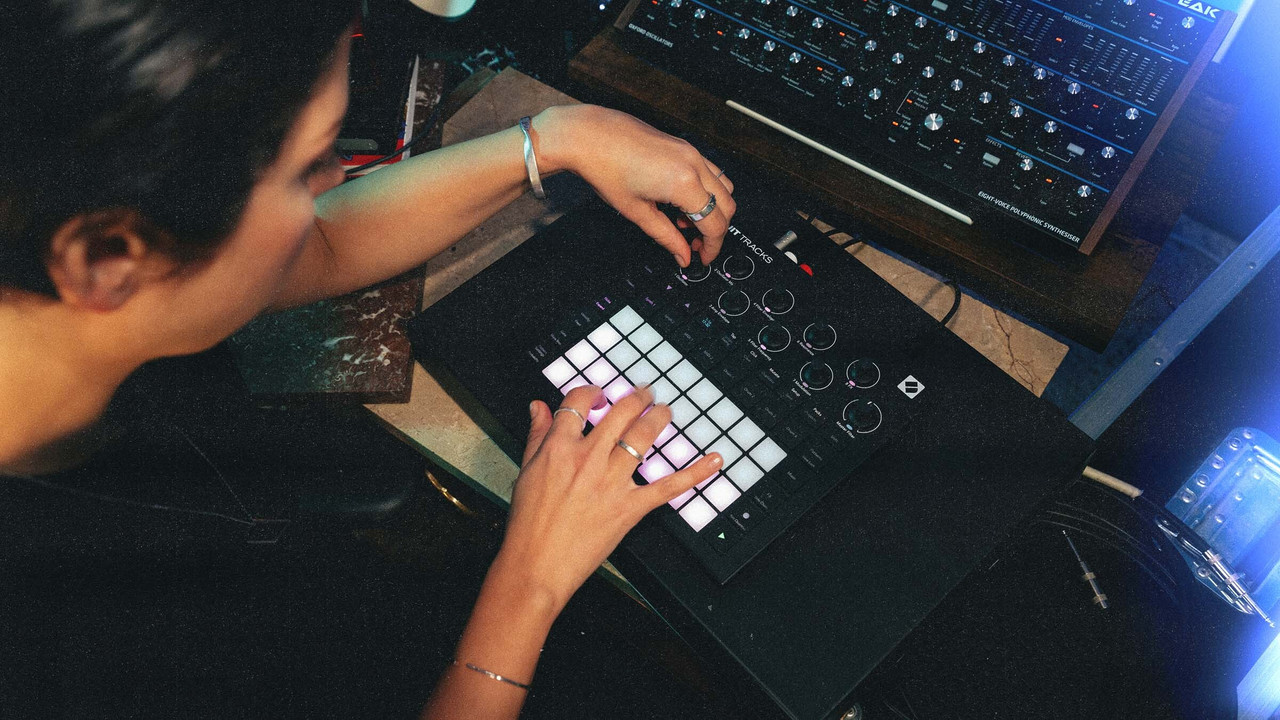
Route one: Everything live
There is no prepared material. Everything is created in front of the audience, in the moment, and looped and layered there.
Beardyman uses no samples at all. He shapes everything from his own voice, changes it with effects and improvises the whole evening. His setup in the picture is called the Beardytron, more on it in chapter 19. Marc Rebillet also does everything live and improvises, but uses samples as well.
Route two: looped live, other people's voices on top
kristof7s from chapter 22 loops his drums and his synthesizer live. On top he lays vocal stems, that is, isolated vocal tracks from well-known songs.
The interesting part is the reversal. When you DJ, the voice sits inside the finished track, and you choose the track. Here only the voice is fixed, and everything underneath is created in the moment.
Route three: the arrangement runs, the shaping happens live
Here the music is prepared in advance, laid out as a horizontal arrangement that is ready to go. Horizontal means: the piece lies in front of you as a timeline from left to right, track under track. Intro, build-up, drop, break and outro sit firmly one after another, just like in the arrangement view of a DAW. Press play, and everything runs from start to finish.
This is how NTO plays live, for example. His sequences are prepared and run linearly, he doesn't have to trigger anything. Live he turns parameters such as reverb and filter. And if he wants, he lets a sequence run longer than it was planned in the arrangement.
The counterpart is the Session View from chapter 19. There nothing sits in a fixed order, you decide live what comes next.
Route four: Sequences on the device, played by you
Your sequences sit finished on the device, but nothing runs by itself. You are completely responsible: which sequence runs when, which ones you combine and when you switch.
And you bring them to life by turning the knobs. Open the filter, add reverb, take one track out, bring another in. That is the difference between playing back and playing.
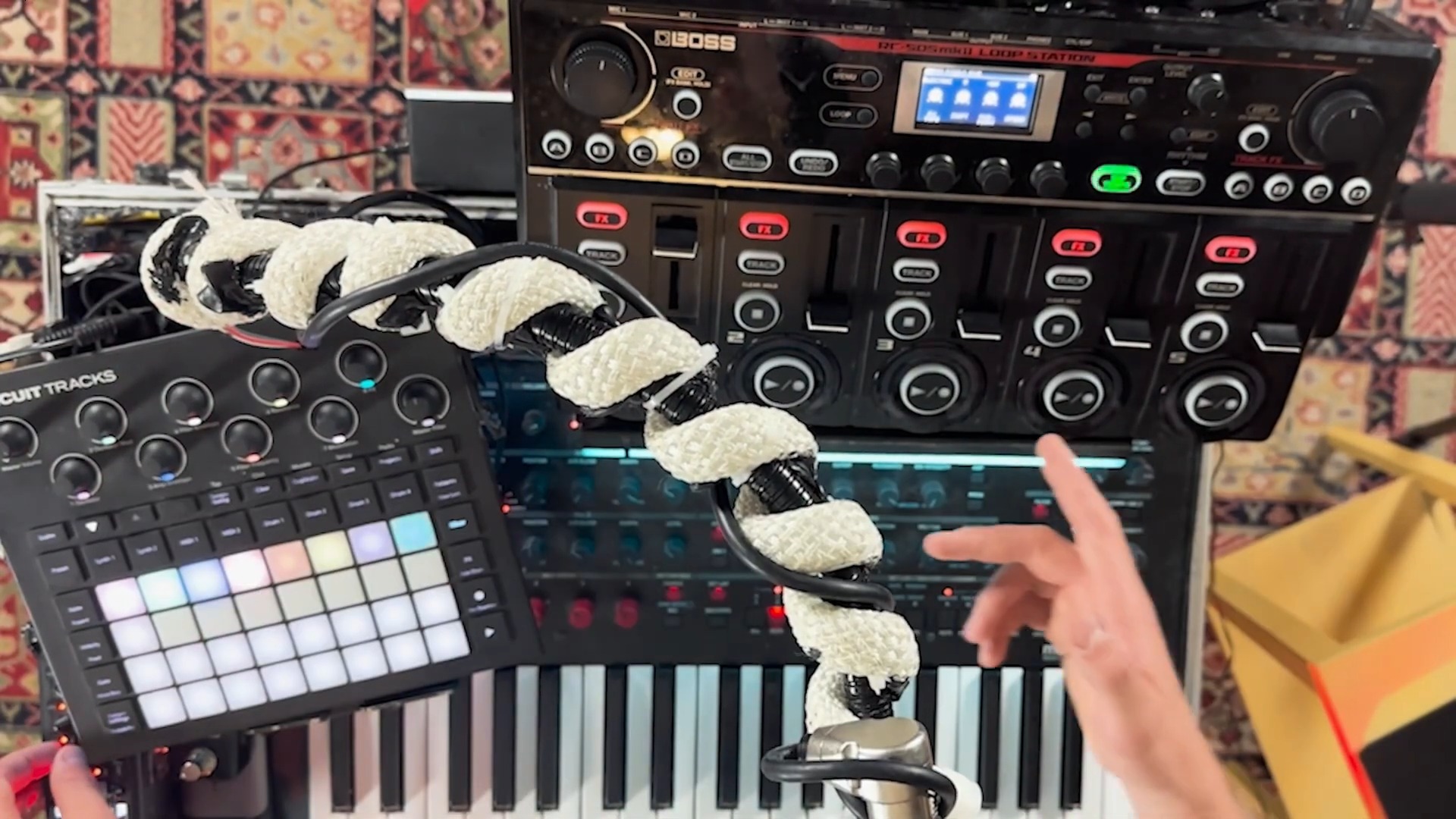
When you DJ, you mix finished tracks, and the transition is the real discipline. A craft of its own, just not what we practise here. On all four routes above, the music is created live or shaped live.
In the course we work with a groovebox and a loop station. That is mainly route four and route one.
19 Why Ableton is not at the centre here
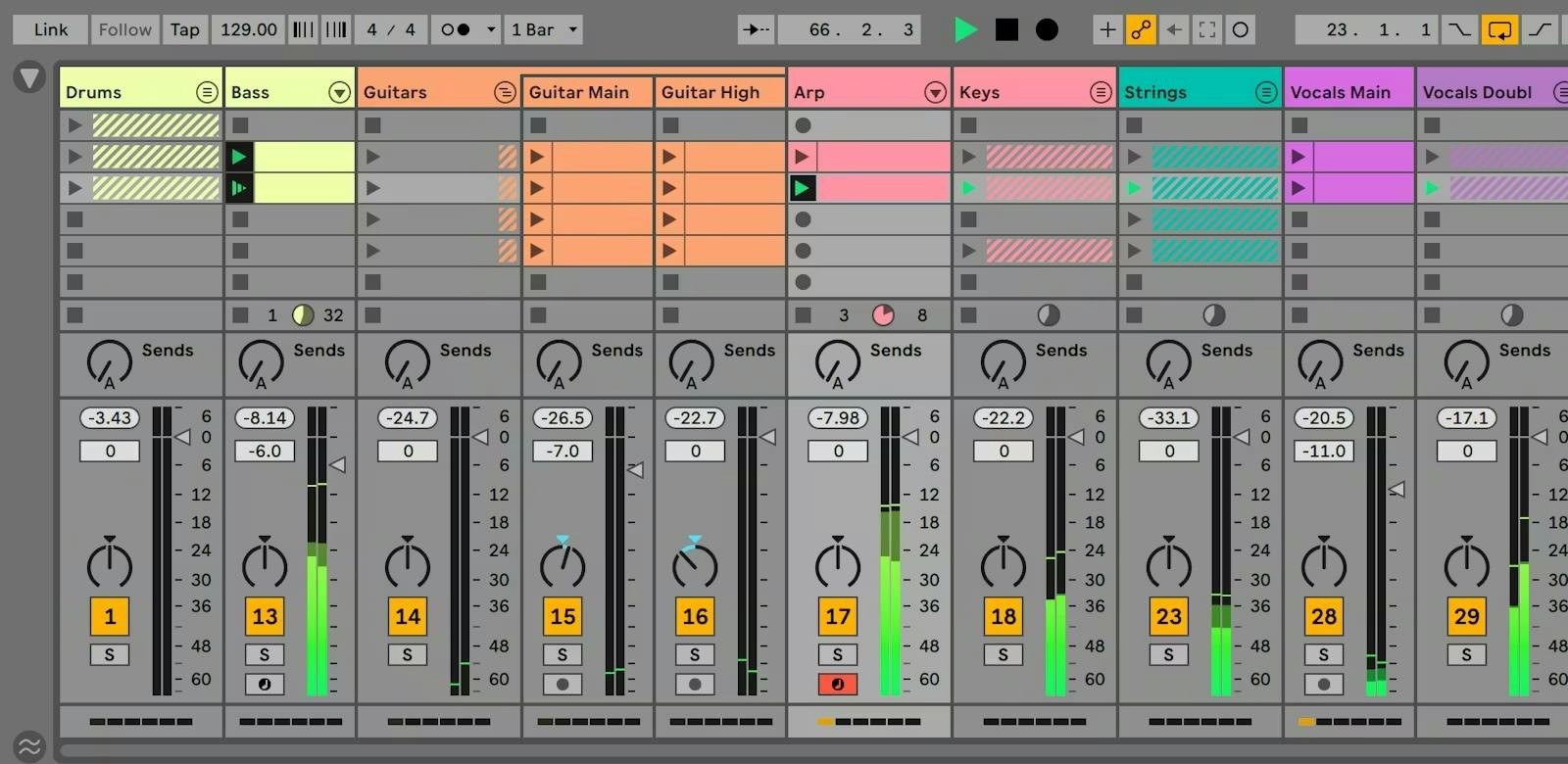
Ableton Live is software for producing and performing and is extremely strong in that field. I still do not cover it in depth in the course, for two honest reasons.
First, I am not good enough at it myself to teach it. I know people who swear by it and could convey it better than I could.
Second, it fits a different job. Ableton is strong when you have finished producing your pieces and want to make a live version of them. If you want to start without finished material and invent in the moment, loop stations and grooveboxes are the more direct route.
If after the course you realise you actually want to play your produced songs live, that is exactly the place to go.
A counter-example that complicates the matter anyway
Beardyman, for me the strongest looper there is when it comes to making something out of nothing, also works with Ableton. Just not the way you can buy it.
His route there is itself the whole story of this booklet in fast forward. He started with a loop station , the same RC-505 as everyone else. Then he had a programmer build him a system of his own in C++, the Beardytron. It could do a great deal, but there was a catch: he could not develop it further himself. So around 2019 he gave it up again and moved to Ableton, controlled from a self-built surface. By now he is gradually moving over to Loopy Pro, which he helps develop himself.
His criterion was never what a tool can do, but whether he can keep building on it himself . He threw away the most expensive, most powerful system because it needed somebody else every time. If you are torn between two routes, that is the most useful question: on which one can you get further tomorrow without outside help?
20 Eurorack, the construction kit
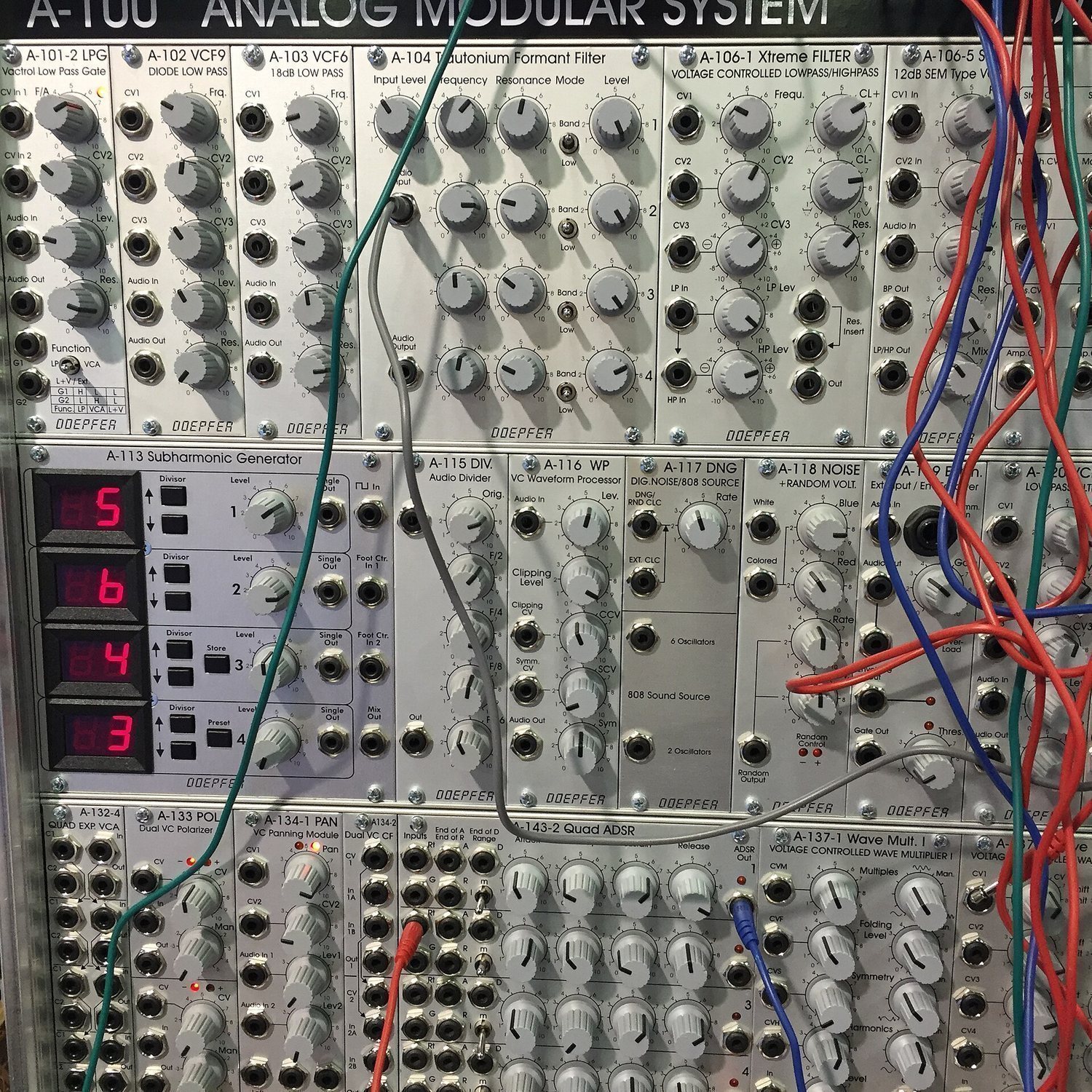
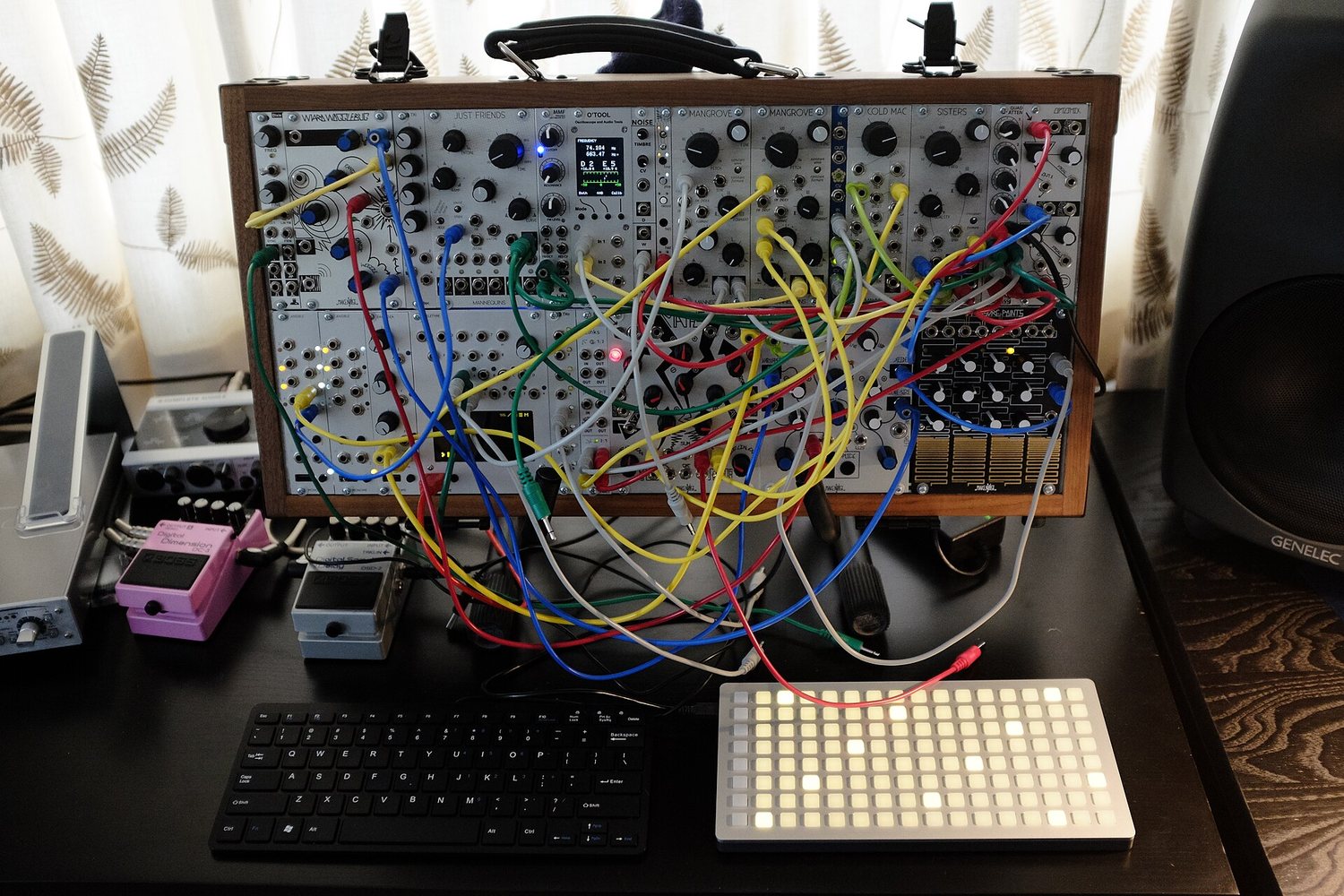
Eurorack is a construction-kit standard for hardware. Instead of a finished synthesizer you buy individual building blocks: an oscillator, a filter, an envelope, a sequencer, each as its own module. You cable them up yourself and thereby decide what your instrument even is.
It is exactly the chain from Booklet 1, only taken apart: the stations become individual devices you can plug together as you like. The price is that nothing is preconfigured and you have to make every decision yourself. For starting out it is the wrong route, for later one of the most interesting.
The modules do not talk via MIDI but via CV, control voltage: a cable carries a voltage, and that voltage tells the next module how high, how loud or how open. Clock there is simply a short voltage pulse per step. That is the CV route from Booklet 1, chapter 04.
Two addresses are enough to play the whole thing through on a computer. VCV Rack is a free modular system in software, with real modules recreated in it. At ModularGrid you assemble a case and see immediately what it costs and whether it fits. Both are the cheapest way to find out whether this interests you at all.
21 Loopy Pro
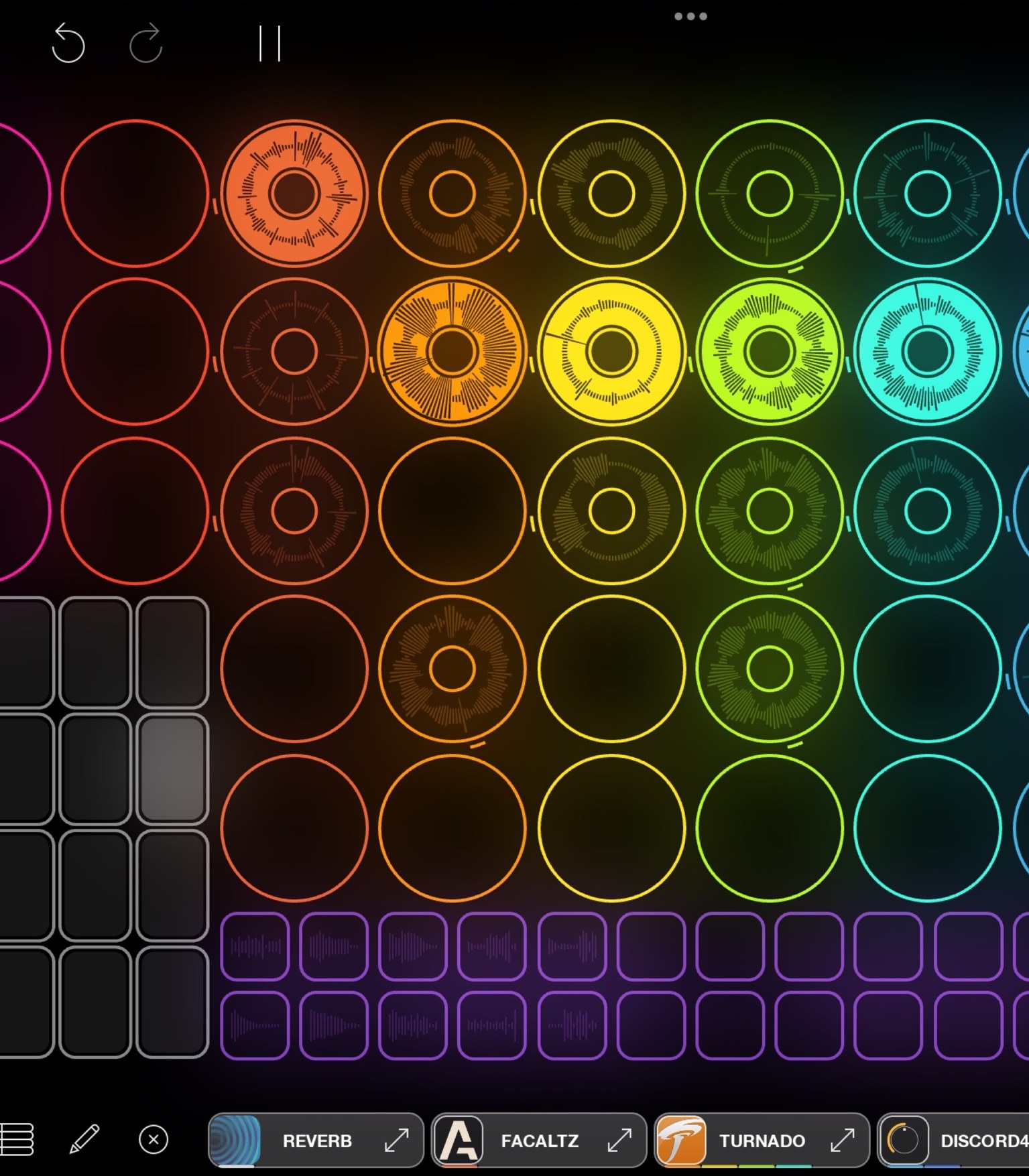

The software I work with. Developed by Michael Tyson, an independent developer who still looks after it himself.
It began as an experiment on the iPhone. Tyson had seen Imogen Heap loop live and wanted to find out what was possible on a device like that.
Why the iPad can be an instrument at all
Until 2012 iOS music apps could not talk to each other. People wrote to Tyson saying their guitar amp sounded great but only the dry signal arrived in Loopy. His first reflex was that iOS simply worked that way. Then enough such emails came that he asked himself why it should not work that way after all.
 Audiobus The first way two iOS music apps could hand their audio to each other. By Michael Tyson, the same developer as Loopy Pro.
Out of that came Audiobus, the first system that let iOS music apps pass their audio to each other. Apple followed suit, and since 2015 there has been today's standard: AUv3. Audiobus came from him, AUv3 then from Apple. So the push for iOS music apps to talk to each other at all came from the app corner and not from the maker of the device.
What a plugin is
An AUv3 plugin is not a standalone app but an extension. You buy a synthesizer in the App Store. It appears as an icon on the home screen and at the same time as a building block in the list of every host program. Loopy Pro is such a host. The synth then runs inside Loopy Pro, and its sound lands straight on a loop track.
If you come from a computer you know this under a different name: what VST is on Windows and Mac, AUv3 is on the iPad. The same idea, the same principle, a different abbreviation. Many makers build both, sometimes even the same devices. Sugar Bytes for example, whose Turnado has been known on the computer for years as an effects cannon, exists just as much as an AUv3 for the iPad.
In practice that means: one iPad, one running app, and inside it a drum machine, synthesizer, guitar amp and reverb at the same time, all routed into the same loop structure. No switching between apps, one project, one saved state.
Plugins worth having
From my own collection, not a complete list. So you can spot them in the App Store, the icons are shown here the way they look on your home screen.
 TurnadoSugar Bytes · Effects
 BLEASSSynths and effects
 BlackholeEventide · Reverb
 MelaSynth, effects, MIDI
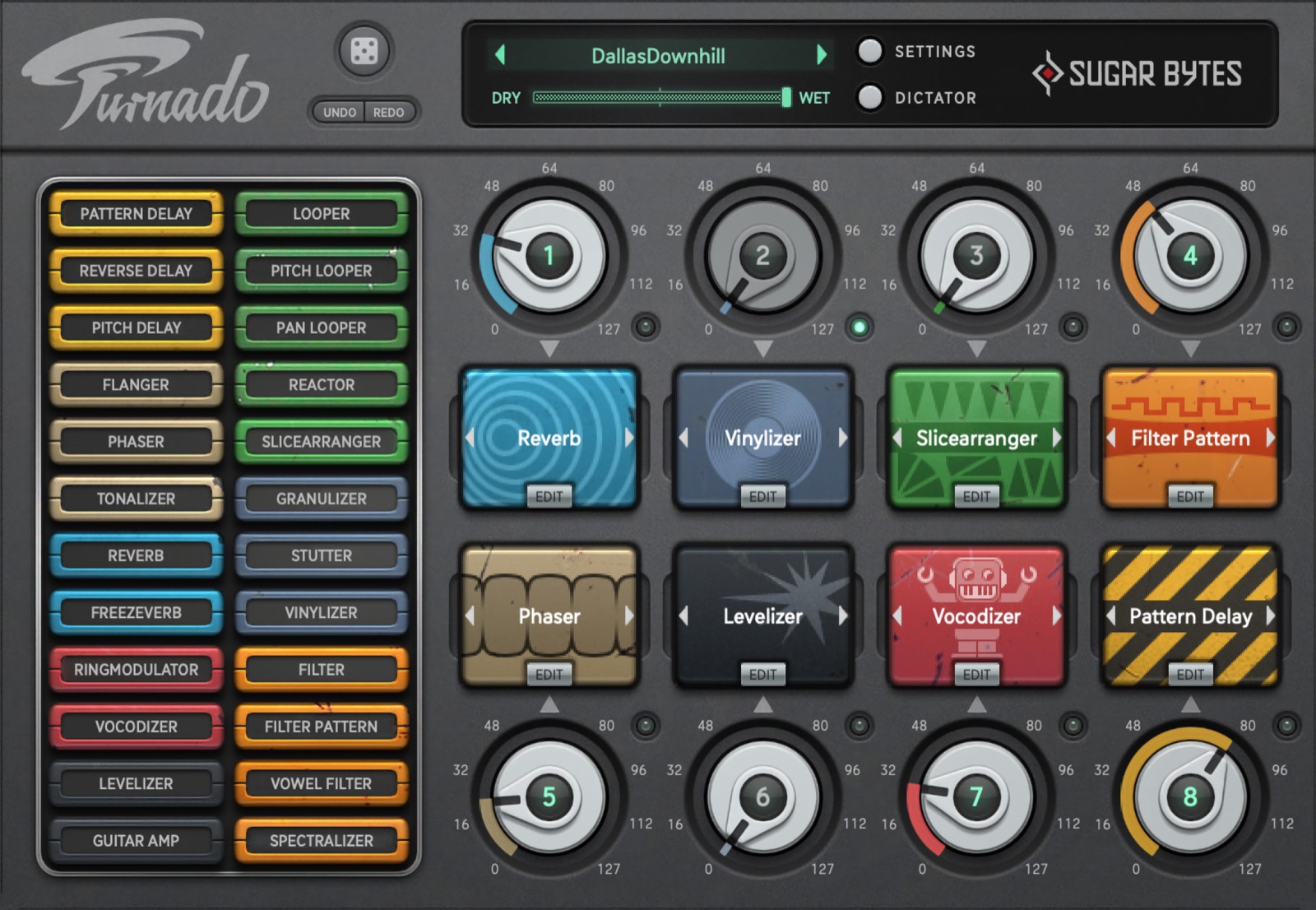
- EffectsSugar BytesTurnado is an effects cannon for the stage: eight knobs, each a different destroyer, all playable in real time. Looperator does the same thing sequenced, Effectrix something similar. They exist for computers and for the iPad.sugar-bytes.de
- Synth and effectsBLEASSA small French house building a whole range of cheap effects and synths, all operated in the same plain style. Filter, delay, saturation, arpeggiator. I use almost all of it.bleass.com
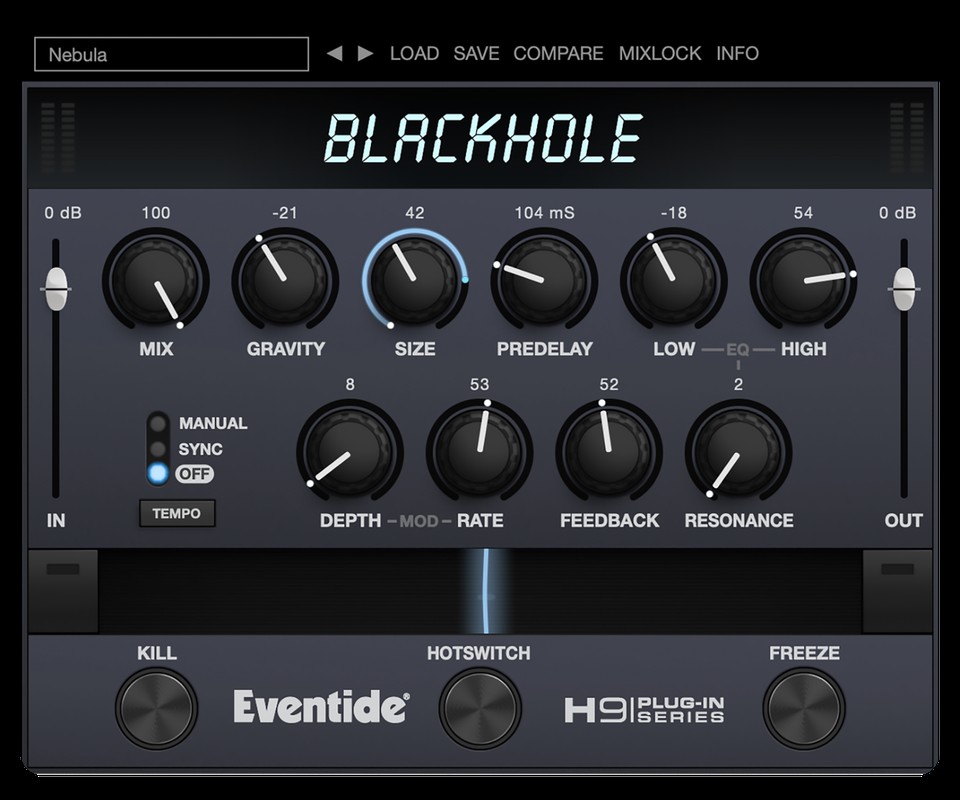
- EffectsEventide BlackholeA reverb that goes far beyond a room and builds a plane rather than a wall. Good for moments when a loop should get bigger rather than louder.eventideaudio.com
- Synth and effectsMelaA single plugin containing synthesizers, effects and MIDI tools that can be plugged together modularly. The base version costs nothing, the extensions can be added individually. For starting out on the iPad it is the best value for money I know.Mela
Almost all of this exists as a free base version. Take those first, play with them for two weeks, and then buy what you actually found missing. A full plugin collection does not make a set.
The idea behind it
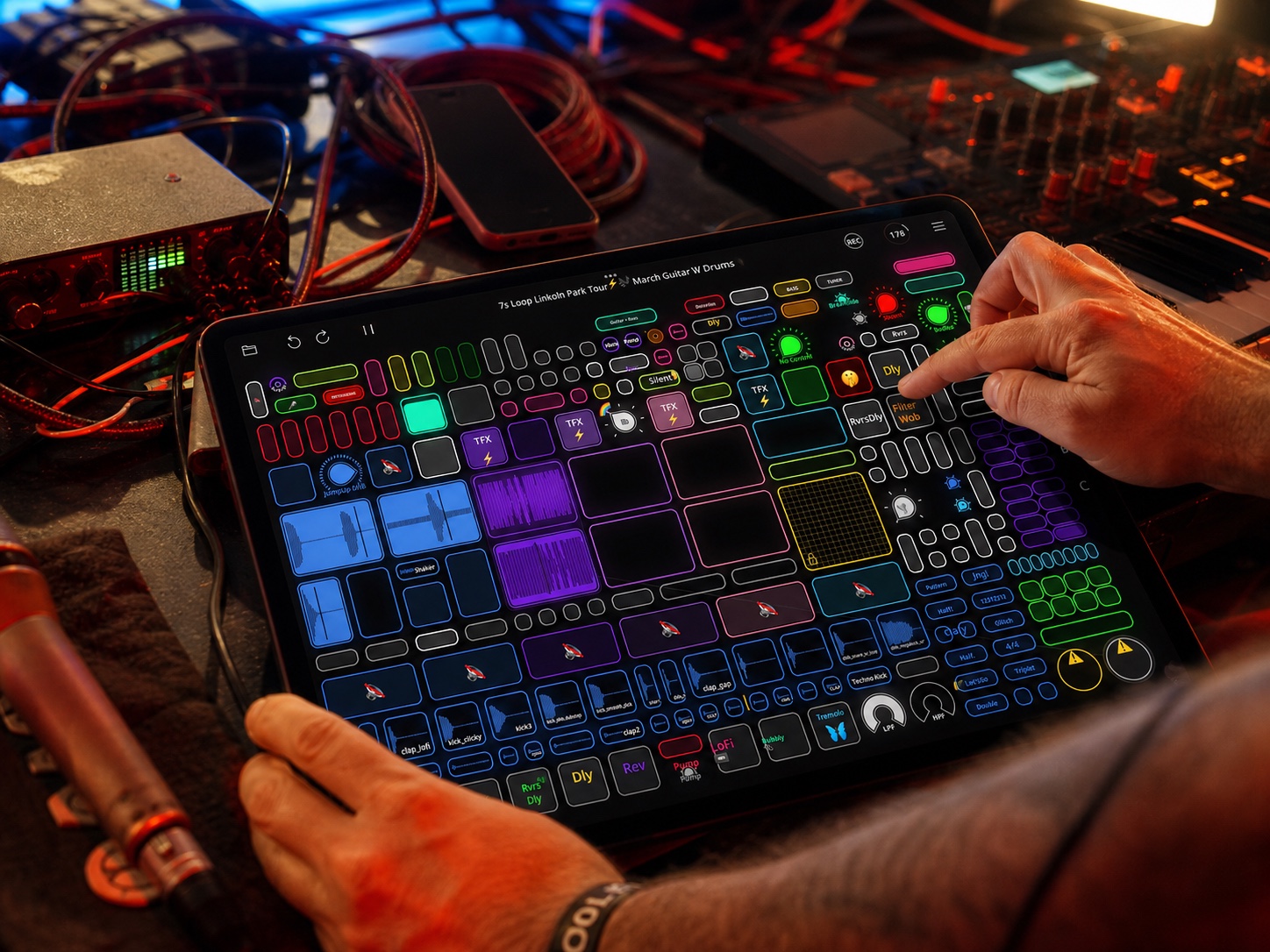
The maker himself describes Loopy Pro with a sentence that gets it right: „Loopy Pro is like musical Lego.“ You lay out loops, buttons, knobs, panels and grids on the surface yourself, the way you need them.
The sentence is advertising but it is accurate: the app deliberately prescribes no fixed workflow. Two people with the same app can have two completely different instruments in front of them. That is why in the course we first look at what you actually want to play, and only then at which buttons you need for it.

How a loop comes into being in it
Because otherwise the chapter explains what the app is, and not what you do: the sequence is the same as on any loop station from Booklet 1, only the surface is on a screen.
- Tap once on an empty tile to start recording.
- Tap again to end it and start playback immediately. That gap is the length of the piece from now on.
- Keep tapping to switch between playback and overdub. New material lands in the same tile.
- Hold is reverse gear: delete, or take back the last layer.
The difference from hardware is that you decide how many tiles you see, how big they are and what sits next to them. On a loop station five tracks are five tracks. Here you lay out what your piece needs.
Looping itself costs hardly any processing power. It gets expensive where sound is calculated, so with synthesizers and complex effects. An older iPad goes surprisingly far for pure looping.
But the space is not infinite. However many plugins you have bought, only as many can run at once as the device can take. That is exactly why most people use something external for sound generation: a hardware synth, their own voice, an instrument. I now run the synths on a small Linux computer myself and only send audio into the iPad. The iPad then does what it does best, namely looping and arranging.
A Mac version of Loopy Pro has been announced, but there is no date. If you are planning today, plan with the iPad.
22 One working method in detail: kristof7s
Because „build your own surface“ stays abstract, here in full is how someone who makes a living from it does it. From his own interview on the Loopy Pro site, translated and summarised.
How he started out
After his school band broke up he stood alone in the rehearsal room with a guitar and a small looper that managed about fifteen seconds on a single track. That was exactly enough to notice that one person alone can build something bigger in real time. After that came a better looper, the RC-505, beatbox battles and street performance. Dub FX was an early model for him, because you could see a whole song coming into being in front of you.
He was first shown Loopy Pro by Dub FX, as an early test version on an iPhone. That closes the circle from chapter 15: the beatbox scene and the software found each other long before anyone knew about it.
Four things you can take from him
- One template instead of a project per song. He does not build something new for every piece but maintains one single, constantly growing surface. Whatever proves useful in rehearsal or on stage moves into it and is available next time in a completely different situation.
- Colours as order. Drums, bass, harmony, melody, lead, resampling and effects each have their own colour. Not for decoration, but so that the hand knows where to reach in half-darkness.
- One button, several meanings. Tap, double tap, hold and swipe each trigger something different. Instead of memorising key combinations he builds the moves into the instrument itself. His own words: it looks complicated so that it is simple.
- The evening runs through. He plays more like a continuous DJ set than a concert with applause between pieces. That is a decision about form, and it determines what the surface has to look like.
I wrote up his working method in full some time ago and put it online: the Kristof7s compendium. It contains considerably more than this, among other things his drum workflow, stacking effects, sidechain, buildups with a crash on the one, and his acapella system. The page also exists in English, if that is easier for you.
Not the number of buttons. But that the surface grew out of his playing and not the other way round. He did not work out what the app can do, he worked out what he wanted to do, and built accordingly.
23 The same app, seven different instruments
On the Loopy Pro site there are portraits of musicians. What you learn most from them is how differently the same tool gets used.





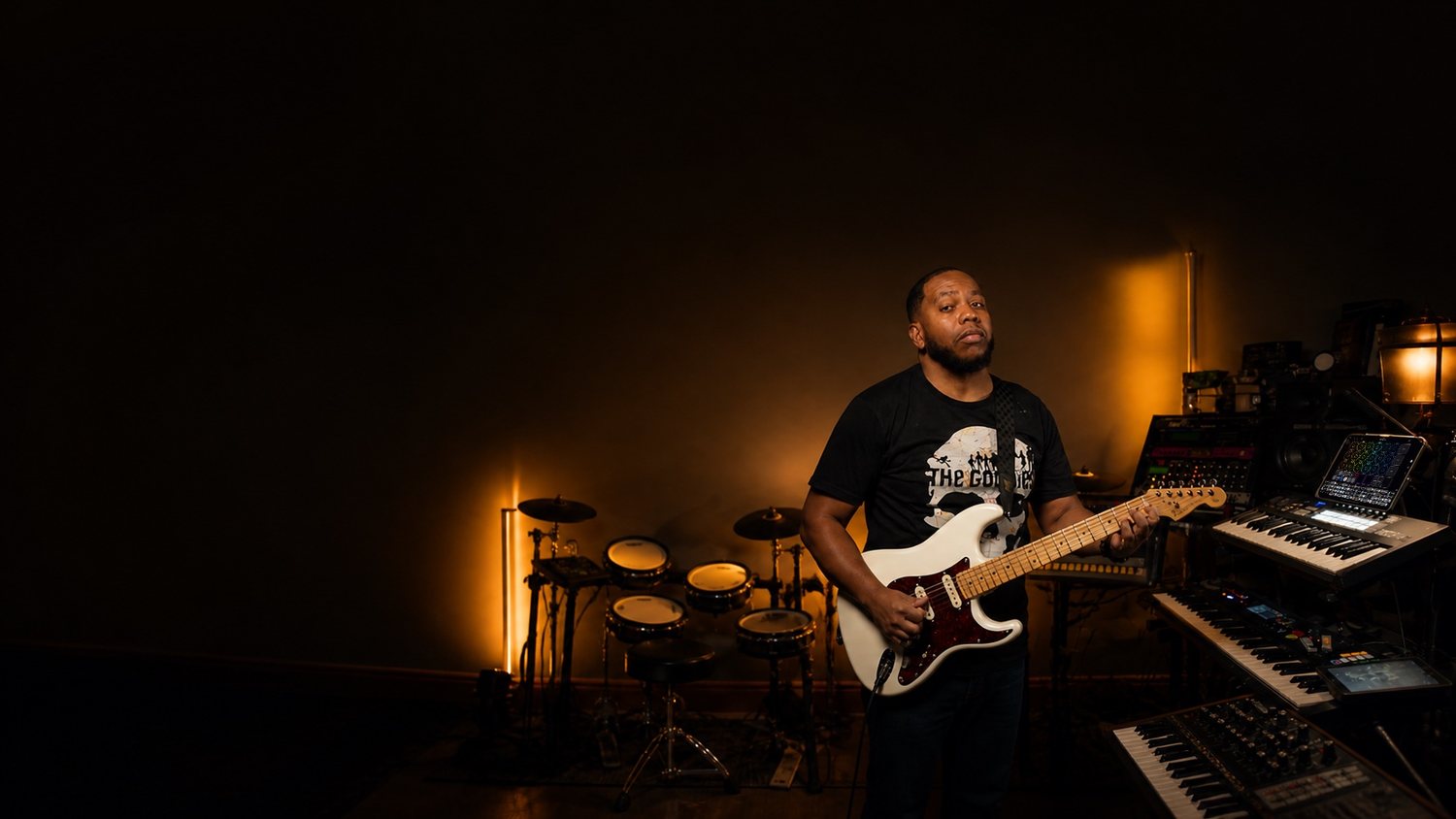
Portraits from loopypro.com, artist spotlights.
- Markus K · Street performance, bluesCompletely open to whatever comes into my head. In the original: „Loopy Pro is completely open to whatever comes into my head.“/markus-k
- MusicianDub FX · Beatbox, touring setupWhat I love about Loopy Pro is how modular it is. In the original: „What I love about Loopy Pro is how modular it is“/dub-fx
- Inby · Singing, ukuleleIt sounds sequenced and is free all the same. In the original: „It's like it's sequenced, but it's free.“/inby
- Musiciankristof7s · Beatbox, electronicsLoopy let me make the loop into more than a loop. In the original: „Loopy enabled me to make the loop not just a loop.“/kristof7s
- Inkie · Beatbox, iPad onlyI sold my MKII, sold my Helix, and now I just use iPads. In the original: „I sold my MKII, I sold my Helix, and I just use iPads now.“/inkie
- Max Yar · Fingerstyle guitarCalls it a professional tool for the stage, not a random app from the store./max-yar
- Tic2DaToc · R&B, funkI can essentially do everything in Loopy Pro. In the original: „I can essentially do everything in Loopy Pro.“/tic2datoc
All of them at loopypro.com/artist-spotlights. Street performance, beatbox, ukulele, guitar, soul, electronics. The same program, completely different music.
24 Two books, personal
These are not textbooks for the course but two recommendations from me, because both changed something for me.
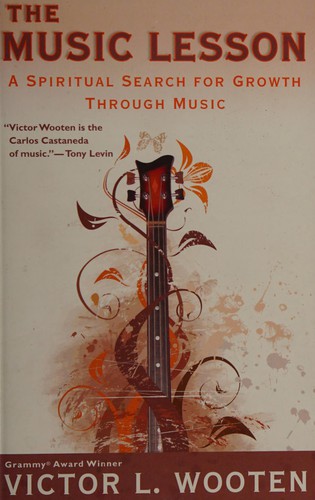

Victor Wooten, „The Music Lesson“
The book is not another theory book. It is an attempt to show how small a share the notes have in the whole. Wooten describes ten elements that together make music. The notes are one of them.
In normal teaching almost only the first one comes up. The other nine appear at best as a side note, although they decide whether something sounds good. Articulation is how a note begins and ends. Feel is whether it sits minimally ahead of or behind the beat. Space is what you leave out. Listening is the ability to perceive something other than yourself while playing.
If you play the same melody twice and get two completely different results, you have just experienced nine other elements at work. The book gives them names.
For a course where people improvise in real time instead of reading from a page, this is the foundation. If you build live you have no time to think about notes, and need the other nine all the more. The book fundamentally changed my understanding of music, away from technique and towards something bigger. In the scene I move in it gets recommended by everyone anyway.
He has written a second book. I find the first one better.
Julia Cameron, „The Artist's Way“
Not a music book but one about creative work in general. It is about blocks, about the inner critic, and about getting back to your own creativity. It helped me produce more freely and get in my own way less.
25 Where to learn more
Start at the top. English comes first, because there is considerably more going on there. If you prefer learning in German, jump straight to the German block.
Then take three things and leave the rest: the SINEE course, an afternoon at the Synthesizer Museum, and a single channel whose music you like. Everything else will find you on its own, as soon as you know what you are looking for.
Several tags per line is normal. Someone who plays and explains while doing it carries both.
English: 19 channels and playlists
- MusicianAlexander SpreeProperly German, Berlin tongue, modular and live techno. No didactics, just someone who gets on with it. Instructive for exactly that reason.@alexanderspree
- MusicianTutorialsAudioPilzThe „Bad Gear“ series. Discusses grooveboxes and drum machines as comedy and explains them better than most serious channels while doing it.@AudioPilz
- MusicianTutorialsLoop With JackLive looping as a craft, setup and working method instead of gear reviews.@loopwithjack
- MusicianReinhardt BuhrA looper who influenced me strongly. If you want to know where this can lead, look here first.@ReinhardtBuhr
- MusicianMEZERGLoops with a theremin and whatever else comes to hand. For anyone in the course who wants to start with unusual sound sources.youtube
- MusicianTutorialsTAETROConstantly invents new ways to play live. Strong at connecting devices that do not really belong together.@Taetro
- MusicianTutorialsBenn JordanTechnically deep, often headstrong, always evidenced. For anyone who wants to know why something works.@BennJordan
- MusicianTutorialsEZBOTHardware production with no computer at all. Exactly the route this course takes.@EZBOT_
- TutorialsFloyd SteinbergSynthesizers and computer matters, explained patiently.@mr_floydst
- MusicianTutorialsNeon VinesBuilds live sets out of hardware and shows the whole road there.@NeonVines
- TutorialsBen Rowlands MusicCalm teaching videos on setup and working method. Not the big tech channel with a similar name.@BenRowlandsMusic
- TutorialsJakob HaqiPad music, for years and out of conviction.@JakobHaq
- MusicianTutorialsTim ExileBuilds his own instruments. Not a starting point, but a look at how far this can go.@TimExile
- MusicianMr. Wobbles, Live @ Electric Forest 202657 minutes straight, the whole rig in shot. The counterpart to his short videos: here you see how the parts work together over a full hour.watch
- TutorialsPerfect CircuitIndependent music shop from California with a channel of its own, around 1400 videos. A calm demo of almost every device, without sales talk. Good for hearing what something really sounds like before you buy.@PerfectCircuit
- MusicianTutorialsDoctor MixTakes well-known pieces apart down to the individual tracks and rebuilds them. The series is called Deep Reconstruction. If you want to understand what a track really consists of, this is the place.Doctor Mix
- PlaylistFabFilter, Mixing and MasteringThe best explanatory series on signal processing I know. Sample rates, phase, loudness, mid and side, stereo that survives mono. Very good visualisations, and afterwards you understand why the numbers in your interface sit where they sit. Start with „Samplerates: The Higher the Better, Right?“Playlist
- TutorialsBaphometrixMixing and music theory. Their series „Clip to Zero“, CTZ for short, is the most thorough thing I know on the subject of loudness.Playlist
- PlaylistLoopy Pro, artist spotlightsThe portraits from chapter 23, all in one place.loopypro.com
From me directly
My channel is called @graycontrast. It is mostly recordings from the street and from Berlin. Two things on it relate directly to this course.
- by meTutorialsKristof7s compendiumHis complete working method in Loopy Pro, written up by me, in German. Template structure, effect chains, sidechain, buildups, acapella system. The same page also exists in English.read
- by meTutorialsCTZ method, Clip to ZeroThe loudness method from the Baphometrix series, translated and applied to Loopy Pro.read
- by meTutorialsBest Budget DAWLESS Set-Up? (Hardware)What you really need to start without a computer. The most direct answer to the most common question in the course.watch
- by meMusicianImprovising Psychedelic Techno Until Police Stops MeA whole set outdoors in Berlin, Circuit Tracks and RC-505, until the police end it. My most-watched video. So you can see where the things from Booklet 1 can lead.watch
German, because German
This block is deliberately at the back. The sources here are not better than the ones above, they are in German. If English is no obstacle for you, skip it. The exception is Alexander Spree, who is up with the musicians because that is where he belongs.
German, to get started
- TutorialsSINEE, free course in electronic music production21 lessons, a good two hours, free, explicitly without prior knowledge. The most straightforward German entry point I know.sinee.de
- TutorialsMusicStoreTV, "Synth Basics" seriesNumbered through and explained calmly. Episode 1 how a synth works, episode 2 from MIDI to the Moog sound, episode 4 the modulation matrix.Episode 1
- TutorialsThorsten HillmannMIDI basics for beginners, aimed at people coming from the keyboard. Fits chapters 03 and 04 of Booklet 1 exactly.youtube
- TutorialsTo-Musik, Boss RC-505 MKIIFive-part German series on the loop station, filmed for beginners. The only one of its kind in German.youtube
- Tutorialskeyboards.de, tutorialsGerman trade magazine, fresh articles all the time on oscillators, filters, portamento. For looking things up, not for working through.keyboards.de
German, to go deeper
- TutorialsOdo SendaidokaiVery active, marks his German videos in the title. „Musik, ADSR-Hüllkurven“ runs 17 minutes and finishes chapter 13 of Booklet 1.youtube
- TutorialsBonedo, Tutorial Drum ProgrammingGerman text on building drum patterns, matching chapters 11 and 12 of Booklet 1.bonedo.de
Archive: channel dormant, content still valid
Archive: three older series
These channels have been quiet for years. What they explain is still right, fundamentals do not go out of date.
- TutorialsGötz Müller-DürholtMaps onto our syllabus almost one to one: E02 oscillator, E03 envelope, E04 filter, E05 LFO, E09 step sequencer. As follow-up work to chapter 13 of Booklet 1, the best German address.youtube
- TutorialsunterwasserbeatboxerThe only German Loopy Pro series, nine parts, from 2021. Filmed before version 2, so the surface looks different today, but the thinking behind it still holds.search
- TutorialsRECORDING.de, synthesizer course51 parts, from 2015, very thorough.Playlist
Why the German list is so short
In German there is no active channel on live looping for voice or electronics, no current material on iPad music, and nothing freely available from adult-education or music schools. I found none of it, and I did look. If you do know of something: send it over, it belongs in the next edition.
Manuals that are actually good
Both are in English, both are free, and both are better written than most textbooks.
- TutorialsLoopy Pro, manualSorted by task instead of by menu. If you want to know how the first recording works, there is a chapter called „Getting Started with Live Looping“ and in it exactly the moves from chapter 21.loopypro.com
- TutorialsCircuit Tracks, manualThe official manual for the device I bring. Sadly there is no German version, only English. For anyone who wants to go deeper there is also a programmer's reference with all the MIDI commands.PDF
Places in Berlin where people help
- PlaceSynthesizer Museum BerlinSkalitzer Straße 135a, Kreuzberg. Over fifty synthesizers, and everything may be touched. Of everything on this list the best tip for starting out, because you finally have sound under your fingers instead of in a video.synthesizermuseum.info
- PlaceSchneidersLadenShop for Eurorack and hardware, now in Neukölln. Very helpful, even if you buy nothing. After the move the museum occupies the old premises.Neukölln
- MusicianPlaylistFunkwerke Streams, BerlinRegularly streams live sets played entirely on hardware, from Berlin. If you want to see how other people actually operate their boxes, there are hours of it here. The relevant series is called HRDWRE.watch
- Placebusk.coPlatform around street performance, built up by Nick Broad. Maps of permitted pitches, field reports, legal matters, and a community doing exactly what Booklet 2 talks about in its first chapter.busk.co
- PlaylistSwissbeatbox, loop station battlesThe competition rounds from the Grand Beatbox Battle. All on the same machine, usually an RC-505. Individual rounds have view counts in the tens of millions.watch
- DateLOOP MAYHEM, KasselA meeting for live looping, running since 2023, organised by FRIIDON & Friends. Not Berlin, but the occasion in the German-speaking world to see other loopers live. kristof7s from chapter 22 has played there several times.Kassel
And if you ever find something yourself that is missing here: send it to me. The next edition of this booklet will then be better than this one.
26 Tuning: how a beat becomes a note
Rhythm and pitch are the same thing, just at different speeds. Once you have heard it, you understand why chords sound the way they do, why every note has a colour, and why your synth needs a fine-tuning knob.
From beat to note
Play a kick twice per second and you count along. Ten times per second and it becomes a roll. From about 20 hits per second your ear stops counting and hears a pitch. The hits per second are then called Hertz (Hz). 110 hits per second are an A, 220 the A one octave above: twice as fast means one octave higher.
Two drums become an interval
When two drums play together, one hitting three times while the other hits twice, you hear a 3 : 2 polyrhythm. Speed both up by the same amount and it turns into a perfect fifth. Three drums in the ratio 4 : 5 : 6 become a major chord. The same numbers that run as a groove when slow sound as harmony when fast. In the web version of this booklet you can hear it above and switch between them.
Every note contains a chord
A played or sung note is never just one frequency. Above the fundamental, overtones vibrate at two, three, four times the frequency and so on (Booklet 1, chapter 13, adding sine tones). Heard one by one they are clear notes: octave, fifth, octave again, major third. Overtones 4, 5 and 6 are exactly the major chord from the drum experiment. Only together, and when they move together, does your ear hear a single sound with a colour.
Try it yourself: seeing overtones on the Mac
I show this on the synth, not in a video. On the Mac two free programs run next to the synth: Signalizer (open source, as a plugin and as a standalone app) shows the spectrogram, the overtones as lines on a time axis scrolling to the left, plus the spectrum as peaks and an oscilloscope. sMexoscope (GPL) is a plain oscilloscope, easy to read from afar, for the standing wave. You can install both yourself and put them after any synth in your app or DAW.
Your piano is a little out of tune. Why?
Pure intervals from the overtone series do not fit neatly into twelve equal semitones. Equal temperament, used by almost every keyboard, groovebox and DAW, splits the octave into twelve equal steps of 100 cents. In return every interval except the octave is shifted a little. The fifth only by 2 cents, the major third by 14 cents upwards. You can hear this as beating (Booklet 1, chapter 13): overtones of the two notes almost, but not exactly, line up, and the sound swells up and down.
Why exactly twelve?
If just intonation sounds nicer, why not tune everything that way? Because music changes key. Tune a keyboard justly in C and C major sounds perfect. Play D minor on it, though, and its fifth D-A is only 680 instead of 702 cents. The chord audibly howls. Listen to the chord progression below in both tunings.
The solution is to split the octave into equal steps. Then every key sounds equally good, none perfectly pure. Which leaves the question: how many steps? The graphic shows divisions from 5 to 19, plus the root's overtones as dashed lines, the spots where it sounds pure. With 12 steps the fifth and fourth are only 2 cents off the pure ones, the thirds 14 to 16 cents. No smaller division comes close, and many more keys per octave would be hard to play. Divisions like 19 or 31 even hit the thirds better; they are used in microtonal music.
Almost every synth has two tuning controls: Tune in semitones and Fine in cents. If two devices sound out of tune together, it is usually Fine or the reference tuning (often called Master Tune, standard 440 Hz for A). Detune between two oscillators, on the other hand, is on purpose: the beating makes the sound wide. Some synths and apps can also load completely different tunings, which is called microtuning.
Sources
Inspired by three Instagram reels from my collection; the graphics and sound here are my own versions: @thel.ab67, "When does a beat become a note?", @benfilippone, overtones become a voice, @zacbradfordvoice, overtones of the voice. On why twelve: Piano Mario, "Why are there 12 different notes?" (from 12:11).
27 Cheap synths and custom firmware
Since autumn 2026 something has shifted: people are writing their own operating systems for synths and grooveboxes, helped by AI tools. A device under 100 euros can now do things only expensive boxes could do a year ago. If you are asking which synth is cheap and good, you should know about this.
The example: M-VAVE FM-1
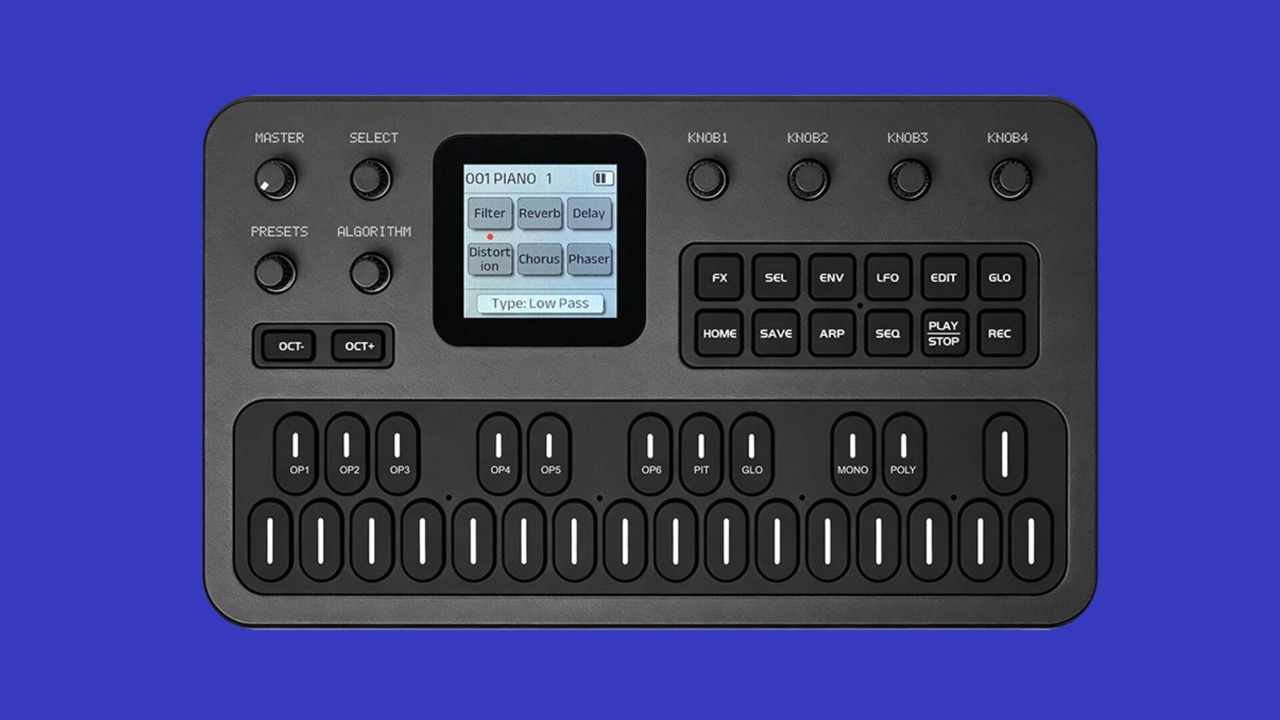
The M-VAVE FM-1 (also sold as Cuvave) is a small FM synth in the style of the Yamaha DX7: 6 operators, 32 algorithms, 128 presets, arpeggiator, 16-step sequencer, MIDI over USB and jack. It usually costs well under 100 euros; in autumn 2026 it was around 55 to 70 euros on AliExpress and eBay. Out of the box it is a solid, fairly unspectacular pocket synth.
The community made it exciting. First people took the firmware apart, then M-VAVE itself responded and released an open firmware with developer tools in October 2026 (FM1 Open, with a browser workbench). fm1-editor.com/firmware now lists over 200 alternative firmwares: other synth engines (for example an analog-style synth), 8-track grooveboxes, samplers, generative toys, even one that turns the device into a computer keyboard. Most are free, some cost a few euros.
Most firmwares install straight from the browser (Chrome or Edge) over USB, or with the maker's update tool. You do not need to code, and you do not need AI to use them. Before you start: back up your own sounds and projects and keep the original firmware at hand. You get back to the factory firmware with the maker's tool (M-UPGRADE), and many firmwares also have a rescue mode at power-on. But: not every firmware is mature, some are explicitly experimental, and nobody gives you a warranty for it. Read the developer's instructions for each firmware first.
Elektron: Model:Cycles and others
The same exists for more expensive devices, such as the Elektron Model:Cycles, with more risk there.
In detail: Modded Cycles, risk, Elektron's position
The same is happening with more expensive gear. Since October 2026 the Elektron Model:Cycles has Modded Cycles: a browser tool that extends the official firmware of your own box. Among other things it can then send six separate tracks to the computer over USB (something you only knew from Overbridge on the bigger Elektron devices), and it gets extra engines, a sampler and an arpeggiator. Another project is called Model-TG. Older devices like the first-generation Octatrack, Digitakt and Digitone have mods too, as do the Roland SP-404MKII, the Blackbox and the old MPC500.
This makes a used Model:Cycles much more interesting for little money. But: parts of the firmware are still alpha, users report bugs, and there is a risk of temporarily making the device unusable. In September 2026 Elektron announced that mods and guides may no longer be shared on its forum, because poorly tested firmware can damage devices. That does not forbid modding your own device, only sharing it there.
On your own device this is generally allowed in Germany, at your own risk.
Are you allowed to?
Briefly and not as legal advice: the device is yours. German copyright law allows you to do what is needed to use software as intended, and to observe and test how it works (§ 69d UrhG); decompiling is allowed narrowly to make programs work together (§ 69e UrhG). How far that goes for patched manufacturer firmware is not fully settled. More important in practice: if third-party firmware breaks something, the manufacturer can refuse a warranty repair. With a 60-euro device the risk is small; with an expensive groovebox, think twice.
Why this could be the future
In short: AI tools make custom firmware cheaper, and the first manufacturers are opening their devices for it.
In detail: AI, open firmware, Behringer KICK
So many firmwares appear so fast partly because of AI: coding assistants help read other people's code, name functions and build your own extensions. Manufacturers are responding. M-VAVE opened its firmware, and Behringer announced the KICK sampler, MPC-style with touchscreen and 16 pads, whose software is reported to be open on GitHub. Price and date are still open. Ableton Move also has community extensions, Schwung and Movy. Cheap hardware may well become less a finished product and more a platform that grows with its users.
Looking for a cheap first synth: the FM-1 is hard to beat for the money, and with a different firmware it becomes a completely different instrument. Keep in mind: FM synthesis is harder to grasp at first than a classic filter synth (Booklet 1, chapter 13), the device is small and fiddly, and shipping from China can take weeks.
Sources
Sources, as of 02.11.2026: Synthtopia, M-VAVE opens the FM-1 firmware, firmware directory fm1-editor.com, Synth Anatomy on the FM-1, Synth Anatomy on Modded Cycles, Modded Cycles wiki, Gearnews, custom firmware is booming, CDM, Elektron on hacks and mods, Dubspot, AI and custom firmware, MusicRadar on the Behringer KICK, § 69d UrhG, § 69e UrhG.