Why is there no sound?
Walk the path of the sound: source, cable, interface, mixing, headphones. Somewhere it is gone or too quiet. MIDI cables carry no sound by the way, only instructions.
Run your finger along the cable at your table, from the device to the headphones, and say each station out loud.
CH 03MIDI and audio›MIDI is a protocol , an agreed way for devices to talk to each other.6 min
MIDI is a protocol, an agreed way for devices to talk to each other. It dates from 1983 and is still used for a great many different things: triggering notes, remote-controlling knobs, putting devices on the same tempo, switching lighting desks and effect units. It never carries sound, only messages about what is supposed to happen.
Audio is the counterpart: the vibration itself, as voltage in the cable. That is what comes out of the speaker in the end.
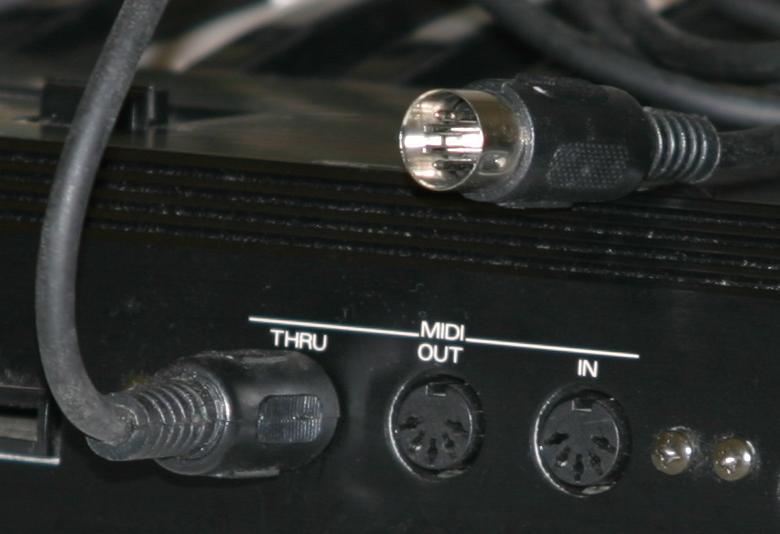
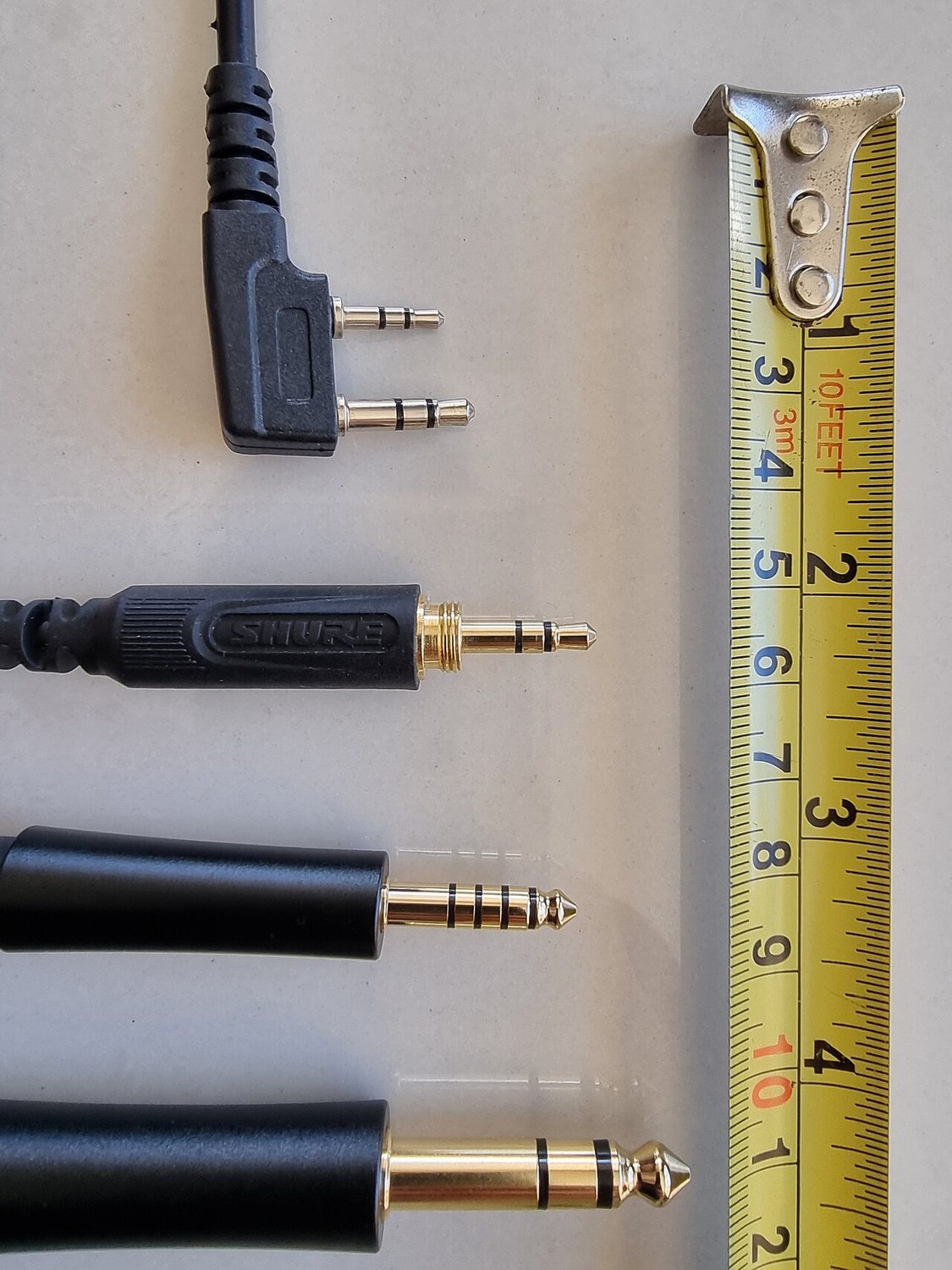
MIDI comes in three forms today that say the same thing and differ only in the plug: the classic five-pin socket, the same connection as a 3.5 mm jack on small devices, and over USB. On the device this classically means a square USB-B socket, on the computer the flat USB-A plug. Newer devices have USB-C on both ends. Important: USB does the same thing as the other forms, and it does not necessarily need a computer in between. Two devices can talk to each other directly.
Processing power is used up at exactly one place: where instruction becomes sound. A controller costs practically nothing, however many knobs it has. A synthesizer and a reverb tail cost a lot. When a computer is overloaded it is almost never because of too many knobs, but because of too many sound generators calculating at once.
What you practically get from this
Two things, and together with the computer question above they cover almost everything that comes up in the course:
- A MIDI controller makes no sound. It is a sender of note slips. With no sound source behind it, it stays silent, however expensive it was. It is the remote control, not the television.
- A A MIDI cable can put devices in step, because tempo is an instruction and not a sound.
What a MIDI message actually contains
A note slip holds more than just the pitch, and it is the same here. Three pieces of information come up constantly:
- Note. A MIDI note is not a note in the sense of sheet music. It is a number between 0 and 127 for the pitch, plus two separate messages: one when you press the key and one when you let go.
- Velocity. How hard the key was struck, in 128 steps. Whether the device turns that into volume, timbre or nothing at all is up to the device. That is why the same controller behaves completely differently on two synths.
- Control change, CC for short. Everything that is not a note: filter, volume, modulation. Every knob gets a number from 0 to 127, and so does every value. When a knob on the controller does nothing, usually the number is simply a different one from the one the synth is listening for.
The channel is the address. MIDI has sixteen channels. A device listens on one of them and ignores the other fifteen. So a single cable can address several sound generators separately, like several flats at one letterbox. Two devices on the same channel, on the other hand, play everything twice, and it sounds exactly like that.
Sending and receiving on the same channel? That explains roughly half of all cases of „nothing happens here“.
Two things that cause constant confusion
In, Out and Thru are not the same. Out sends what the device itself produces. Thru passes on unchanged whatever just came in at the In. If you want to build a chain of three devices, go from the first Out into the second In, and from the second Thru into the third In. Take the Out of the second device instead and you lose the first one along the way.
And a plug says nothing about what is inside it. Music can run through a 3.5 mm jack, or MIDI can, and you cannot tell by looking. It is decided purely by which socket it goes into. That is why good devices label what is expected next to the socket, and why nothing at all happens when you use the wrong one.
And that also explains why a computer starts to sweat. CD-quality audio is 44,100 numeric values per second per channel, so a good 88,000 in stereo, and every single one has to be calculated through every effect unit. A MIDI note, by contrast, is a tiny message sent once when you press the key.
What you really need when buying
- Velocity sensitivity. Does the key respond to how hard you press? Without it every note sounds equally loud, and playing turns into typing. The one point where saving money really does come back to bite you.
- Enough keys, not many. 25 to 37 is plenty to start with. Anything beyond that gets heavy and no longer fits on the table next to the other devices.
- A few free knobs. Four to eight is enough to move filters and effects live. That is the difference between playing back and playing.
- USB is usually enough. You only need a classic five-pin socket if you want to drive hardware without a computer.
MIDI Learn. You click a knob in the software, then turn a knob on the controller, and the two are married. That is how you tie knobs to functions without looking up numbers. Almost every piece of software can do it, Loopy Pro included.
IN THE BOOKLET: CH 03 · OLD VERSION
CH 02The MIDI controller›The device most often misunderstood, because it looks like an instrument and is not one.1 min
The device most often misunderstood, because it looks like an instrument and is not one. A controller makes not a single sound. It is the remote control, not the television.
It sends three kinds of message and nothing else: which key was pressed and released again, how hard, and which knob was turned to which value. What becomes of that is decided solely by the sound source behind it. The same controller plays a piano on one device and a drum kit on the next, without anything changing on the controller.
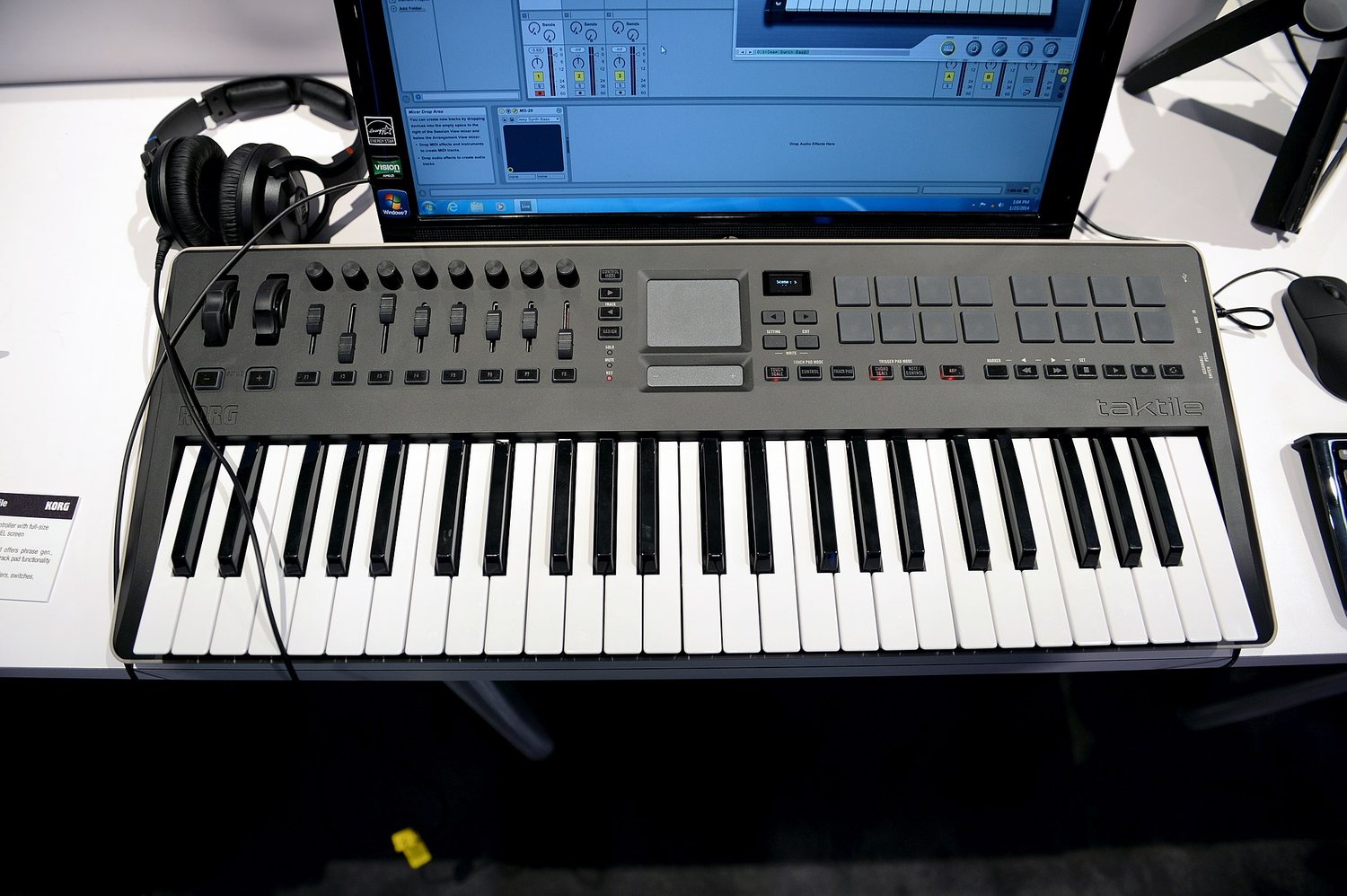
The four form factors
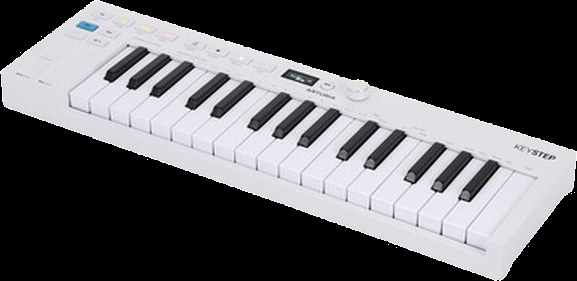
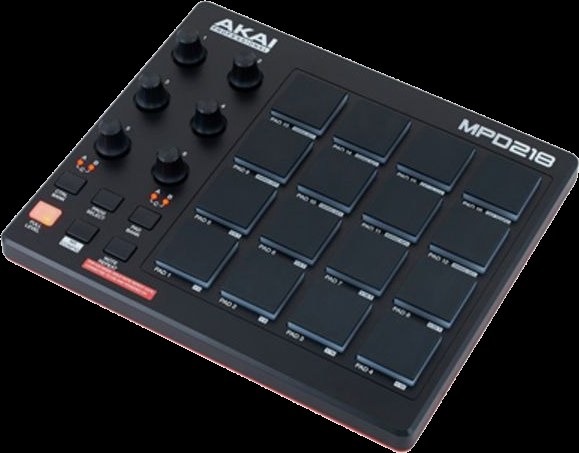
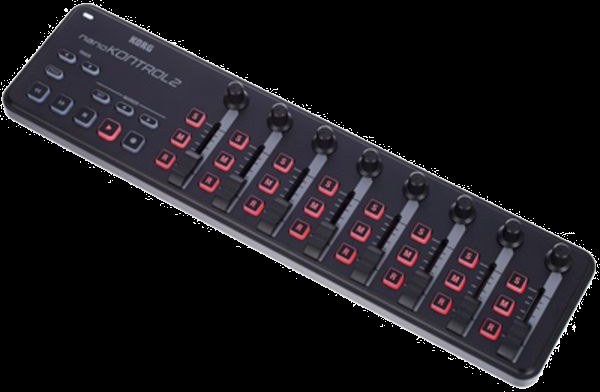
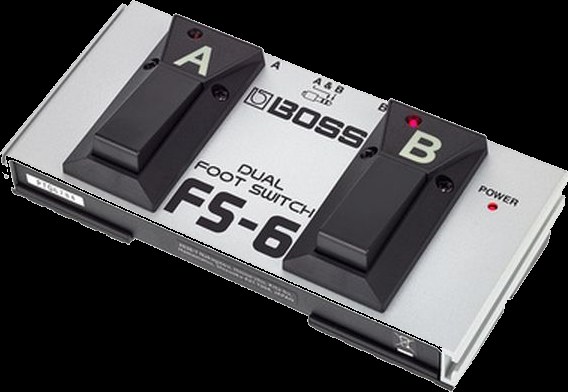
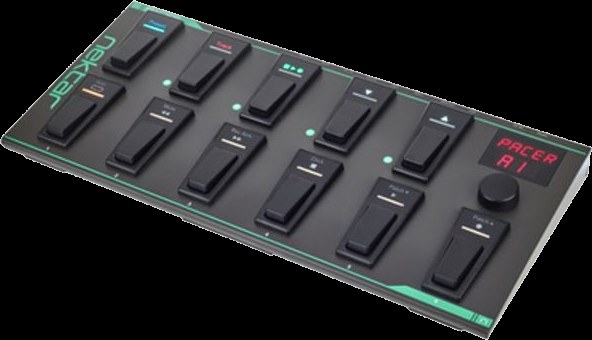
Keys are for melodies and chords. Pads are for drums and for firing off patterns, and they sit better under your hand when you tap out rhythms. Knobs and faders control nothing that sounds, but change: filter, volume, effect amount. Footswitches are for everything you have to trigger while both hands are busy. For looping this is often the most important controller in the room.
IN THE BOOKLET: CH 02 · OLD VERSION
CH 06The audio interface›The translator between the world of air and the world of numbers.8 min
The translator between the world of air and the world of numbers. Everything that is to go into a computer or iPad has to pass through here, and everything that comes back out does too.
A microphone produces a tiny, fluctuating voltage. A computer can do nothing with that, it only knows numbers. The interface measures that voltage many thousands of times per second and turns it into a chain of numbers. At the output it does exactly the opposite. It sits at both ends at once: once on the way in, once on the way out.
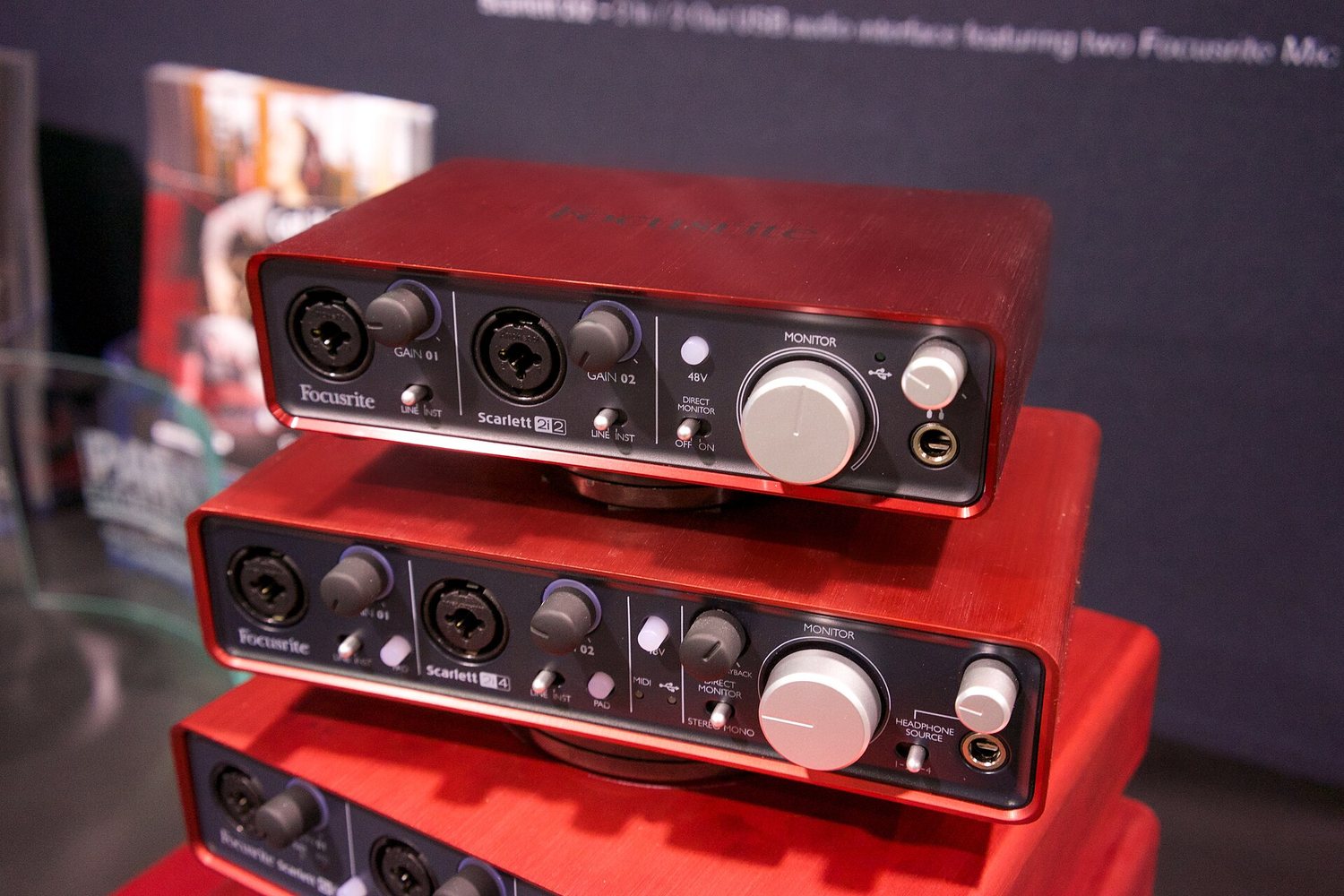
Why the built-in socket is not enough
- It records nothing decent. A vocal microphone delivers a very quiet signal and needs a good preamp. A headphone output does not have one.
- It is too slow. Built-in converters are designed for video playback, not for playing music. When you play along, that shows up as noticeable delay.
- It only has one route. An interface has several inputs and outputs. Only then can you record microphone and instrument at once, or split off a headphone feed of your own.
The terms on the back panel
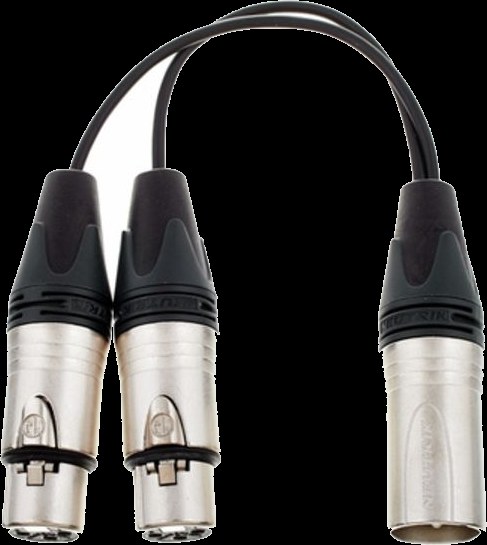
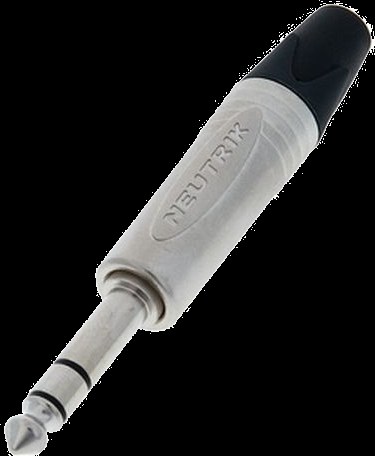
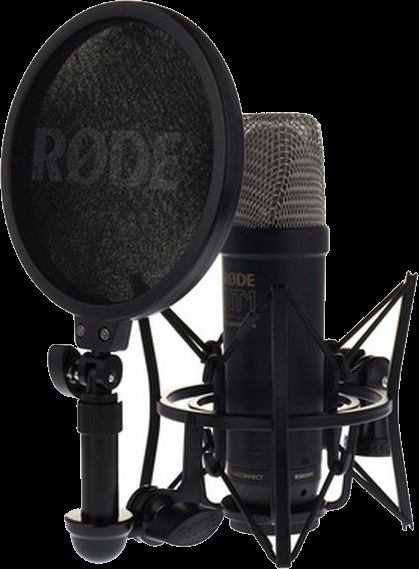
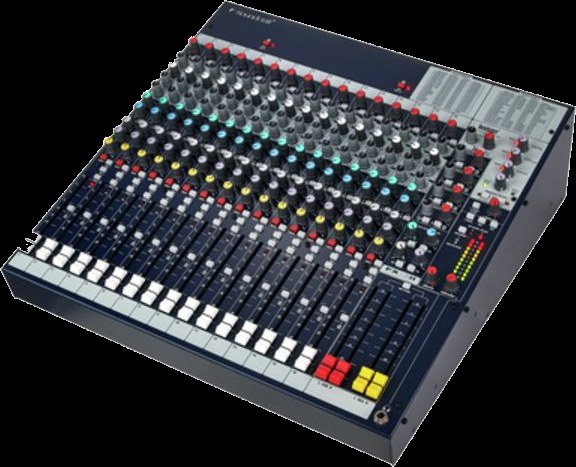
Phantom power means the interface sends current through the microphone cable. Condenser microphones need it, dynamic ones do not and do not mind it either. Direct monitoring is the switch that puts your input signal straight onto the headphones without the detour through the computer. That makes the delay while singing practically zero, however slow the computer happens to be. The most important button for people who sing.
The only question that really counts when buying
How many things do you want to record at once? Everything else follows from that. One microphone alone needs one input. Voice and guitar together need two. A drum kit or a band needs eight. Two inputs is the usual entry point and covers almost everything that comes up in this course.
On the back panel you will often see Line, Instrument and Mic on a switch. Those are three different signal strengths: a microphone delivers very little, a synthesizer or mixer delivers a lot, an electric guitar sits in between and additionally needs a very high input impedance. With the switch in the wrong position it is either far too quiet or it distorts. That is the same level error as in chapter 07, just at the input already.
Drivers are not needed on a Mac or an iPad, but they are on Windows, where the standard is called ASIO. And power: most small devices draw it over USB, larger ones need a power supply. On an iPad this is the most common reason an interface is not recognised.
Buffer and latency
The computer does not work through sound one value at a time but in chunks. The size of those chunks is called the Buffer and is given in samples. A small buffer means little delay but more work for the computer. Too small and it clicks. Larger means safe but sluggish. Set it small when recording, it can be large when mixing.
In detail: what happens inside the computer
Under the hood this is what happens: the converter measures the voltage 44,100 times per second and puts the numbers on a stack. When the stack is full it wakes the computer. The computer now has exactly as long to calculate all the effects for that stack as it takes to play the previous one. If it does not finish in time, a stack is missing, and that is what you hear as a click. A bigger stack gives more time per wake-up and is therefore safer, but costs delay, because it has to fill up first.
How long a buffer lasts is easy to work out: its samples divided by the number of measurements per second. At 48,000 measurements per second, 48 kHz for short, 128 samples are 2.7 milliseconds. That is how much Latency, the delay between striking a key and hearing the note, each buffer costs, and twice the size means twice as long.
The second number in the same settings is the sample rate. It says how often per second a measurement is taken, usually 44,100 or 48,000 times. Higher does not automatically mean better, it mainly means more calculation. All that matters is that every device in a chain is set to the same number. If you want to know what physically happens there, and why a higher number does not automatically mean more quality, it is shown very well in „Samplerates: The Higher the Better, Right?“ from the FabFilter series .
That depends on where your set comes together. If everything runs in software, so in the computer or the iPad, you need an interface: it brings the signals in and back out. If everything runs in hardware, you need a mixer to bring the devices together, and the computer does not appear at all. Most people end up with both, because an interface with four inputs and knobs of its own is nearly a mixer already.
In short, for the iPad: you need an interface that is class compliant, and as soon as more than one device is attached, a hub that passes power through.
Connecting iPad and USB: host, hub, class compliant
Normally the computer is the host: it powers the connected devices and talks to them. An iPad can do it too, but often needs an adapter with its own power supply. Some devices can be a host themselves and take a controller directly, with no computer at all. When a spec sheet says „USB host“, that is exactly what it means.
The terms for this are host and client: the host supplies power and gives orders, the client hangs off it and obeys. The interesting devices are the ones that can do both. In September 2026 Elektron introduced the Outbox 8 , which gives an Elektron machine eight outputs for audio and control voltage, and according to the maker works with other class-compliant gear as well. Loopop has gone through it in detail.
An iPad has one socket. As soon as an interface, a controller and power all need to be attached at once, you need a hub that passes power through. Three I can genuinely recommend after a long search:
- Unisynk 8 Port USB-C Hub V3, 140 W. Eight sockets, passes the most power through. Around 91 euros.
- uni USB-C Hub 8 in 1, with a detachable cable. In a backpack the detachable cable is the difference between intact and broken. Around 72 euros.
- StarTech 4-Port USB-C Hub, 100 W. The smallest of the three, three USB-A and one USB-C. Around 87 euros.
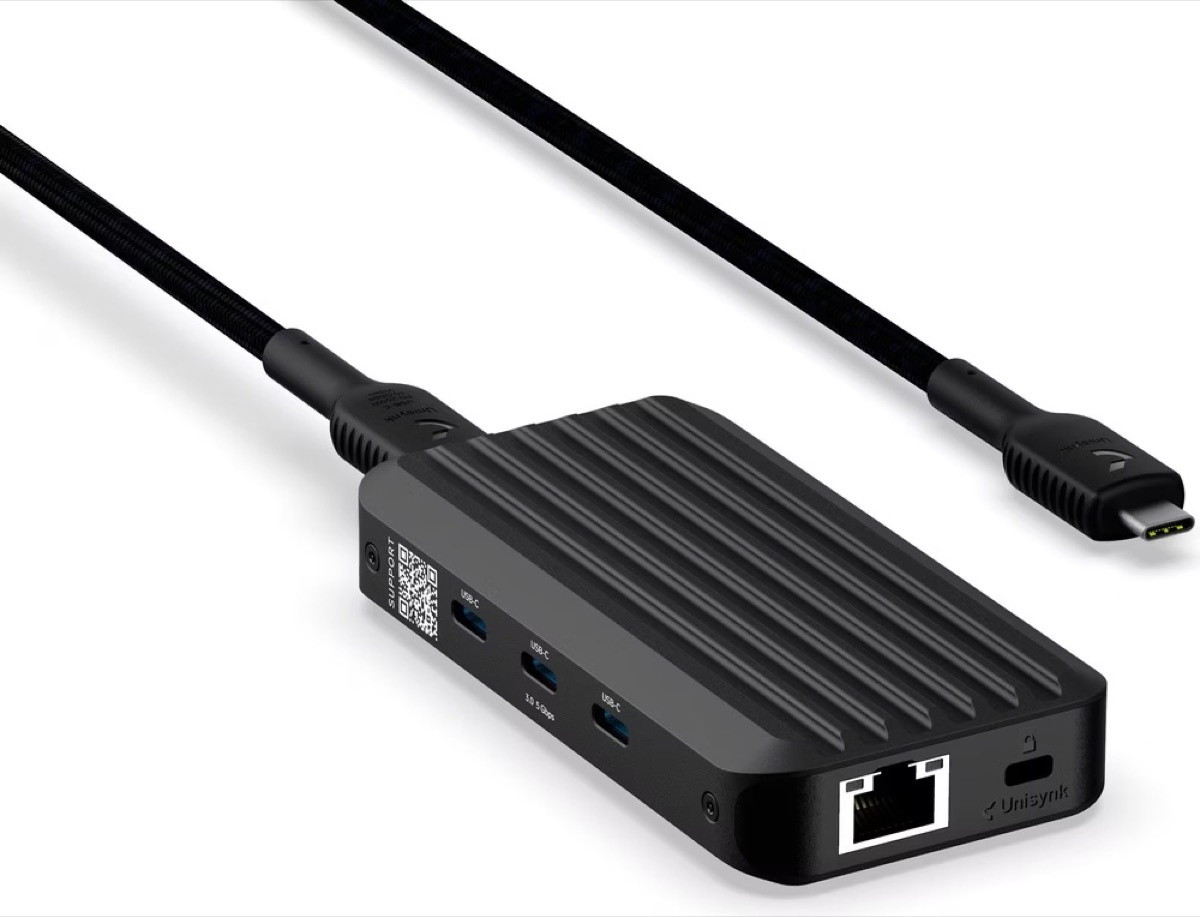
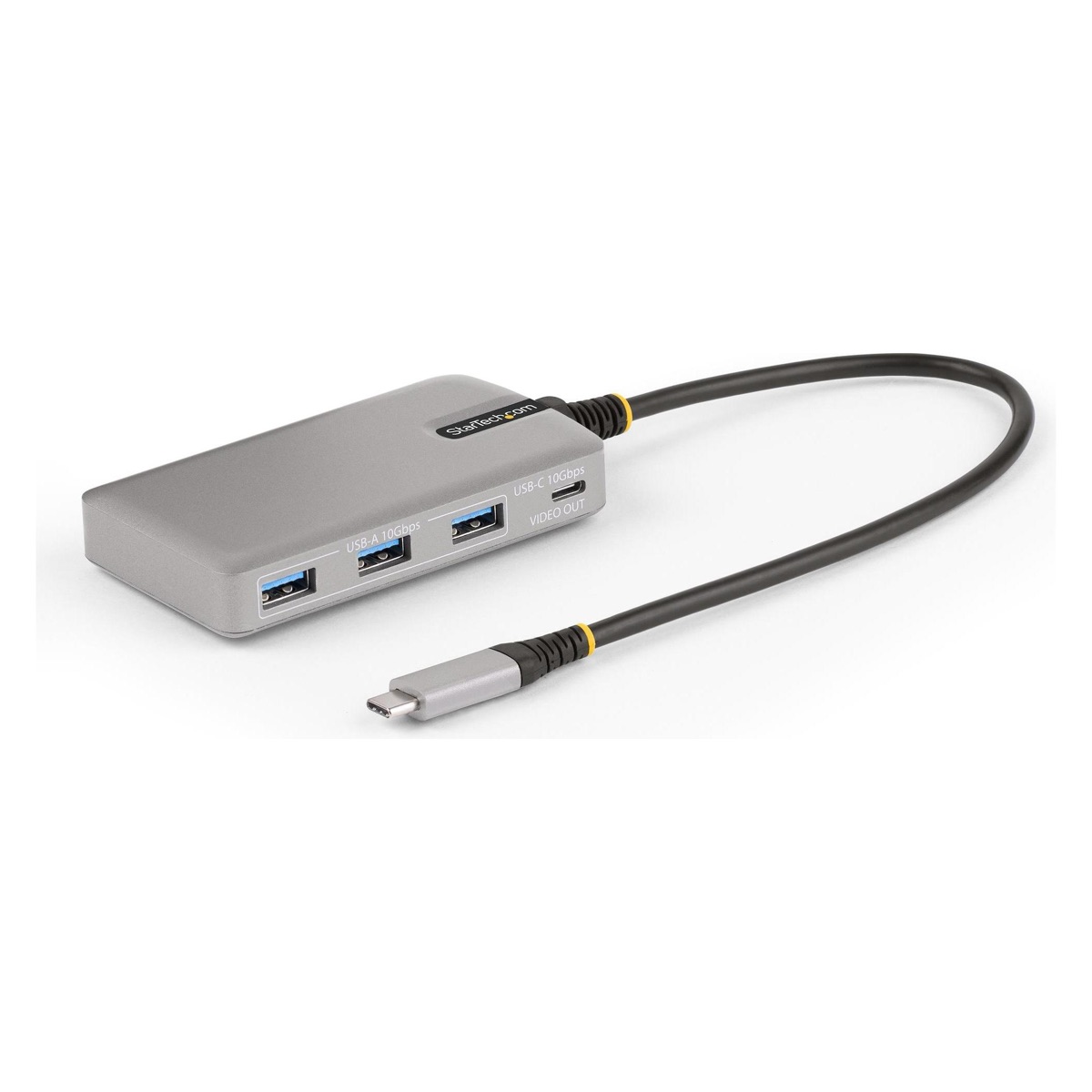
What matters is not the number of sockets but whether the hub passes power through. Without that the iPad runs out of breath on the road, and an interface without its own power supply gets too little.
Both can run audio interfaces without drivers. The technical term for this is class compliant: the device follows the USB standard so exactly that the operating system recognises it with no extra software. On an iPad that is not a convenience but a condition, because no drivers can be installed there at all. By now most small interfaces are class compliant, but it is not always printed large on the box. When in doubt, look for it before you buy.
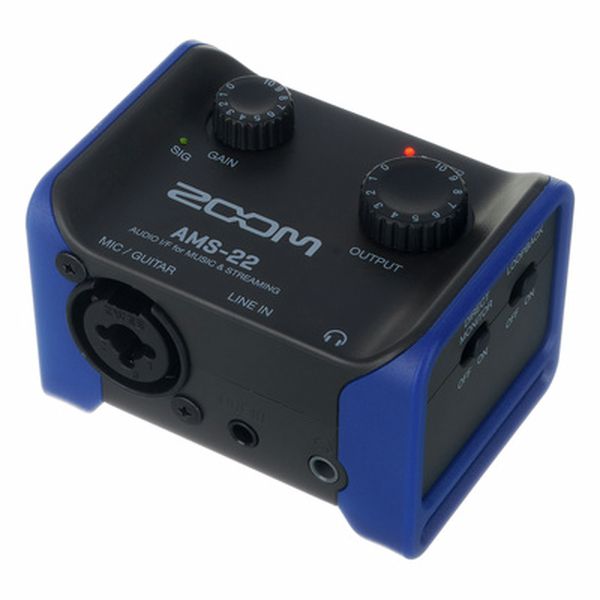
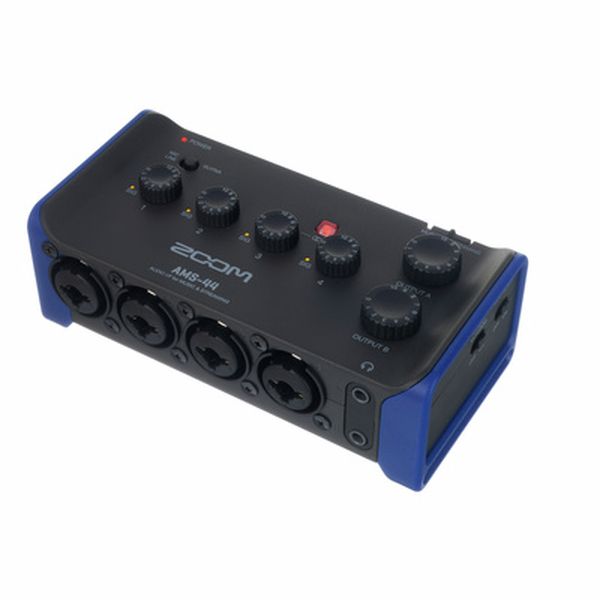
Beyond that it usually comes down to the cable and to whether enough current is flowing. An interface with its own power supply is the safe choice. Small and good for travelling: the Zoom AMS-22 and the AMS-44, two and four inputs respectively, class compliant, and they fit in a jacket pocket.
IN THE BOOKLET: CH 06 · OLD VERSION
CH 07Level, or: why it distorts›Every stage in the chain has a range in which it sounds good.1 min
[The hands-on graphic for this is above.]
Every stage in the chain has a range in which it sounds good. Too quiet means you hear noise along with it. Too loud means the signal hits the ceiling and distorts. In between lies the usable range, and you sit in it with a little room above.
The classic beginner's mistake is a chain reaction: one stage is too quiet, so you turn the next one up, which turns the noise up too, then it is too loud, then it distorts. The solution is never at the end, it is always at the start of the chain.
If something is too quiet, find the first place in the chain where it got too quiet. Do not turn up at the end.
IN THE BOOKLET: CH 07 · OLD VERSION
CH 05Hearing yourself›That you have to hear what you are doing is obvious.3 min
That you have to hear what you are doing is obvious. The more interesting question is when you hear it, and whether you also hear the others while you do.
In a room with several people playing, headphones are there less for you than for each other. Without them the loudest wins, everyone turns up to compensate, and in the end nobody can hear what anyone else just built.
Cable beats Bluetooth. Bluetooth typically delays by more than a tenth of a second, which at 120 BPM is almost a whole sixteenth note. You hear your own attack too late and unconsciously correct against it. Other wireless systems, the kind used on stage, are considerably faster. Wireless is not the same as Bluetooth, but Bluetooth is unusable for playing.
- The buffer. A computer or iPad does not calculate sound note by note but in chunks. How big those are is up to you. A small buffer means less delay and more load, a large buffer means safe and sluggish. Small while playing, doesn't matter while mixing.
What is really difficult about playing live
Not the technology. These four things are, and none of them is in a manual.
- Silence is a device, not a mistake. Taking an element away almost always has more effect than adding one. Add only and after ten minutes you land in a porridge there is no way out of. A good arc is at least half leaving things out.
- Changes need a moment. Not just whenever, but on the next downbeat or at least on a clear beat. The same change, triggered two seconds too early, sounds like an accident. On the downbeat it sounds like intent. Best of all at the end of a full cycle, so after 4, 8, 16 or 32 bars. The ear waits for those points, and a change that sits there feels planned.
- Live means being able to wait. Between the idea and the moment it fits there are often eight bars. Sitting through those eight bars without starting something else is a skill of its own.
- Mistakes are material. The most common breakdown comes not from a wrong note but from the reaction to it: stop, delete, start again. That kills the flow, and flow is harder to get back than any note. Keep playing instead and you often find the wrong thing was more interesting than the plan.
From you first: an idea in your head that you want to realise. Being able to do that is the goal, and it is what we work on.
Alongside it there is a second source that most people take for a mistake. A random generator, a preset hit by accident, a randomisation, a sound you were not looking for, a move that went wrong. That is not a bad source. It hands you material you would never have arrived at on your own, and the decision whether it stays is still yours.
How several people listen at once
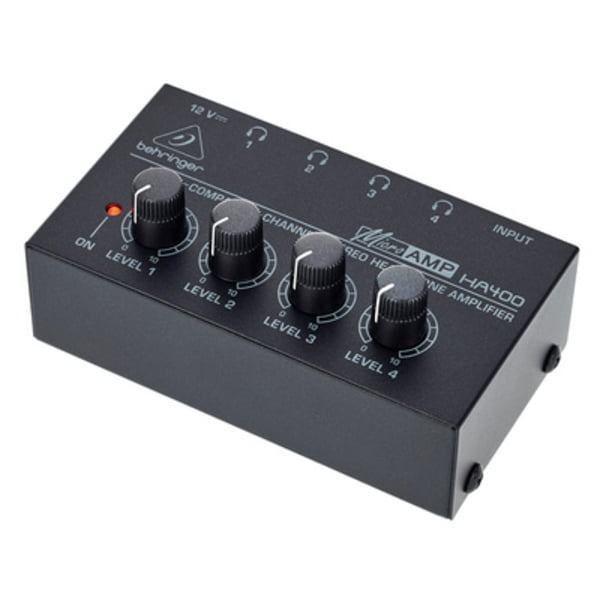
One headphone socket is enough for one person. As soon as two are sitting at the same device there are three routes, and they differ on exactly one question: does everyone hear the same thing, or does each person hear something different?
- Splitter. A cheap Y-piece, everyone hears the same mix. Fine when two people share one device. Downside: the more headphones, the quieter it gets for everyone.
- Mixer. The most elaborate route, but the only one where each person can have their own mix. How a mixer works is just below.
IN THE BOOKLET: CH 05 · OLD VERSION
CH 13Hertz and sample rate›How many times something vibrates per second is called its frequency , counted in Hertz , or Hz for short.2 min
How many times something vibrates per second is called its frequency, counted in Hertz, or Hz for short. A string that swings back and forth 110 times a second sounds at 110 Hz. The more vibrations, the higher the note. One octave higher, meaning the next note with the same name, always has exactly twice as many. Double it twice and you arrive at 440 Hz, the concert pitch A, the note instruments are tuned to.
In short: the sample rate has to be more than twice the highest tone. That is why 44.1 or 48 kHz is enough for everything you can hear.
In detail: sample rate, Nyquist limit, aliasing
The sample rate from chapter 06 is counted in Hertz as well. It says how often per second the converter measures, the converter being the part that turns voltage into numbers. Usually that is 44,100 or 48,000 times, written 44.1 or 48 kHz, where one kilohertz is a thousand Hertz. What matters is how many measurements fall on a single cycle. For concert pitch A it is about 100, at 20,000 Hz only 2.2.
This is the Nyquist limit: each cycle needs more than two measurements. So only what lies below half the sample rate can be captured. At 44.1 kHz that is 22.05 kHz, at 48 kHz it is 24 kHz, both above the limit of hearing at about 20 kHz. A note above that comes back as a false, lower note: aliasing, from alias, meaning otherwise known as. That is why a low-pass filter sits in front of the measurement, like the one on a synthesizer, only fixed at this limit.
IN THE BOOKLET: CH 13 · OLD VERSION
CH 13Bit depth: how finely it is measured›The sample rate says how often a measurement is taken.2 min
The sample rate says how often a measurement is taken. The bit depth says how finely. Every measured value is rounded to the nearest step of a fixed grid, just as a ruler only knows whole millimetres. A bit is a digit that can only be 0 or 1, and every extra bit doubles the number of steps: 3 bits give 8 steps, 4 bits 16, 16 bits already 65,536 and 24 bits 16,777,216.
In detail: rounding error, noise, 6 dB per bit
Even so, you do not hear a staircase, because on playback the converter draws a smooth wave again. What remains is the rounding error, the difference between the true and the stored value, and it sounds like a faint noise. Every extra bit halves it and pushes the noise down by about 6 dB. So 16 bits give about 96 dB of dynamic range, meaning the distance between the loudest sound and the noise, and 24 bits about 144 dB.
24 bits are worth it when recording: you leave room at the top so nothing distorts, and you pay for it in bits. On playback practically nobody hears the difference, because at normal listening levels the noise of 16 bits already sits below the background noise of a room. A bitcrusher, an effect that deliberately makes the steps coarse again, turns the error into a sound: grainy, rough, typically retro. Turn the bit count down slowly and you will hear the error from the first figure grow.
IN THE BOOKLET: CH 13 · OLD VERSION