How do I build a beat?
A sequencer is a grid: one bar has 16 steps, you switch on where it should hit. A groovebox is sequencer and sounds in one box.
Switch on a few steps in the grid above. Then move one by a single step and hear the groove tip over.
CH 12What a sequencer is›A sequencer stores no sounds.1 min
A sequencer stores no sounds. It only stores the instruction that when something should sound. Another device makes the sound. So it sits on the MIDI side of the chain.
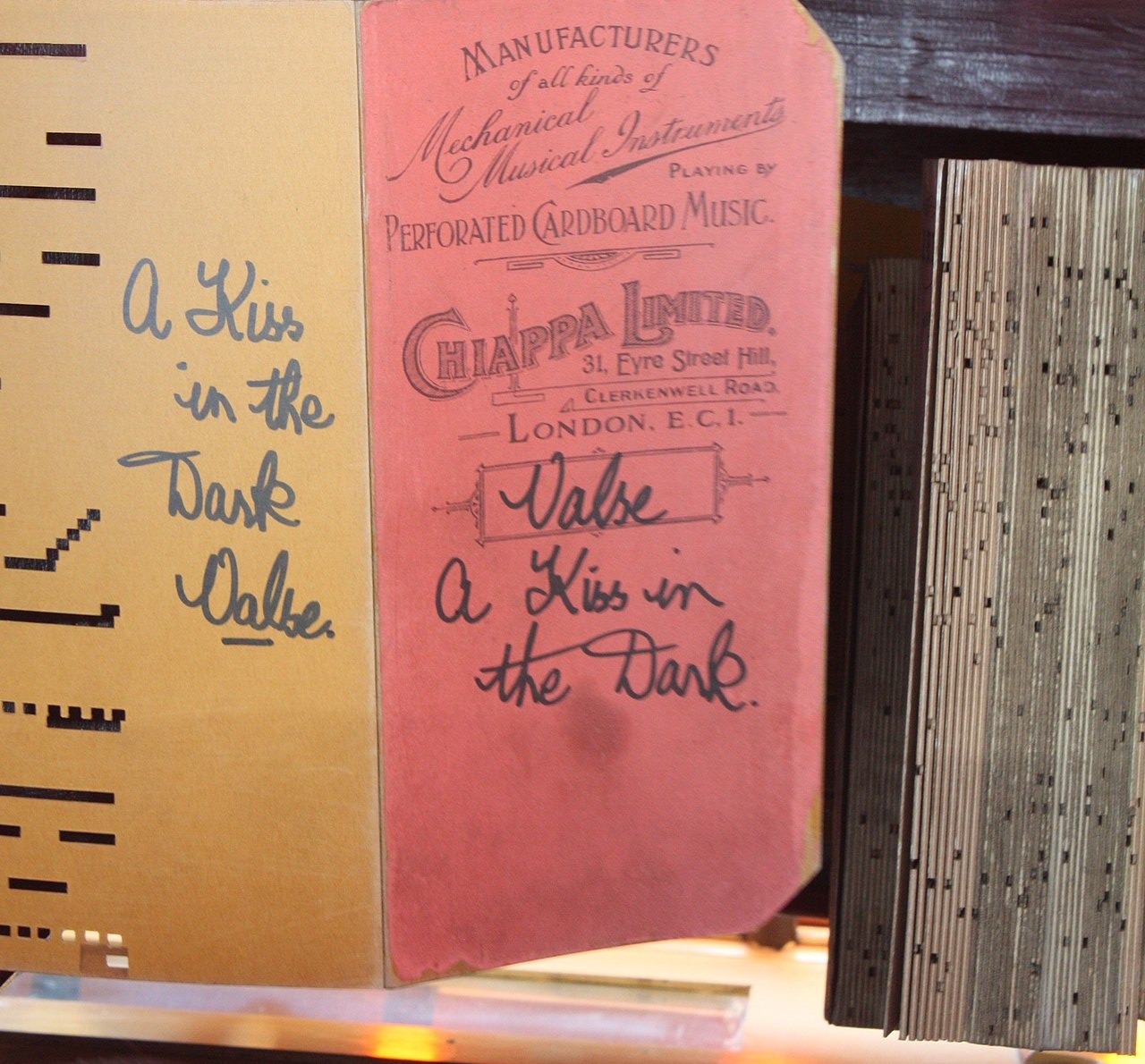
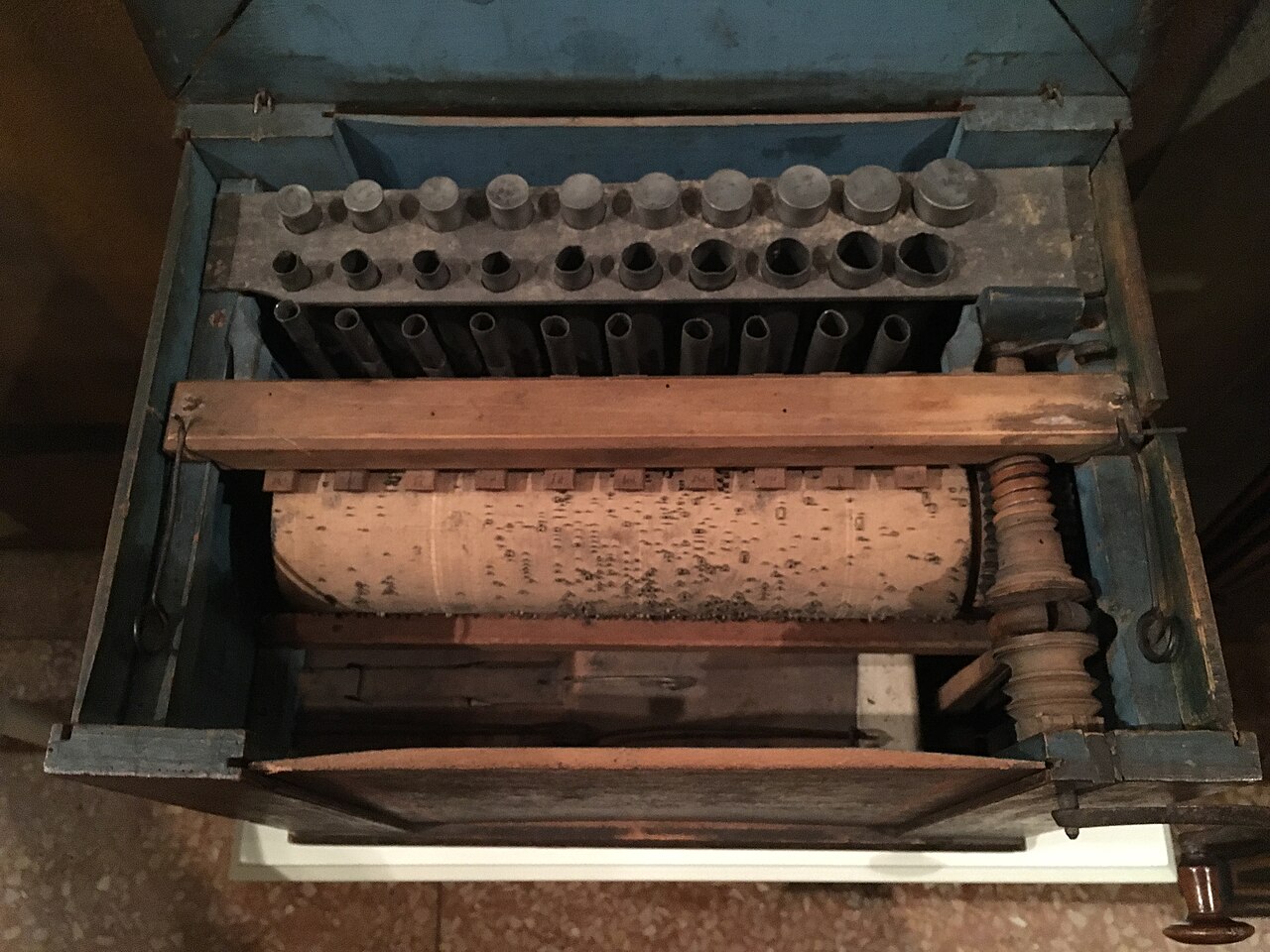
In a barrel organ the pipes, meaning the notes, are built in permanently. What you feed in is only a punch card. The card contains not a single note. It contains holes, and every hole opens a particular pipe at the right moment.
[The hands-on graphic for this is above.]
The grid of 16 or 32 fields is the punch card. What sounds when a field is active depends on which sound generator sits behind it. That is why you can put the same pattern onto a different sound and get a completely different piece.
IN THE BOOKLET: CH 12 · OLD VERSION
CH 09What a groovebox is›A groovebox combines sound generation, percussion and a sequencer in one box.5 min
A groovebox combines sound generation, percussion and a sequencer in one box. No computer, no screen, often with a battery. You switch it on and start.
The difference from a loop station: the loop station records you . The groovebox produces the sounds itself and plays them back to a pattern you program.
In 2026 the field is very wide
There is no such thing as the groovebox. There are dozens.
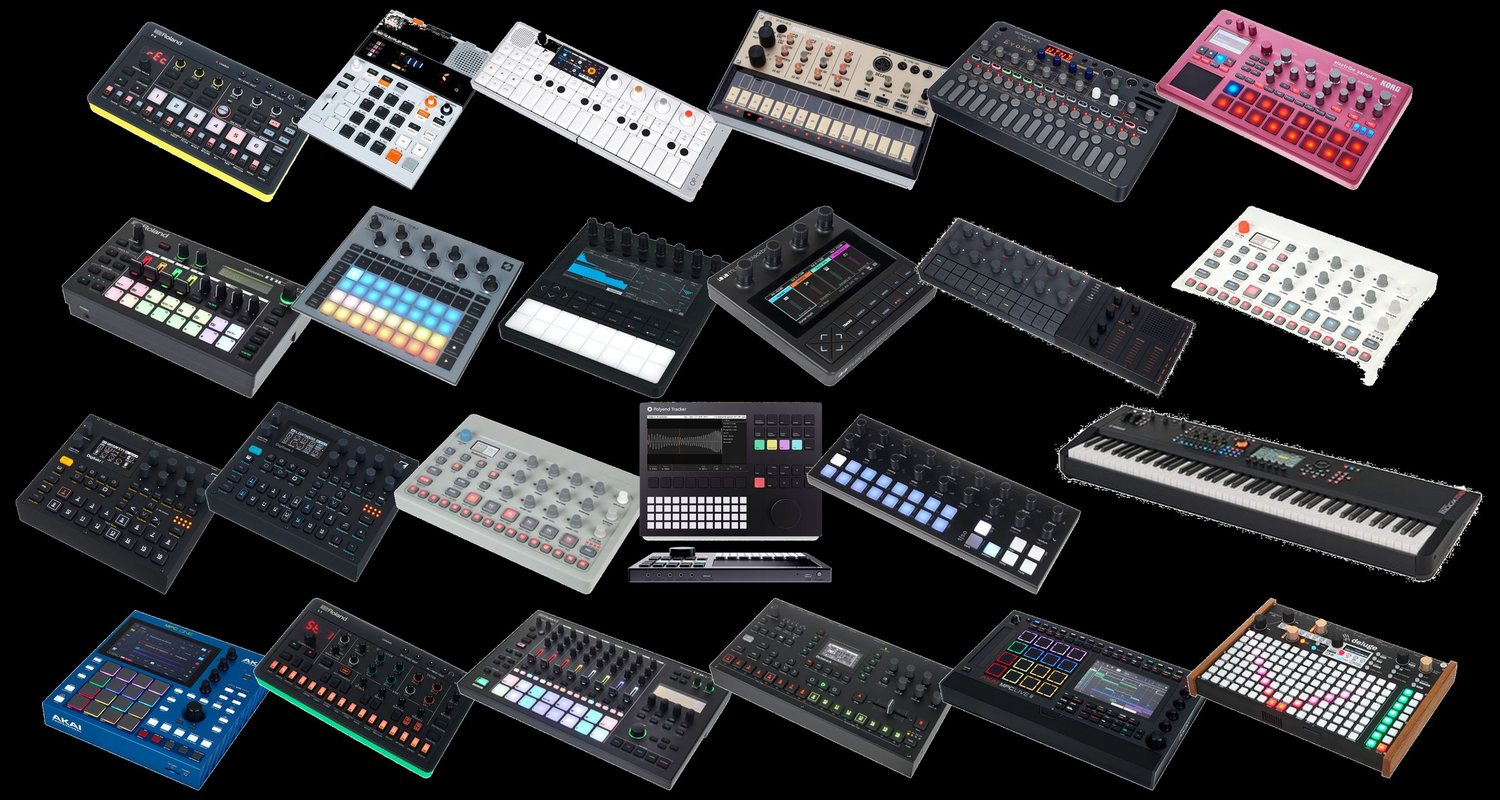
Top left are devices for a good two hundred euros, bottom right ones that are more like a portable music studio. The expensive ones ultimately contain the same as a program on a computer: several sound generators, a collection of effects, sampling, an arranger. The cheap ones leave almost all of it out.
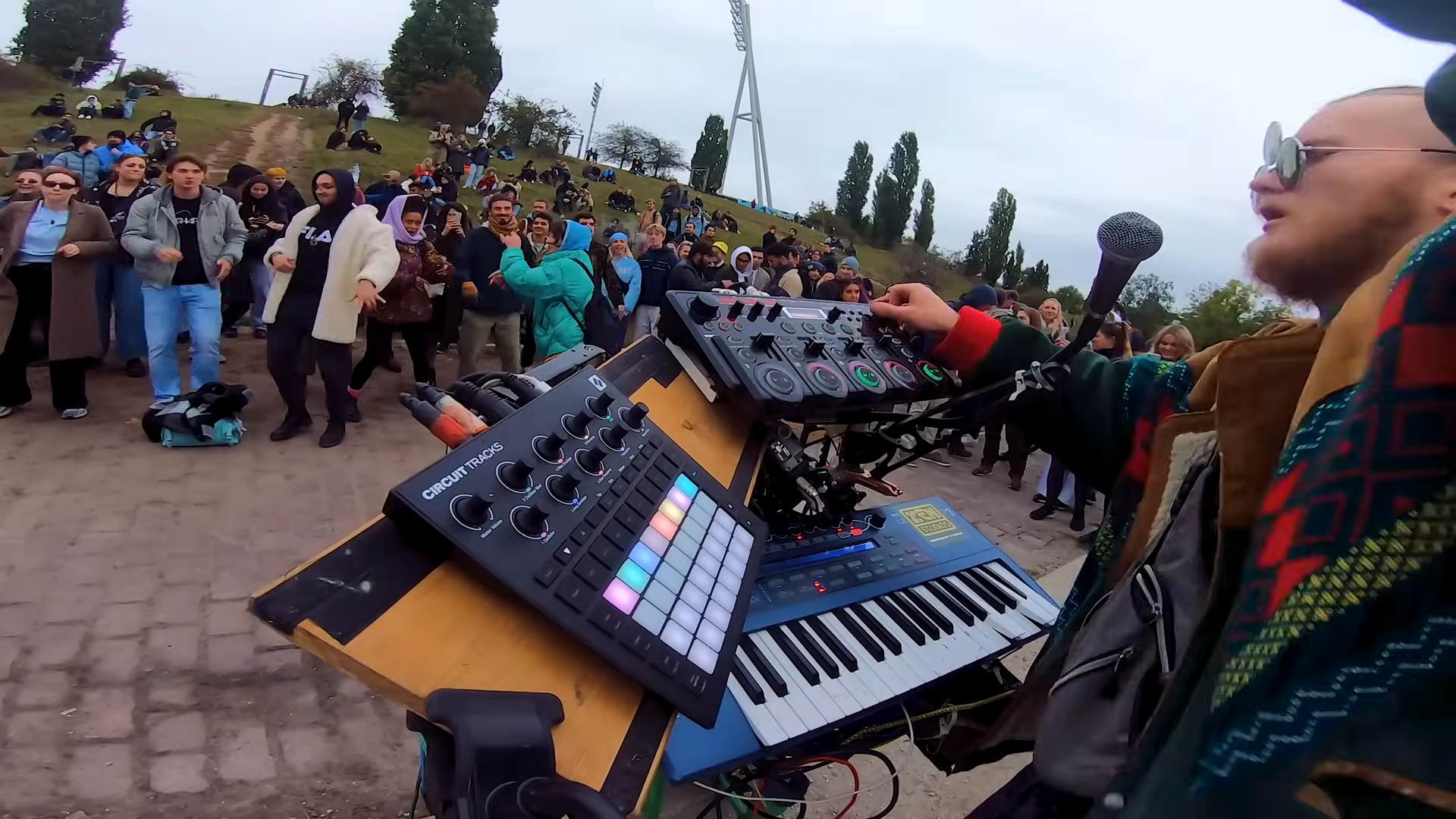
I made a video about that myself: Best Budget DAWLESS Set-Up? (Hardware). In it I show my own small setup of a Circuit Tracks, an RC-505, a Korg Modwave and a microphone. That is one possible setup out of many, not the right one.
A device that can do little forces decisions. When you are starting out that is often worth more than any additional feature. It is the reason I bring the Circuit Tracks and not the most expensive device on the shelf.
A few names come up again and again, and each stands for a different idea of how to build a piece of music without a computer.
- Elektron thinks from the sequencer outwards. Every single step can carry its own sound settings, not just an on or off. Very deep, very idiosyncratic, and fairly impenetrable without study.
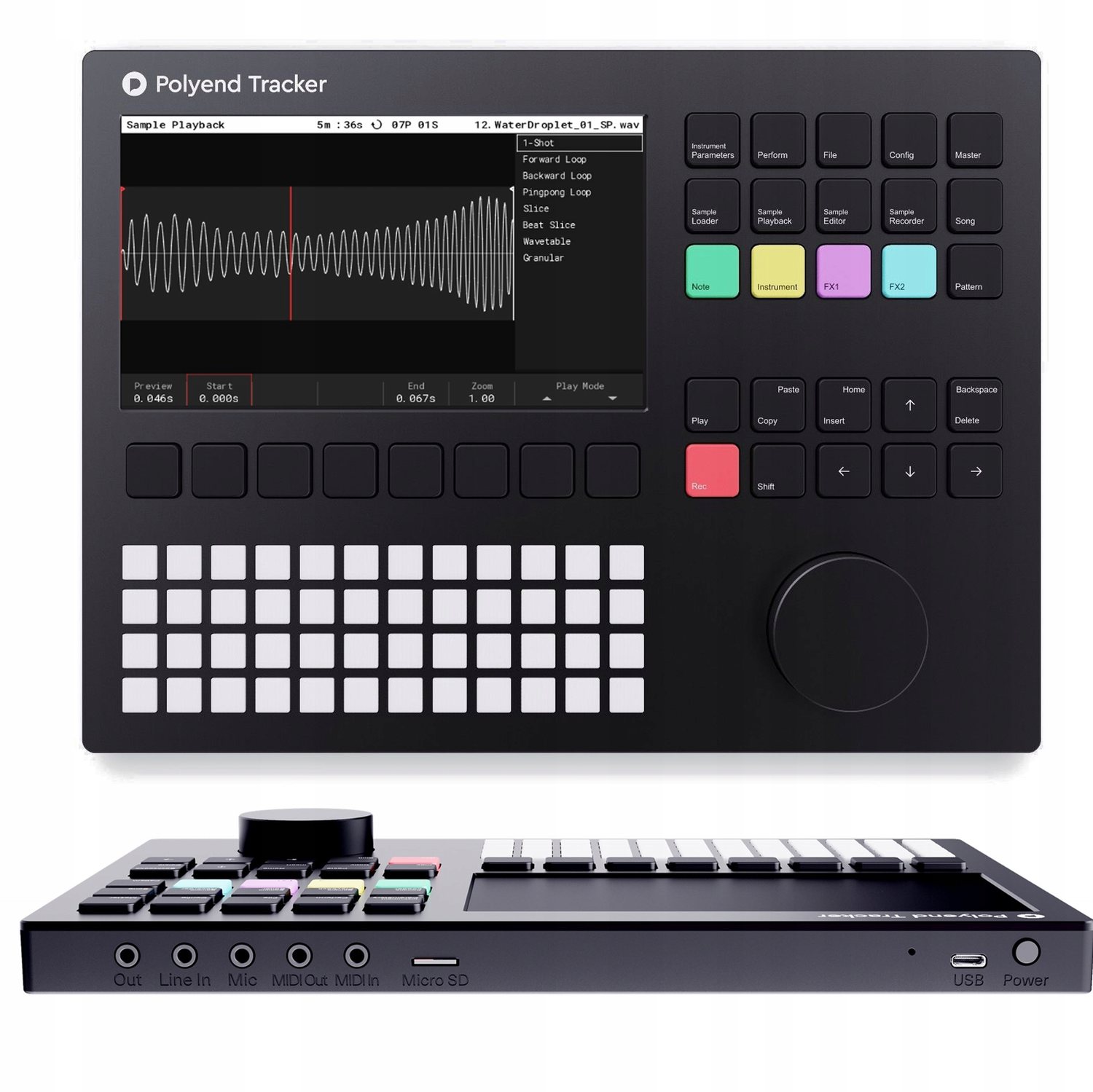
- Polyend is operated like a tracker: the piece sits there as a table of columns and runs through from top to bottom. If you are good with numbers and lists you are faster here than with pads.
- 1010music builds very small boxes with a touchscreen where the sample is the centre of everything, for example the Bento Box. Fits in a jacket pocket, but wants fingertips rather than knobs.
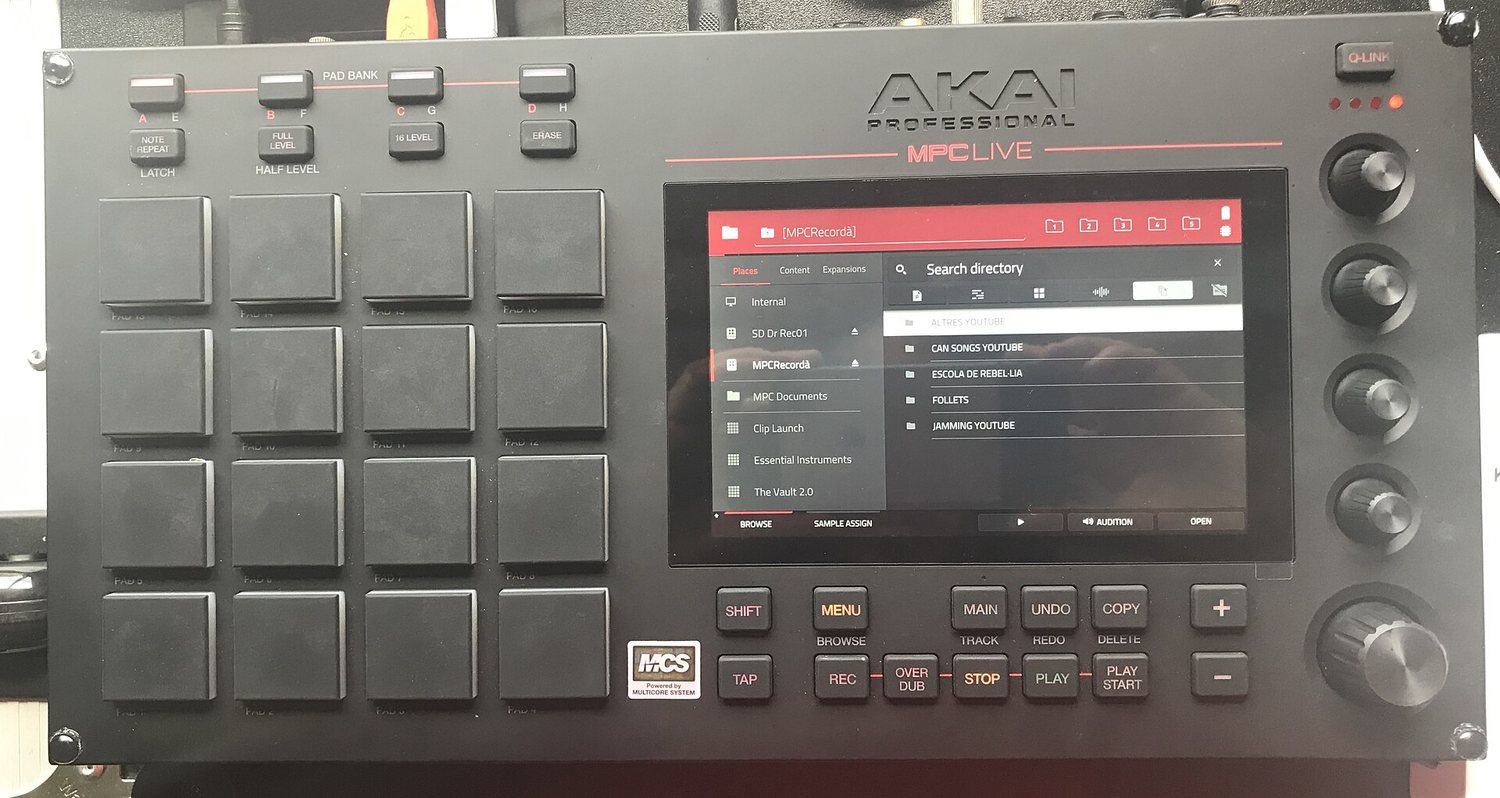
- Akai MPC is the ancestor, see chapter 11. Velocity-sensitive pads, sampling, and by now a small computer of its own with a screen.
- Teenage Engineering builds devices that look like toys and can be operated like them too. Very wilful, very small, and you have something in your hands immediately.
- Synthstrom Deluge is the final boss. Synthesizer, sampler, sequencer and arranger in one housing, with a battery, plus a community that keeps building on the system itself. Can do almost everything, costs accordingly, and you are busy for a while before the first note sits.
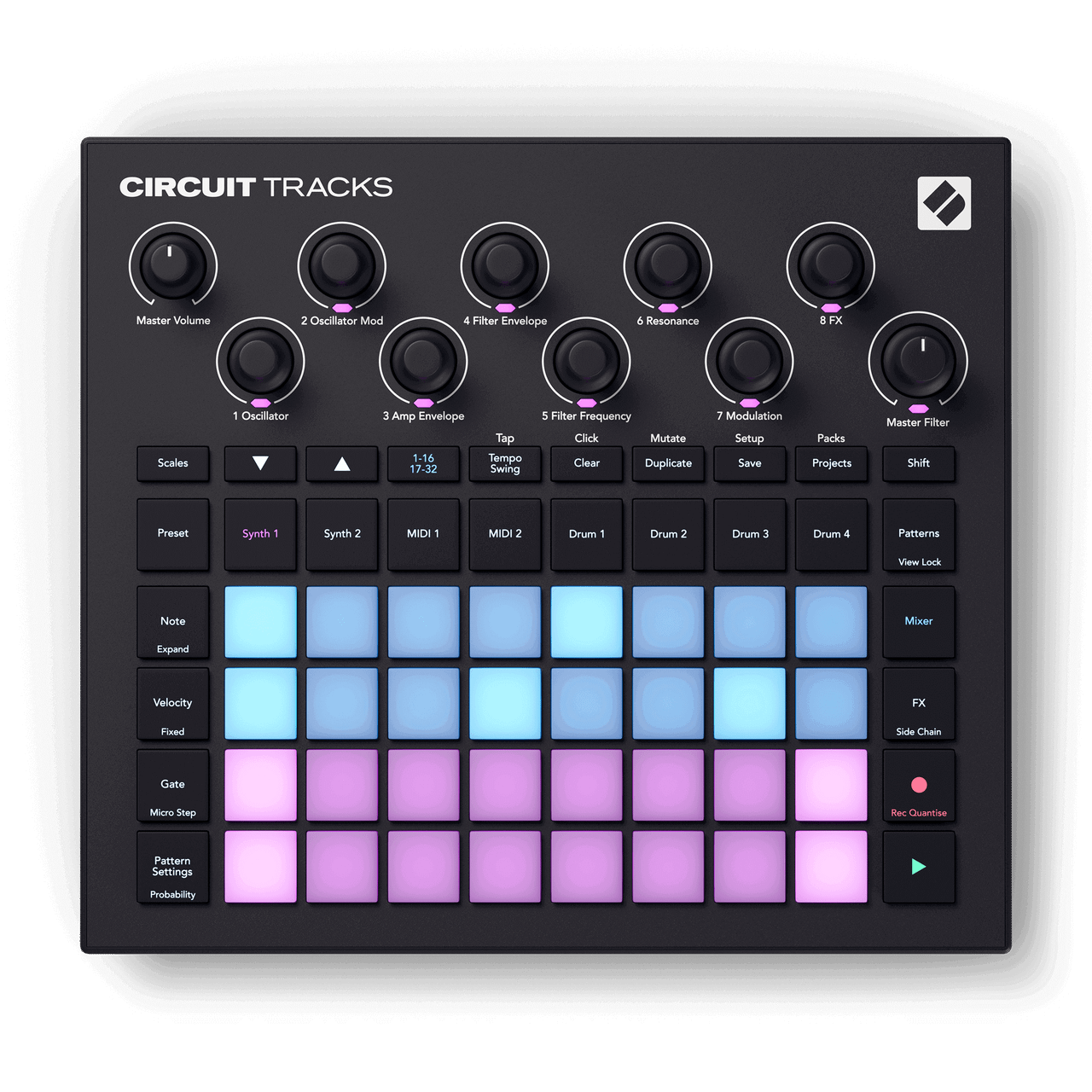
- Novation Circuit deliberately leaves things out. No screen, little choice, a battery, start right away. That is exactly why I bring it.
However different the operation, the core is the same everywhere: sound generation, percussion and a sequencer in one housing, no computer, knobs under your fingers. Everything in it is built for trying things immediately. There is no mouse, no windows and no save-as before the first note arrives.
Compared with a DAW
DAW stands for digital audio workstation, meaning the classic music program on a computer.
If you have already worked with a music program on a computer, you can think of a groovebox as a stripped-down DAW . It can do less, and that is the point.
- The plugins are built in. The sound generators and effects inside it are the ones you have. No installing more, no choosing between three hundred reverbs. A limit takes away the decision that otherwise costs you half the evening.
- Everything is under your fingers. One knob per function instead of a menu. That makes it faster, more direct and a lot more fun. On a computer you think first and then click, here you grab and hear.
- Your own samples usually work anyway. On the vast majority of devices you can load your own sounds via memory card or USB. Your sample collection from Cubase, Ableton or Logic is not lost, it moves with you. This is about samples, meaning audio files. A synthesizer is not an audio file but a sound generator.
What the DAW does better remains true all the same: any number of tracks, everything correctable afterwards, every plugin in the world. The groovebox trades exactly that for speed and directness.
Three build types side by side
The same goal, three very different routes to it. I bring the first of the three, and it gets a chapter of its own in a moment.
Patterns, scenes, chains
Three words that turn up on every groovebox and build on each other:
- Pattern: one or two bars per track, the smallest building block.
- Scene: a snapshot of which pattern is currently on which track. A scene is therefore a section of a song, a verse or a chorus.
- Chain: several scenes in an order that the device runs through on its own. That is how an arc develops without you having to press anything.
The jump from pattern to scene is the real learning step. As long as you only build patterns you have four bars that repeat. Only scenes turn that into a piece.
IN THE BOOKLET: CH 09 · OLD VERSION
CH 10The Circuit Tracks in detail›The device I bring, taken apart once.5 min
The device I bring, taken apart once. Not because it is the best, but because everything the booklet has covered so far can be shown on it.
What is inside
Eight tracks then, two of them with sound generation of their own, four with samples and two that make no sound at all but only send MIDI out send. Exactly the distinction from chapter 03.
What the buttons do
There is no screen. Instead every button is labelled, and the pad grid below shows what currently applies.
The three views you work in
- Note. You press a track first, then Note. Now the grid shows the steps of exactly that track, and every pad is a step. Pad on means: something sounds here. On the lower pads you play the notes in yourself at the same time, the rows being the scale. You move between Synth 1, Drum 3 and MIDI 2 by pressing a different track above, without leaving the view.
- Patterns. Here are the finished patterns of the selected track, eight per page. One press changes the pattern, several pressed in a row make a chain that the device runs through on its own. This is where four bars turn into an arc.
- Mixer. One row per track, for setting volume and switching tracks on and off. In a concert this is the most used button of all, because leaving out and bringing back in happens exactly here.
The eight knobs at the top always apply to the track currently selected. On a synth track they hold oscillator, filter, envelope and effect amount, on a drum track other values. So the same knob does something different depending on the track, and that is the second point where people get lost at the start.
Where the old terms turn up again
- The note view is a punch card, only with LEDs instead of holes. Where that picture comes from is in chapter 12. A field on means: something happens here.
- Velocity is exactly the striking force from the MIDI chapter. Here it sits on each step individually.
- Probability lets a step sound only some of the time. That is the built-in chance mentioned in chapter 05 under the rules for playing.
- Patterns become chains, chains become scenes, and a scene starts a whole piece at one press. Sixteen of them fit into a project.
How it keeps in step with the rest
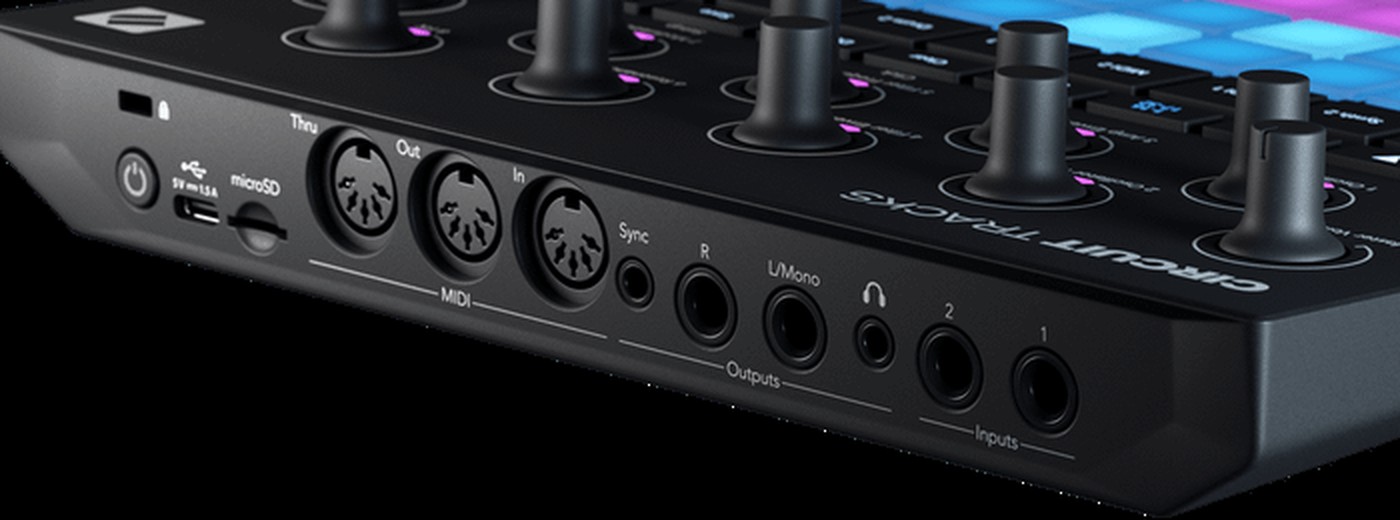
- It has three full-size five-pin sockets: In, Out and Thru. That lets it connect to any other hardware without an adapter. Thru can be switched in the menu to a second Out if you want to chain two devices.
- Next to them sits a 3.5 mm jack for analogue sync. That is not MIDI but a pure clock pulse for older and modular devices that cannot do anything with MIDI.
- It can give or take the clock. In the course one device gives the clock for everyone and the others take it. Who gives is an agreement, not a technical question.
- It also speaks MIDI over USB. With an iPad or computer attached, the same clock can come from there and meet Ableton Link from chapter 04.
And when a computer joins in
For many devices there is software that lets you set more on the computer than on the device itself. On the Circuit Tracks it is called Novation Components and runs in the browser. There you can edit sounds, load your own samples and back up projects.
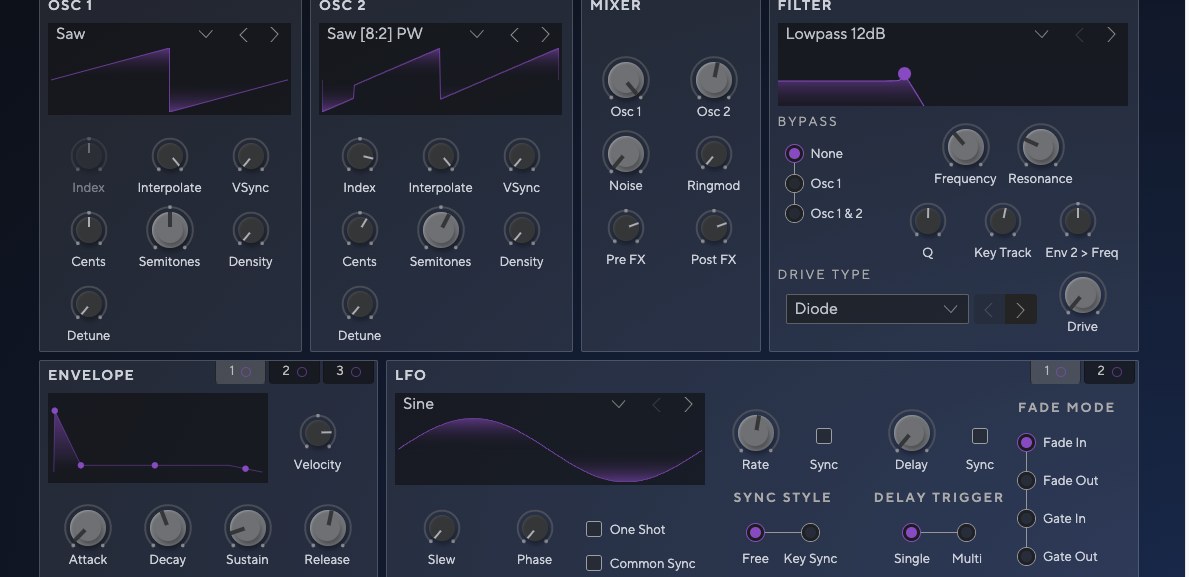
Whether software like this exists often separates more expensive devices from cheaper ones. Some can only be operated on the device, others open up completely on the computer. If you work a lot with samples, ask about it before you buy.
The manual is available as a PDF , but only in English.
IN THE BOOKLET: CH 10 · OLD VERSION
CH 11Drum machines that changed everything›Four devices you can read the whole movement from: from sounds the machine produces itself to sounds you load into it.1 min
Four devices you can read the whole movement from: from sounds the machine produces itself to sounds you load into it.
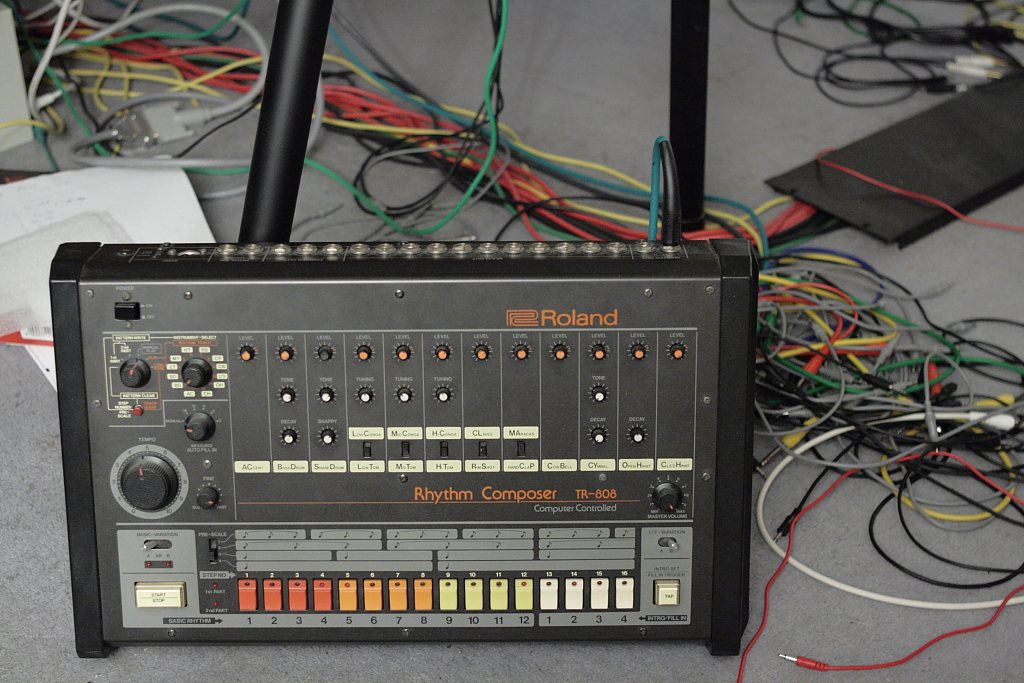
1980 · Roland TR-808
It was meant to imitate real drums and instead sounded like nothing before it. Commercially a failure at first. Only through the second-hand market did it become the foundation of hip hop and electronic music. Every sound is synthetic, there is not a single recording inside it.
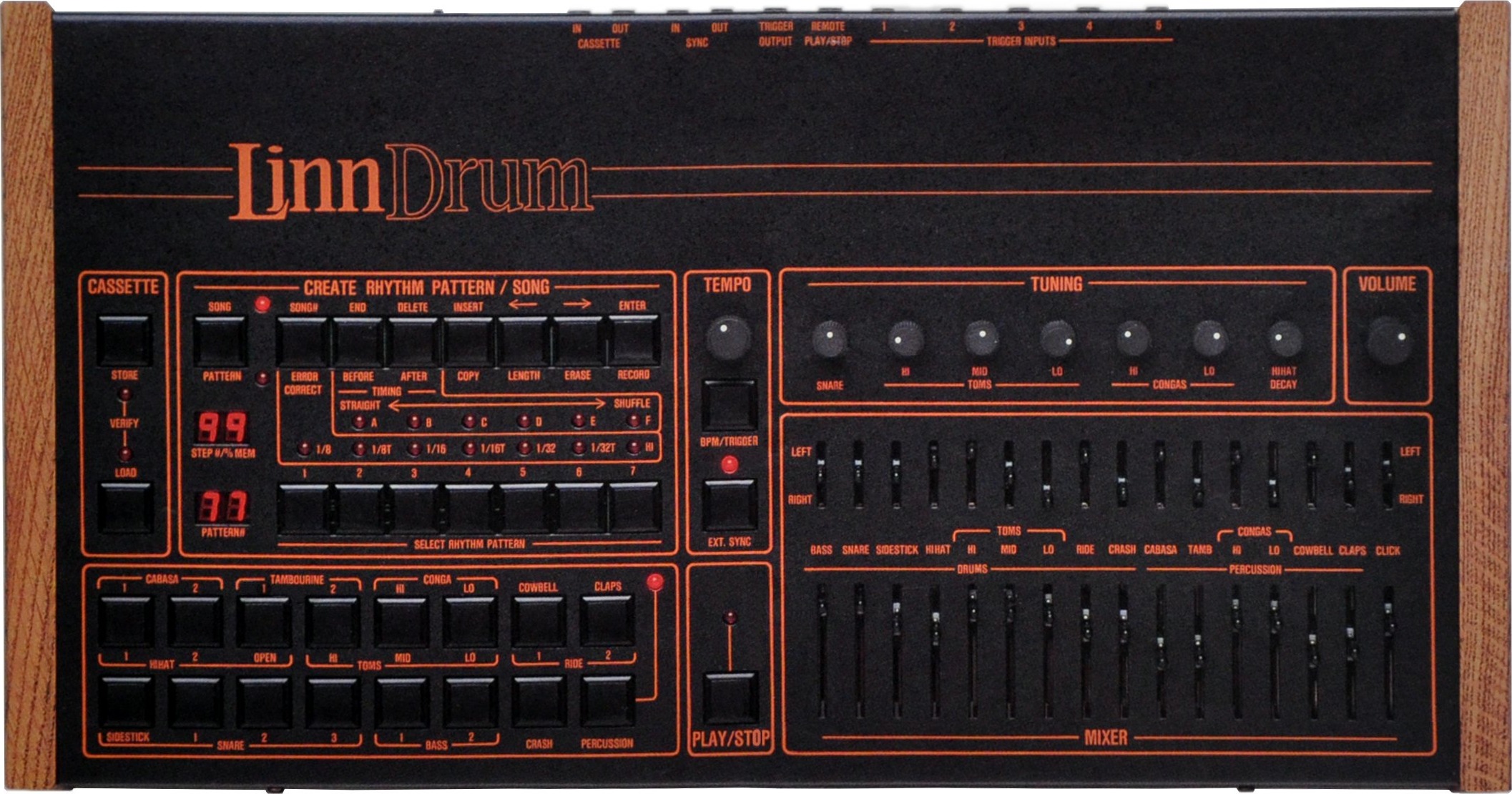
1982 · LinnDrum
By Roger Linn. Instead of building sounds it played back recordings of real drums. That is where sampling in the drum world began, and with it the question every groovebox has had to answer since: your own sounds or the ones supplied.
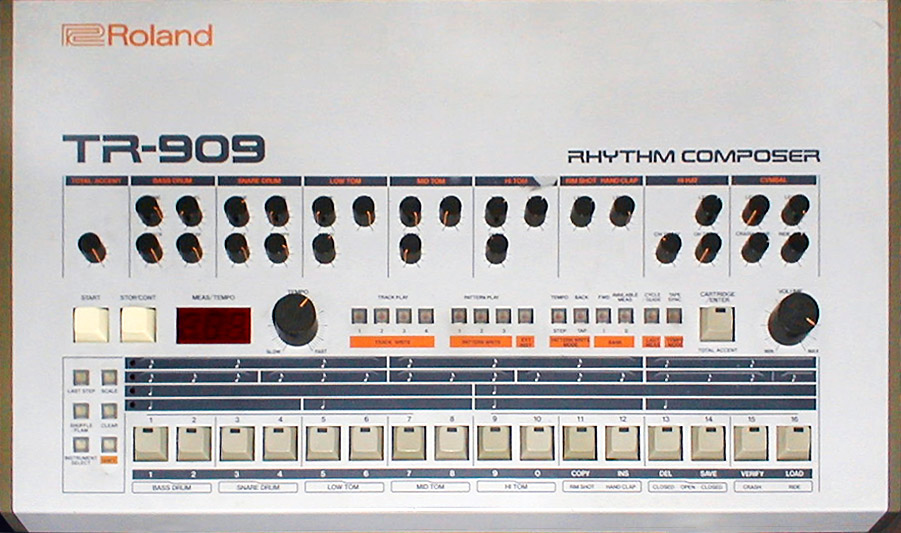
1983 · Roland TR-909
Conceived more realistically than the 808 and partly filled with samples. Became the defining instrument of house and techno. Three years between two devices, and two entire genres came out of it.
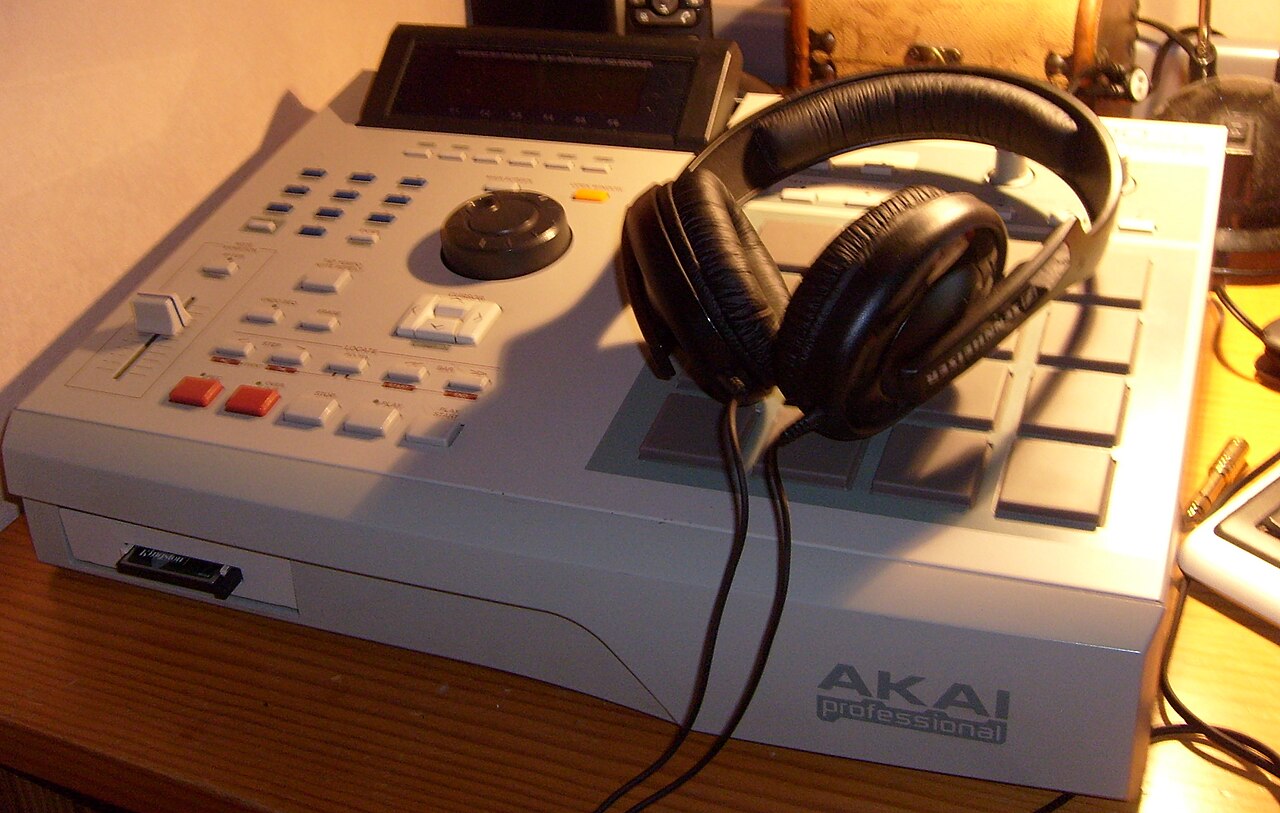
1988 · Akai MPC60
Roger Linn and Akai together. Sampler and sequencer in one device, with velocity-sensitive pads that respond to how hard you hit them. That build type still shapes how grooveboxes look and how they are played today.
The movement behind it is a single one: from sounds the machine produces itself to sounds you load into it yourself. Both routes still exist side by side today, and the Circuit Tracks has both on board.
IN THE BOOKLET: CH 11 · OLD VERSION